
GPT Image 2AI-Prompt
16-Bit Pixel Art Red Dragon on Castle — Sora 2 Prompt
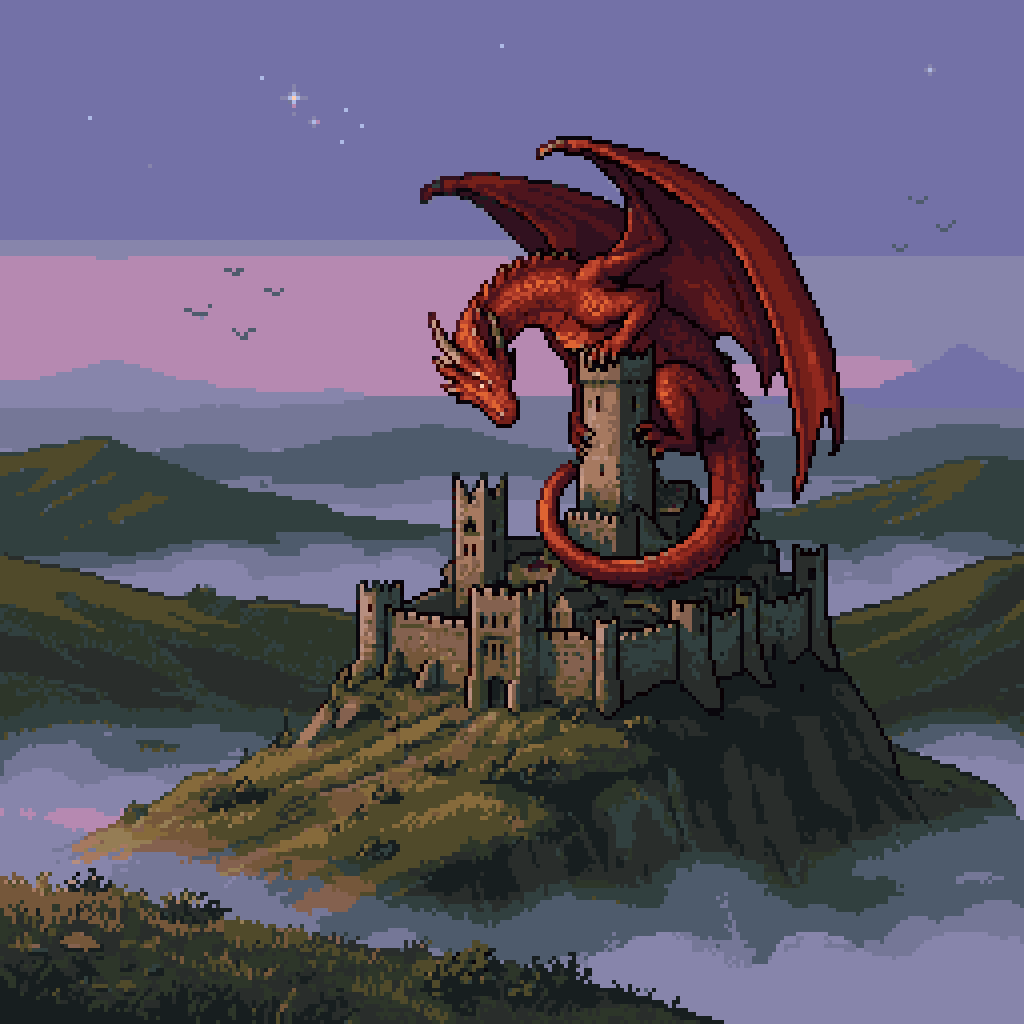
Generate a stunning retro pixel art scene of a giant red dragon guarding a castle at dusk, perfect for game assets, concept art, or pixel art inspiration.
PROMPT · EN
一幅 256x256 正方形构图的复古奇幻像素艺术场景,展示了一条巨大的红龙守护在古老石制城堡的最高中央塔楼上。巨龙有着长而卷曲的尾巴缠绕在塔楼周围,巨大的蝙蝠状翅膀展开,长角的头部低垂并面向左侧,身体呈现出明亮的红橙色,带有深栗色的阴影和清晰的黑色像素轮廓。城堡是一座饱经风霜的中世纪要塞,拥有多座塔楼、雉堞墙和狭小的暗色窗户,坐落在陡峭的岩石山丘之上。山丘周围是连绵起伏的绿色和棕色山脉,部分被淡雾和低云覆盖,营造出层叠的大气深度。天空是黄昏时分,呈现出淡紫色和柔和的紫罗兰色渐变,点缀着几颗微小的白星,远处还有几只作为黑色像素剪影的飞鸟。采用经典的 16 位游戏风格精灵图、有限的调色板、可见的像素网格、简洁的剪影设计、戏剧性的奇幻氛围、侧视图景观构图以及微妙的复古游戏质感。
Über diesen Prompt
Generate a stunning retro pixel art scene of a giant red dragon guarding a castle at dusk, perfect for game assets, concept art, or pixel art inspiration. Use it as a Konzeptkunst starting point for GPT Image 2: keep the visual structure and style constraints intact, then swap in your own subject, brand, or scene.
Start with small changes to subject, scene, camera, and color, then generate a few variations to compare composition and detail without turning the page copy into keyword stuffing.
So verwendest du diesen Prompt
- Copy the prompt text from the page.
- Paste it into an AI image generator that supports pixel art, such as Midjourney (with
--style 16-bitor--pixelparameters), DALL·E, or Stable Diffusion with a pixel art model. - Optionally tweak details like dragon color, castle style, or time of day to suit your needs.
- Run the generation and use variations, upscaling, or post-processing to refine the result to a 256x256 composition if needed.


