
GPT Image 2AI-Prompt
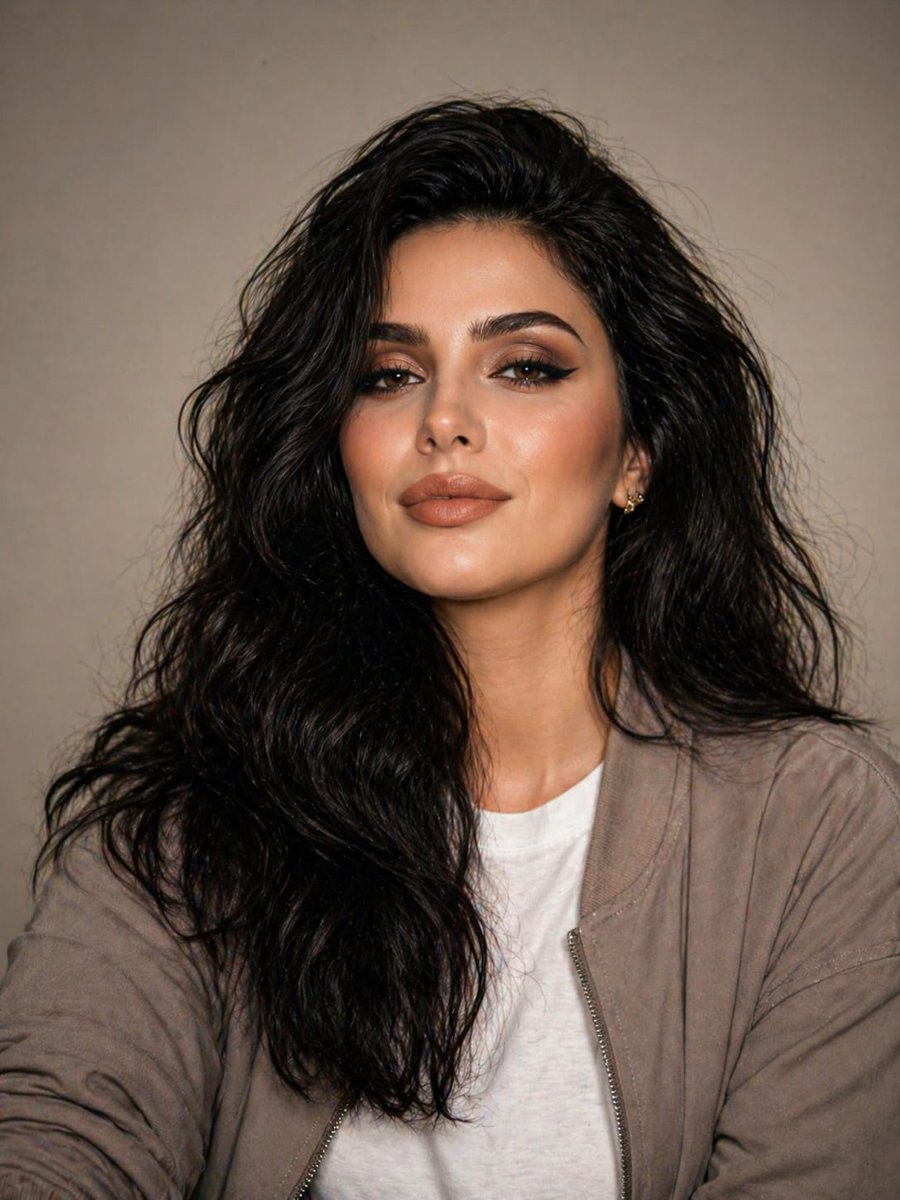
Neutral Studio Portrait — Sora 2 Prompt
Generate photorealistic studio portraits with soft lighting, neutral tones, and minimalist street style — perfect for fashion and branding.
PROMPT · EN
一张高度写实的影棚人像,主体为一名 20 多岁、身材匀称的 argsubject gender: 女性,采用平视视角,胸部以上构图,居中置于平滑的暖米色影棚背景前,背景无杂物。她留着一头浓密的长发,发色为 arghair color: 黑色,发型为蓬松、略显凌乱的自然波浪卷,发量充盈,中分发缝柔和,垂落在双肩。姿态放松且自信,正对镜头,表情冷静、中性且从容。身着两层可见的服装:内搭纯白色圆领 T 恤,外穿一件敞开的轻薄灰褐色休闲拉链夹克,呈现出中性色调的极简现代街头风格。一侧耳朵上佩戴一枚精致小巧的耳环。采用专业影棚布光,使用柔和的正面主光、轻柔的补光,营造出自然的阴影,肤色真实,与背景有轻微的层次感。使用 85mm 人像镜头拍摄,光圈 f/2.8,主体对焦清晰,景深较浅,呈现编辑时尚人像风格,色彩平衡自然,极简修图,超高清细节,无滤镜,无噪点,无运动模糊,无卡通特征。
Über diesen Prompt
Generate photorealistic studio portraits with soft lighting, neutral tones, and minimalist street style — perfect for fashion and branding. Use it as a Konzeptkunst starting point for GPT Image 2: keep the visual structure and style constraints intact, then swap in your own subject, brand, or scene.
Start by replacing subject gender and hair color, then keep the camera, composition, and material cues in the same order. This makes the output easier to compare across variations.
So verwendest du diesen Prompt
- Copy the prompt from this page.
- Paste it into your AI image generator (e.g., Sora 2, Midjourney, DALL·E).
- Adjust the
subject genderandhair colorvariables as needed (default: female, black hair). - Choose a photorealistic model or setting for best results.
- Generate and download your editorial-style portrait.


