
GPT Image 2AI-Prompt
Street Fashion Portrait — Crouching Pose with Mosaic Blur | Sora 2 Prompt
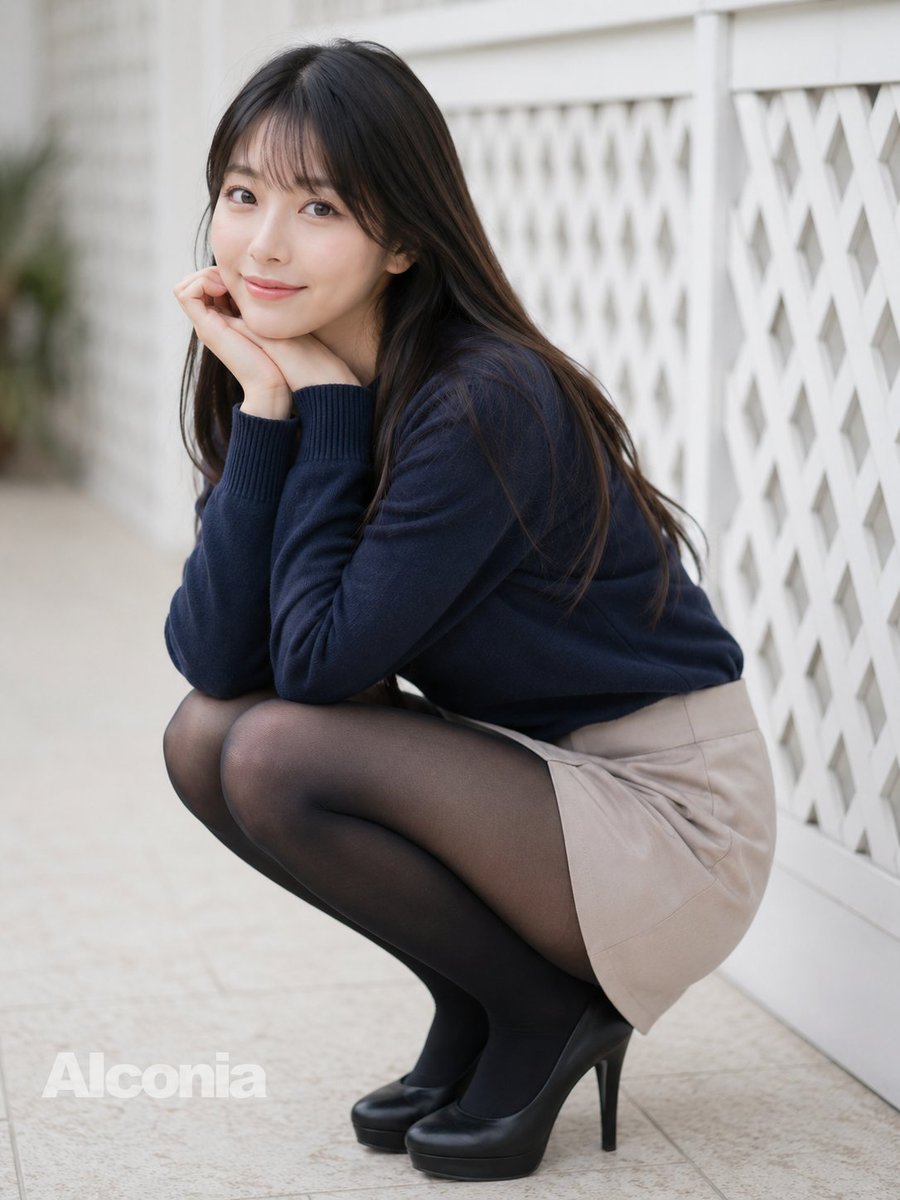
Generate a photorealistic outdoor fashion portrait of a crouching woman in a sweater, skirt, and heels with artistic face blur and soft bokeh lighting.
PROMPT · EN
创作一张照片级逼真的全身户外时尚人像,画面中一位 argsubject age and gender: 成年年轻女性 蹲在白色格子栅栏旁浅色的瓷砖人行道上。她留着长直的 arghair color: 深棕色头发,发丝垂在肩头,面部经过柔和的方形马赛克模糊处理,双手托腮,手肘抵在膝盖上,呈现出害羞而沉思的姿态。她身穿一件修身的 argsweater color: 藏青色 针织毛衣,袖口有罗纹设计,搭配一条短款 argskirt color: 米色 短裙、黑色透明连裤袜以及黑色防水台高跟鞋。采用浅景深效果,背景柔和虚化,自然日光照明,色调柔和中性,呈现真实的皮肤和织物纹理,营造出抓拍的街头摄影感。构图采用 4:3 竖幅,主体位于画面中心偏左位置,右侧白色几何栅栏向背景延伸,左下角带有半透明的 argwatermark text: Alconia 水印。
Über diesen Prompt
Generate a photorealistic outdoor fashion portrait of a crouching woman in a sweater, skirt, and heels with artistic face blur and soft bokeh lighting. Use it as a Konzeptkunst starting point for GPT Image 2: keep the visual structure and style constraints intact, then swap in your own subject, brand, or scene.
Start by replacing subject age and gender, hair color, sweater color, and skirt color, then keep the camera, composition, and material cues in the same order. This makes the output easier to compare across variations.
So verwendest du diesen Prompt
- Copy the full prompt text from this page.
- Open your preferred AI image/video model (e.g. Sora 2, Kling, or Midjourney).
- Customize the curly-brace variables such as subject age, hair color, sweater color, skirt color, and watermark text to match your vision.
- Paste the prompt into the generation field and submit.
- Review the output; adjust depth-of-field or lighting keywords if needed and regenerate.


