
GPT Image 2AI-Prompt
Boxed Figure to Anime Main Visual — Sora 2 Prompt
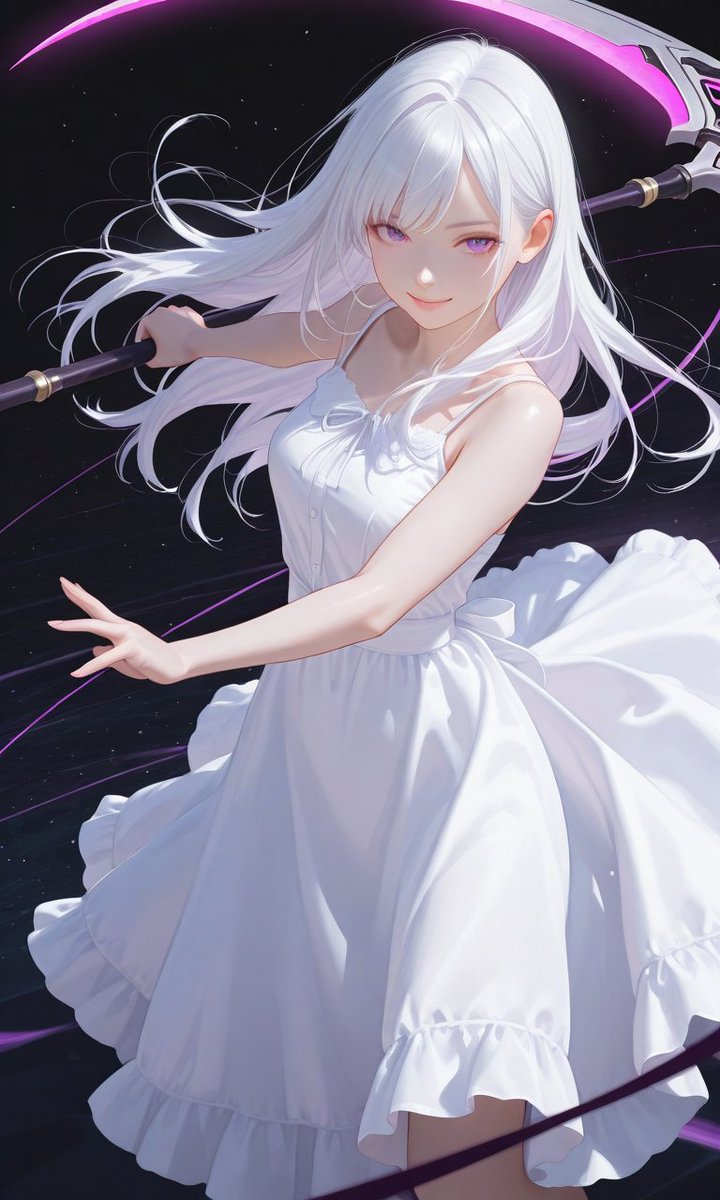
Transform a boxed figurine photo into a stunning, high-resolution anime character portrait with a cosmic, neon-lit background.
PROMPT · EN
以 REFERENCE_1 作为角色和姿势的主要参考,将盒装手办照片转换为精致的高分辨率动漫主视觉图:去除零售包装、货架、手部、标签以及所有产品包装上的文字,仅将角色渲染为精美的 2D 插画。保留参考图中的白发少女、白色连衣裙、镰刀、飘逸长发以及紫罗兰色新月能量元素,但需大幅拉近镜头,构图为聚焦于上半身和裙摆动态的竖向肖像。通过添加一个柔和的方形遮挡块来保留原图中被遮挡的面部效果。仅将 REFERENCE_0 作为高端收藏级手办光影和光泽感展示效果的参考。添加带有霓虹紫色动态弧线、电影级高光以及平滑细腻褶皱的深邃星空背景。禁止出现任何 Logo、排版文字或商店环境。可选自定义项:角色名称 argcharacter name: Luna Veil,能量颜色 argenergy color: violet purple,服装颜色 argoutfit color: pure white,裁剪风格 argcrop style: close-up vertical portrait,面部处理 argface treatment: single soft square censor block。
Über diesen Prompt
Transform a boxed figurine photo into a stunning, high-resolution anime character portrait with a cosmic, neon-lit background. Use it as a Konzeptkunst starting point for GPT Image 2: keep the visual structure and style constraints intact, then swap in your own subject, brand, or scene.
Start by replacing character name, energy color, outfit color, and crop style, then keep the camera, composition, and material cues in the same order. This makes the output easier to compare across variations.
So verwendest du diesen Prompt
- Copy the full prompt from sora2hub.com.
- Paste it into your preferred AI video/image generation model like Sora 2.
- Use the optional arguments (e.g.,
{character name},{energy color}) to customize the character's name, colors, and style. - Adjust the reference images (
REFERENCE_0,REFERENCE_1) to your source photos. - Generate to create your high-quality anime main visual.


