
GPT Image 2AI-Prompt
Cute to Crazy Expression Grid — Consistent Character Faces
Generate a perfectly consistent 4x4 character expression grid, smoothly transitioning from cute innocence to full madness with cinematic portrait styling.
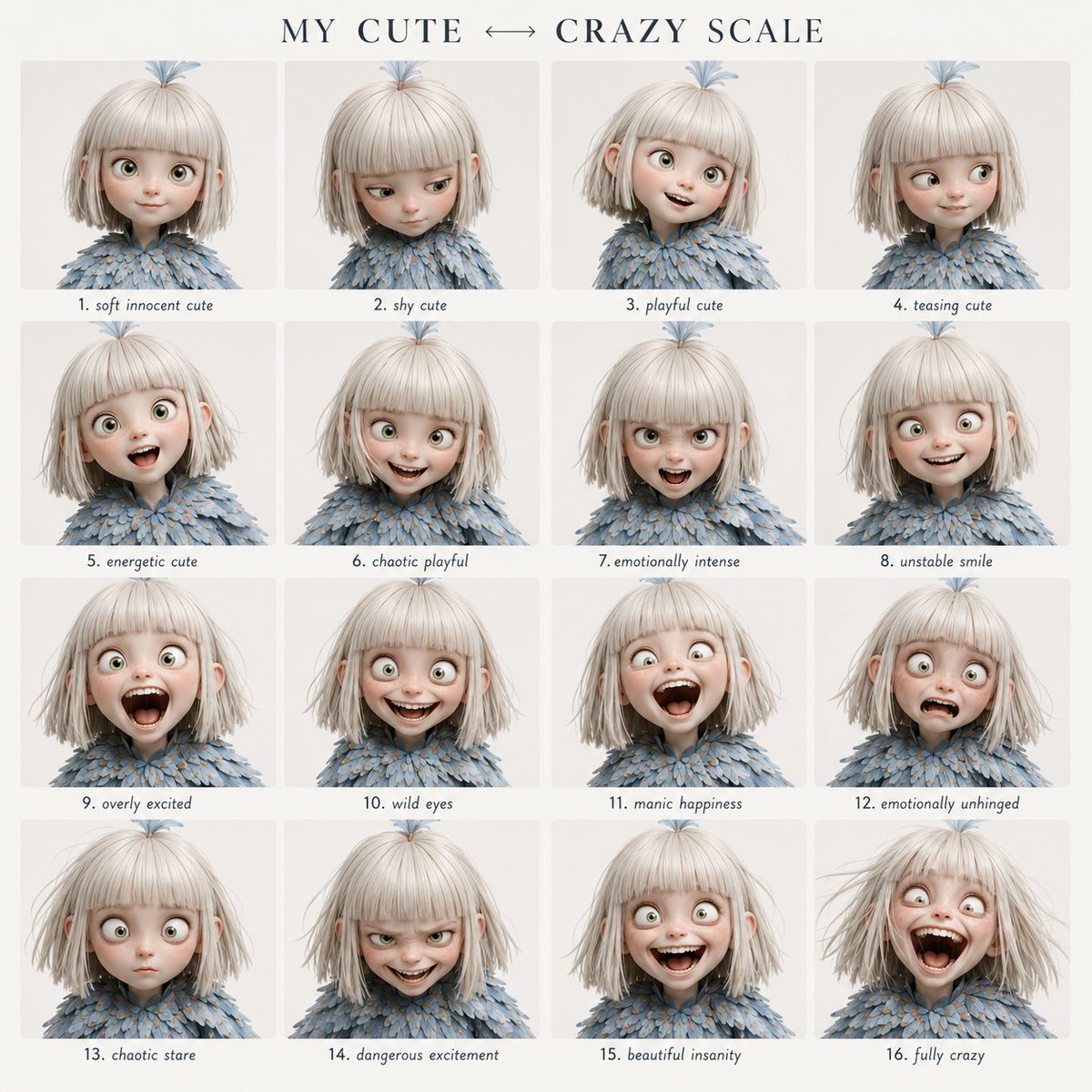
PROMPT · EN
使用提供的角色作为固定身份参考,创建一个清晰的 4x4 情绪表现网格。 视觉风格:
简洁的现代平面设计布局。顶部配有优雅的衬线字体标题,柔和的米白色背景,间距均匀,每个面板下方居中显示易于阅读的小号手写风格标签。 标题文本:
“arggrid title: 我的可爱 ↔ 疯狂量表” 在所有 16 个面板中严格保持面部特征的一致性。 遵循从左上角到右下角的精确情绪演变顺序。
请勿随机化表情或强度。 网格顺序: 第 1 行:
1. 温柔无辜的可爱
2. 害羞的可爱
3. 俏皮的可爱
4. 戏谑的可爱 第 2 行:
5. 充满活力的可爱
6. 混乱的俏皮
7. 情绪强烈
8. 不稳定的微笑 第 3 行:
9. 过度兴奋
10. 狂野的眼神
11. 狂躁的快乐
12. 情绪失控 第 4 行:
13. 混乱的凝视
14. 危险的兴奋
15. 美丽的疯狂
16. 完全疯狂 格式:
4x4 网格,argstyle: 电影肖像摄影 风格,中性背景,紧凑的特写构图,浅景深,无水印。
Über diesen Prompt
Generate a perfectly consistent 4x4 character expression grid, smoothly transitioning from cute innocence to full madness with cinematic portrait styling. Use it as a Konzeptkunst starting point for GPT Image 2: keep the visual structure and style constraints intact, then swap in your own subject, brand, or scene.
Start by replacing grid title and style, then keep the camera, composition, and material cues in the same order. This makes the output easier to compare across variations.
So verwendest du diesen Prompt
- Copy the full prompt and paste it into your chosen AI image generator (e.g., Sora, Midjourney).
- Edit the
{grid title}argument to set your custom grid heading. - Adjust the
{style}argument to change the visual style (e.g., anime, watercolor). - Provide a clear character reference image if supported for best facial consistency.
- Generate the output and refine by tweaking the prompt if expressions are inconsistent.


