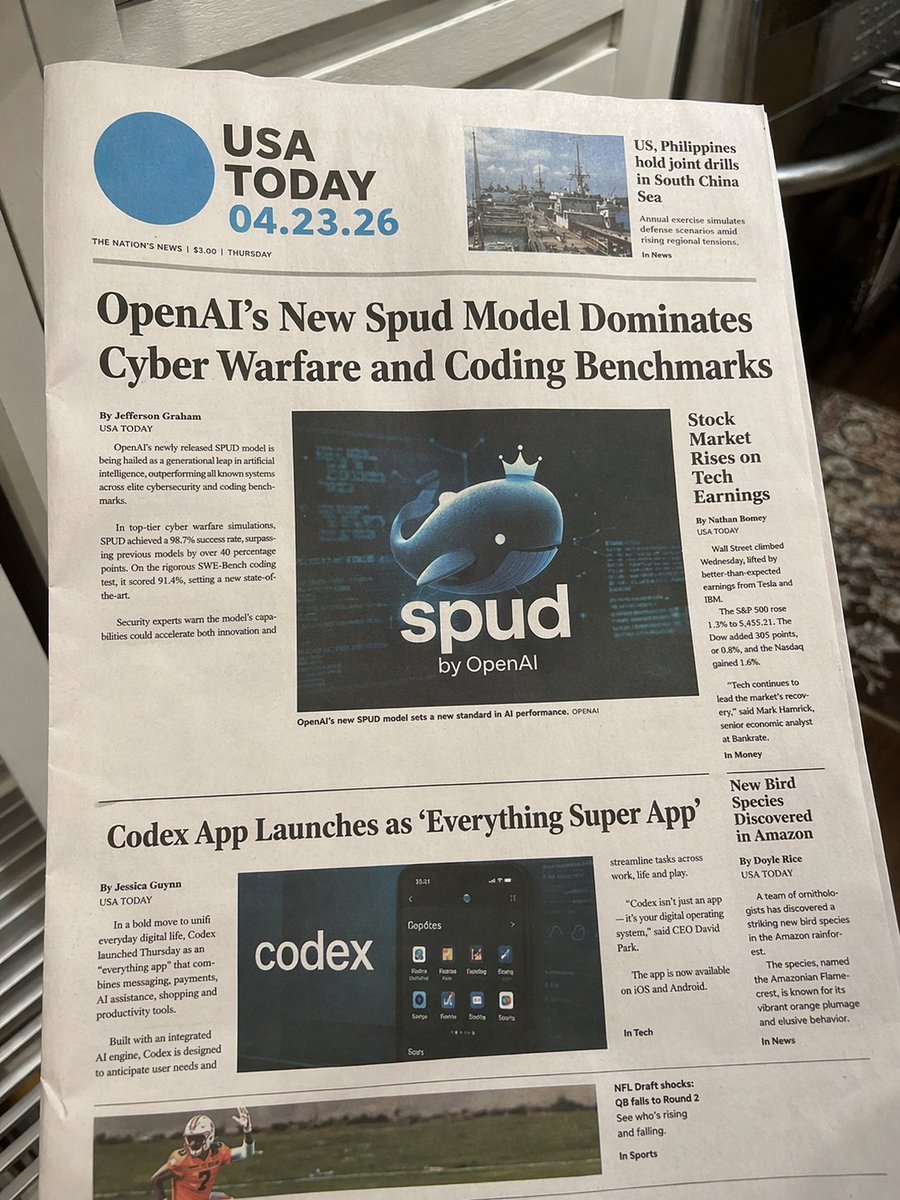
Photorealistic Custom Newspaper — Sora 2 Prompt
Create a detailed, photorealistic newspaper front page on a countertop with fully customizable headlines, dates, and embedded images for stunning, realistic mockups.
Über diesen Prompt
Create a detailed, photorealistic newspaper front page on a countertop with fully customizable headlines, dates, and embedded images for stunning, realistic mockups. Use it as a Konzeptkunst starting point for GPT Image 2: keep the visual structure and style constraints intact, then swap in your own subject, brand, or scene.
This prompt is organized as structured JSON with fields such as type, environment, newspaper header, and layout. Keeping that hierarchy helps the model separate the subject, layout, interface elements, and detail constraints.
Start with small changes to subject, scene, camera, and color, then generate a few variations to compare composition and detail without turning the page copy into keyword stuffing.
So verwendest du diesen Prompt
- Copy the prompt text provided on this page.
- Open Sora 2 or any compatible AI image generator (e.g., DALL·E 3, Midjourney).
- Edit the {argument} placeholders (e.g., newspaper name, main headline, image subjects) to match your desired content.
- Paste the complete prompt into your tool and generate the image.
- Review the output and regenerate with minor adjustments if needed.