
GPT Image 2AI-Prompt
Street Art Vector Portrait — Liquid Topography Style
Generate a high-contrast vector illustration with bold colors, liquid textures, and custom typography for a gritty, urban aesthetic.
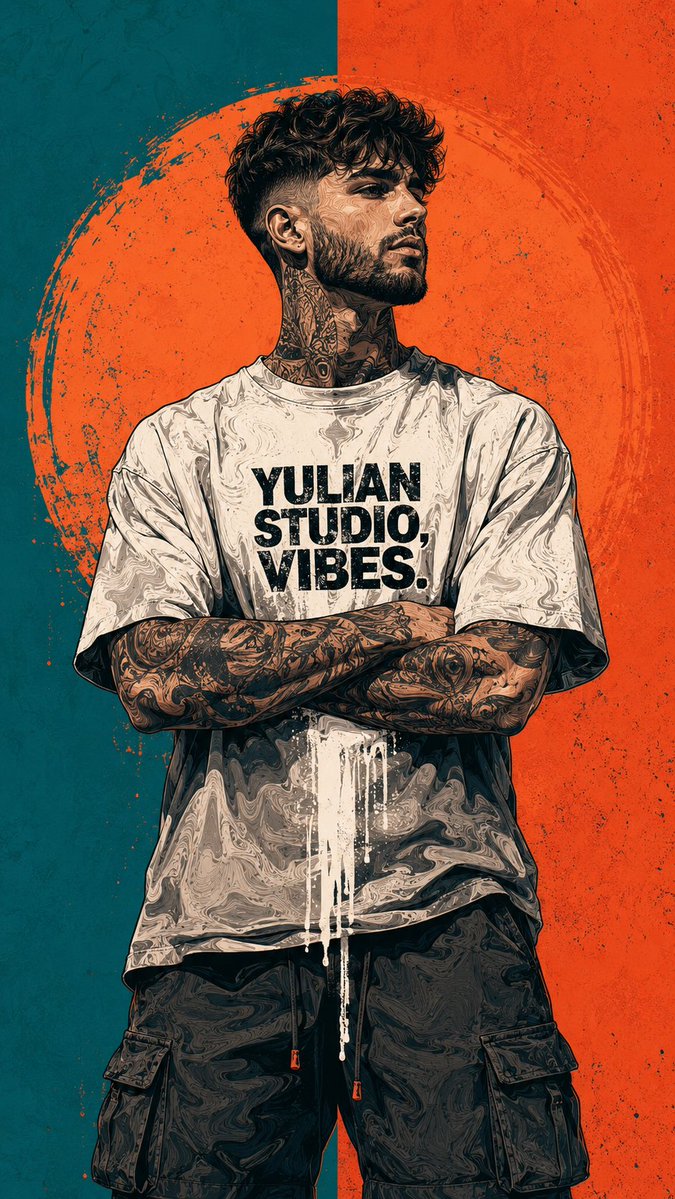
PROMPT · EN
一张 argsubject: 留着渐变发型、修剪整齐胡须的自信男子 的中景镜头,他双臂交叉,看向侧方。他穿着 argoutfit: 一件超大号街头风 T 恤和工装短裤。人物手臂和颈部带有复杂的纹身,呈现出风格化的深色墨水美学。艺术风格与纹理:一幅具有粗犷街头艺术氛围的高对比度矢量插画。人物的皮肤和衣物呈现出“液化”或地形纹理,类似于油画漩涡或大理石花纹。衬衫中央有一处醒目的白色油漆滴落效果,模仿潮湿的街头艺术。背景与配色方案:垂直分割的双色背景:左侧为青色,右侧为鲜艳的珊瑚橙色。人物身后有一个巨大的、做旧的手绘橙色圆圈,宛如粗犷的光环或太阳。配色方案严格限制在青色、珊瑚橙色、白色和深炭灰色。字体与细节:胸部中央印有醒目的黑色做旧字体,内容为:“argtext: YULIAN STUDIO, VIBES”。光影平坦但对比强烈,突显了矢量图层的锐利边缘。整体氛围坚韧、前卫且现代。
Über diesen Prompt
Generate a high-contrast vector illustration with bold colors, liquid textures, and custom typography for a gritty, urban aesthetic. Use it as a Konzeptkunst starting point for GPT Image 2: keep the visual structure and style constraints intact, then swap in your own subject, brand, or scene.
Start by replacing subject, outfit, and text, then keep the camera, composition, and material cues in the same order. This makes the output easier to compare across variations.
So verwendest du diesen Prompt
- Copy the entire prompt text.
- Choose a capable AI image model like Sora 2 or a high-quality text-to-image generator.
- Replace the placeholder values within
{}(subject, outfit, text) with your own creative details. - Generate the image and refine the prompt if needed for different results.


