
GPT Image 2AI-Prompt
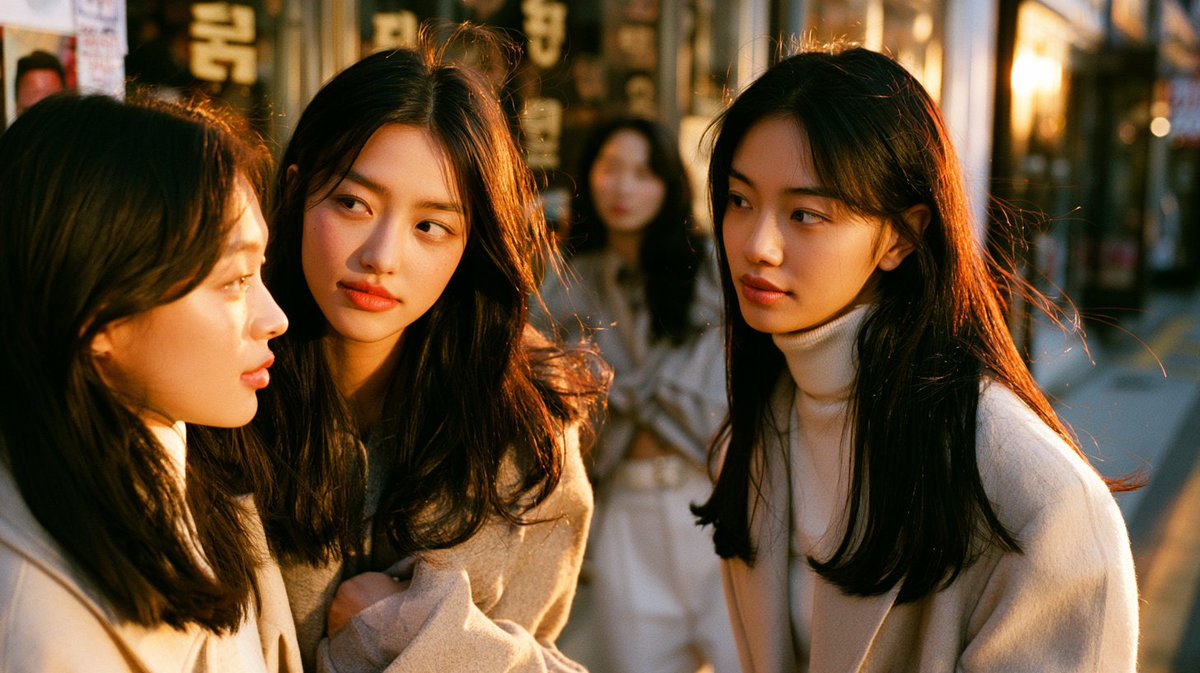
Seoul Street Portrait Close-Up — Golden Hour Documentary Style
Transform a reference image into an intimate, cinematic close-up of three young women chatting on a Seoul street during golden hour, featuring warm backlit film tones and shallow depth of field.
PROMPT · EN
以提供的参考图像作为场景和主体基础,将其重新生成为一张更紧凑的街头抓拍特写,主角依然是首尔步行街上的那 3 位年轻女性。保持她们随意的交谈动态:左侧和中间的 2 位女性身体前倾,右侧的 1 位女性在倾听,但将镜头拉得更近,使她们的头部和上半身占据画面主体,并大幅虚化背景。将服装风格调整为更柔和的米色和奶油色外套,同时保留自然的日常韩系街头感。增强左侧温暖的黄金时刻逆光,使其在发丝边缘形成橙色的轮廓光,让散落的发丝闪烁光泽,营造出电影般的纪录片摄影氛围。使用浅景深、压缩视角、背景中柔和的店面和行人虚化效果、细腻的胶片颗粒感、自然的抓拍构图以及不完美的纪实裁剪。对所有可见的面部(包括背景行人)进行简单的矩形模糊/马赛克处理,以实现匿名化。整体观感:地道的首尔街头闲聊、亲密特写、温暖的胶片色彩、未经摆拍的瞬间。
Über diesen Prompt
Transform a reference image into an intimate, cinematic close-up of three young women chatting on a Seoul street during golden hour, featuring warm backlit film tones and shallow depth of field. Use it as a Konzeptkunst starting point for GPT Image 2: keep the visual structure and style constraints intact, then swap in your own subject, brand, or scene.
Start with small changes to subject, scene, camera, and color, then generate a few variations to compare composition and detail without turning the page copy into keyword stuffing.
So verwendest du diesen Prompt
- Copy the full prompt text.
- Choose an AI model like Sora 2 or a similar text-to-video/image generator.
- Adjust variables such as the specific street location, clothing details, or lighting intensity to match your vision.
- Generate the output and refine by iterating on the prompt if needed.


