
GPT Image 2AI-Prompt
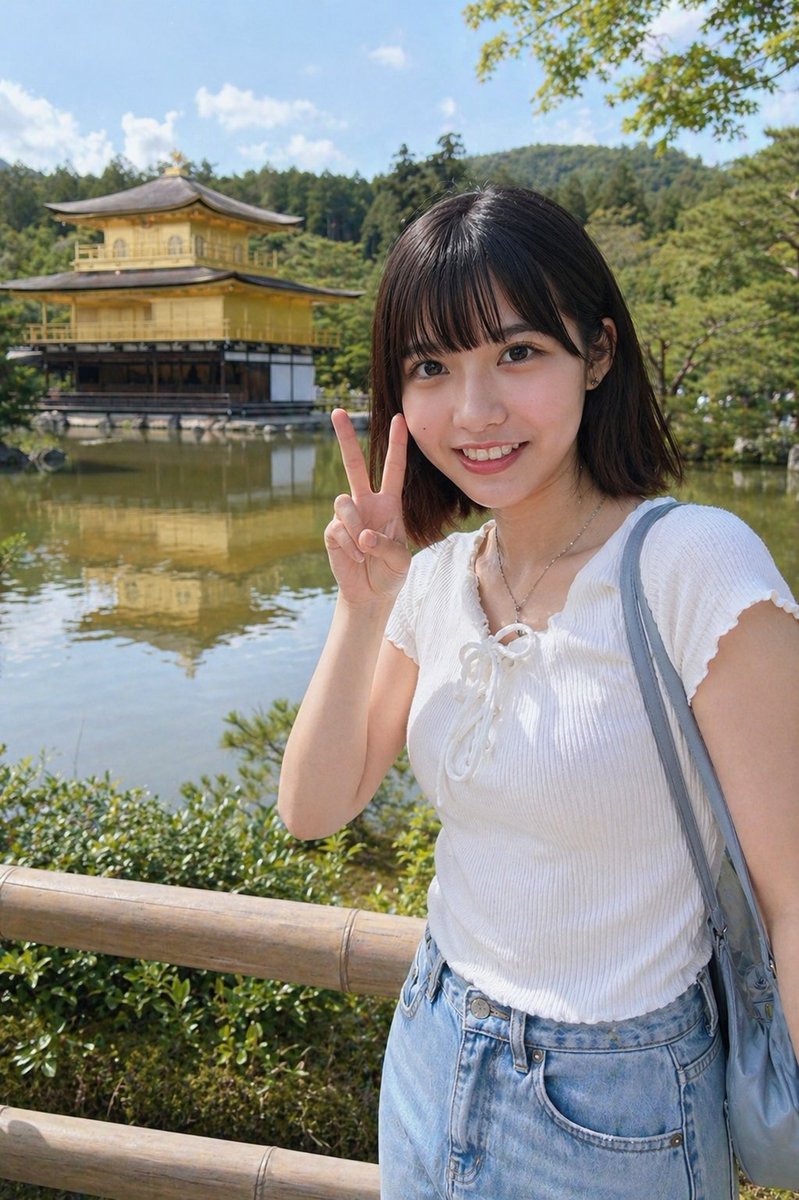
Kyoto-Tempel-Reisefoto — Sora 2 Prompt
Verwandeln Sie jedes Porträt in ein realistisches Kyoto-Urlaubsfoto am Kinkaku-ji-Tempel mit natürlichem Licht und lockerem Smartphone-Stil.
PROMPT · EN
使用提供的参考图像,将同一人物转换为一张在京都拍摄的写实户外旅游快照。将室内游乐场/抓娃娃机的背景替换为金阁寺(鹿苑寺),背景包含倒影池、绿树、蓝天、远处的树木山丘以及前景中的木栅栏。保持面部被同样的矩形模糊/遮挡块遮盖。将服装更换为白色短袖罗纹针织上衣(带系带领口)、浅蓝色高腰牛仔裤、细项链以及灰蓝色单肩包。调整其姿势,使其站在栅栏旁,右手在脸侧比出 1 个剪刀手。明亮的自然正午阳光,休闲智能手机旅游照风格,写实比例,柔和的景深。
Über diesen Prompt
Verwandeln Sie jedes Porträt in ein realistisches Kyoto-Urlaubsfoto am Kinkaku-ji-Tempel mit natürlichem Licht und lockerem Smartphone-Stil. Use it as a Konzeptkunst starting point for GPT Image 2: keep the visual structure and style constraints intact, then swap in your own subject, brand, or scene.
Start with small changes to subject, scene, camera, and color, then generate a few variations to compare composition and detail without turning the page copy into keyword stuffing.
So verwendest du diesen Prompt
- Kopieren Sie den vollständigen Prompt-Text und laden Sie Ihr Referenzporträtbild hoch. 2. Wählen Sie Ihr bevorzugtes KI-Bilderzeugungsmodell (Sora 2, Midjourney oder DALL·E). 3. Passen Sie Variablen wie Kleidungsdetails, Pose oder Tempelhintergrund an Ihre Vorstellung an. 4. Generieren und überprüfen Sie das Ergebnis. 5. Feinabstimmung von Beleuchtung oder Kompositionseinstellungen für das beste Ergebnis.


