
GPT Image 2AI-Prompt
Foreign Clerk in Chinese Phone Shop — Sora 2 Prompt
Generate a documentary-style photo of a foreign clerk blending into a Chinese phone shop, perfect for gritty social media visuals.
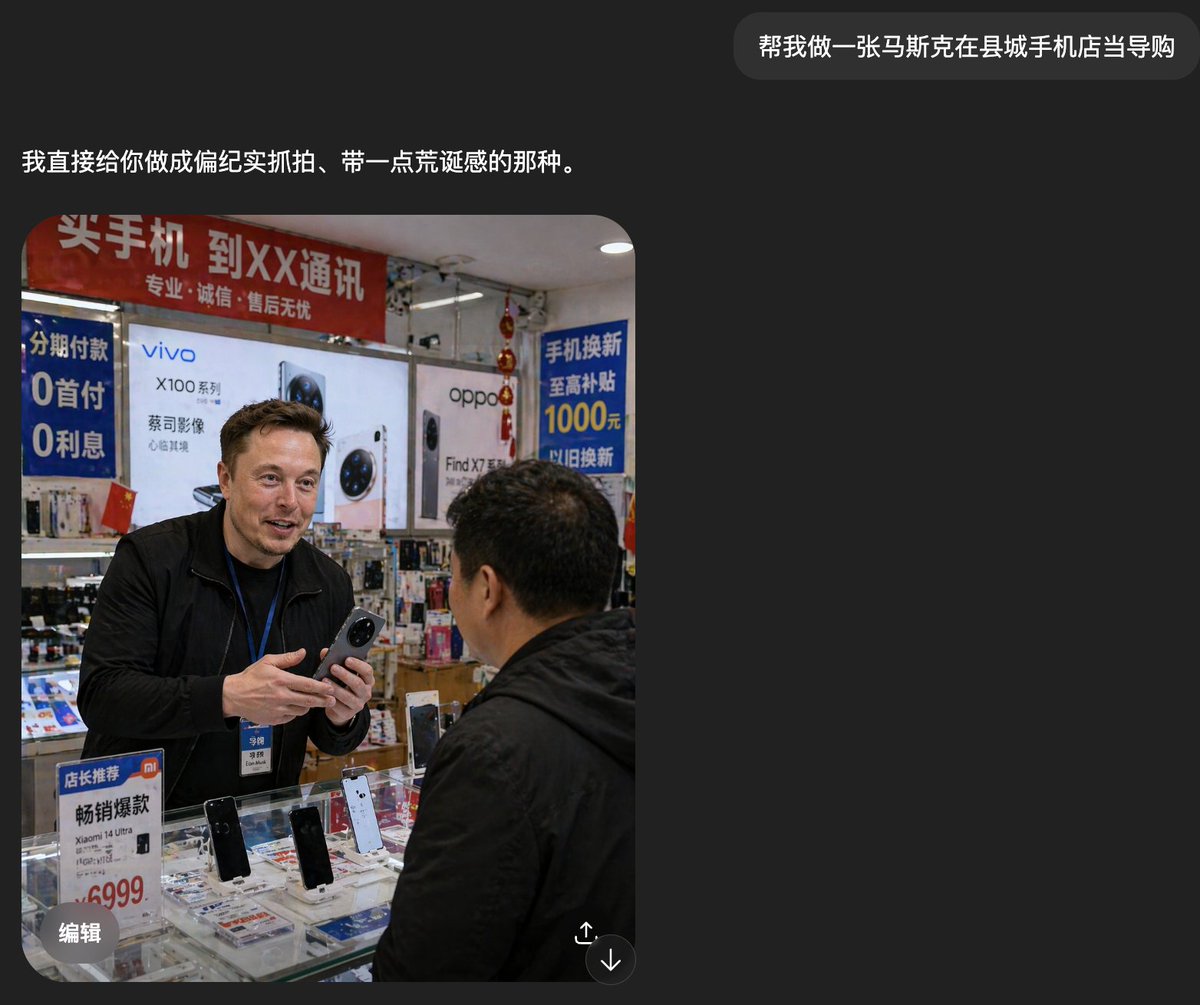
PROMPT · EN
一张写实的纪实风格智能手机照片,拍摄于中国某县城的一家小型手机店内,展示了柜台前真实的销售互动场景。一位身材高大的外国男性,大约 argshop clerk nationality: 俄罗斯人,身穿黑色夹克,佩戴着带有工牌的蓝色员工挂绳,站在玻璃柜台后,双手拿着一部智能手机,仿佛正在向顾客介绍。他的面部被刻意处理成柔和的矩形马赛克以保护隐私。前景中,一位身穿黑色夹克的中年中国男性顾客背对镜头并略微侧身,正面对着店员。店内空间狭窄、灯光充足,视觉上充满了真实的零售细节。他们身后是大型智能手机品牌海报和灯箱广告,包括 vivo 和 oppo 这两个主要手机品牌的广告。画面中可见 4 个醒目的中文促销标识:一条关于购买手机和运营商服务的红色横幅、一个提到“0 首付 0 利息”的蓝色垂直分期付款标志、一个提到“1000 元”以旧换新补贴的蓝色标志,以及一个推广小米机型且标价 6999 的小型柜台立牌。玻璃柜台内陈列着多部展示机,其中 4 部立式演示机清晰可见,玻璃下方还散落着宣传册和配件。背景是摆满盒装配件的密集货架和悬挂的装饰物,构图略显杂乱,室内灯光较硬,带有轻微的镜头畸变,呈现出手机随手抓拍的那种粗粝、未经修饰的真实感。整体氛围应显得平凡、接地气,且带有一丝超现实感,因为这位外国店员看起来完全融入了这家普通的中国手机店。
Über diesen Prompt
Generate a documentary-style photo of a foreign clerk blending into a Chinese phone shop, perfect for gritty social media visuals. Use it as a Konzeptkunst starting point for GPT Image 2: keep the visual structure and style constraints intact, then swap in your own subject, brand, or scene.
Start by replacing shop clerk nationality, then keep the camera, composition, and material cues in the same order. This makes the output easier to compare across variations.
So verwendest du diesen Prompt
- Copy the prompt text from the page.
- Open your AI image generator (e.g., Sora 2, Midjourney, or Stable Diffusion).
- Paste the prompt and customize the variable
{argument name="shop clerk nationality" default="俄罗斯人"}to change the clerk's origin. - Generate the image. If needed, adjust details like lighting or cluttered elements and regenerate.


