
GPT Image 2AI-Prompt
Dramatic Q-Character Bike Poster — Sora 2 Prompt
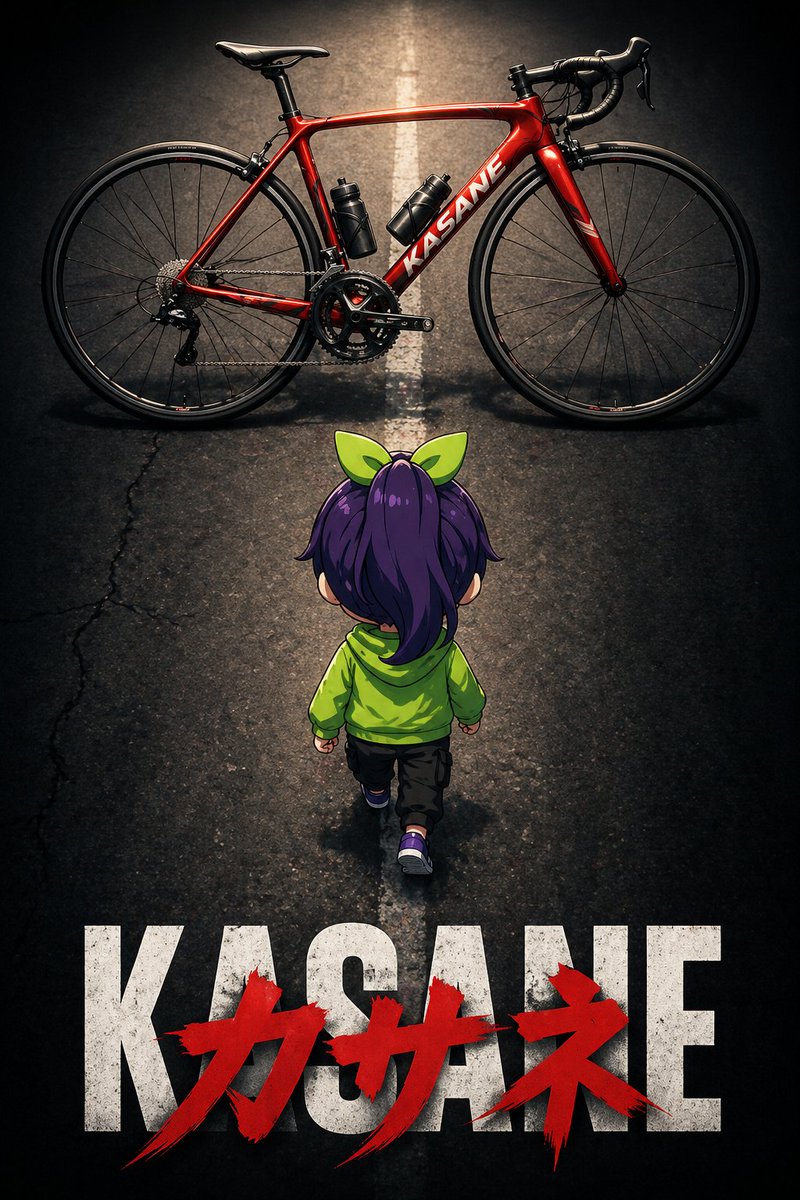
Creates a cinematic anime poster with a cute Q-version character seen from behind, walking towards a red road bike under dramatic lighting and lens effects.
PROMPT · EN
image_generation_prompt: meta: description: "arg场景描述: 动漫电影海报风格插画,一个 Q 版角色背影,正准备骑上一辆公路自行车" reference_usage: "参考附图以确定角色外观" style: art_style: "arg艺术风格: 动漫电影海报" mood: "戏剧性" subject: type: "Q 版角色" pose: view: "背影" action: "左脚向前迈步,朝向屏幕上方的公路自行车" target_direction: "公路自行车方向(画面顶部)" composition: top: element: "红色公路自行车" layout: "横跨屏幕全宽,与顶部边缘平行" center: element: "Q 版角色背影" angle: "俯视" bottom: text_layer_base: content: "arg文本: KASANE" style: "粗体无衬线字体" color: "白色" text_layer_overlay: content: "Kasane" style: "粗笔触涂鸦风格" color: "红色" position: "覆盖在 KASANE 字样上方" objects: road_bike: color: "红色" orientation: "侧视图 / 水平" facing_direction: "朝向左侧" road: detail: "路中央画有一条白色直线。白线不清晰,呈现微弱且模糊的状态。道路左侧局部有细微、模糊且非常小的裂纹。" technical_settings: shot_size: "远景" shot_angle: "俯拍" zoom_emphasis: "着重强调 Q 版角色和自行车" lens_effects: "暗角效果" lighting: direction: "从正上方照明"
Über diesen Prompt
Creates a cinematic anime poster with a cute Q-version character seen from behind, walking towards a red road bike under dramatic lighting and lens effects. Use it as a Konzeptkunst starting point for GPT Image 2: keep the visual structure and style constraints intact, then swap in your own subject, brand, or scene.
Start by replacing 场景描述, 艺术风格, and 文本, then keep the camera, composition, and material cues in the same order. This makes the output easier to compare across variations.
So verwendest du diesen Prompt
- Copy the prompt into your preferred AI image generation tool.
- Select an anime or illustration-capable model (e.g., Sora 2, Midjourney).
- Customize the variables: scene description, art style, and bottom text to match your vision.
- Provide a reference image if available to maintain character consistency.
- Generate and iterate by tweaking composition or lighting settings.


