
Retro 3D Claymation Desk Setup — Customizable Sora 2 Prompt
Generates a vibrant, cute 3D claymation illustration of a retro desktop computer scene with customizable text labels for a personalized, nostalgic result.
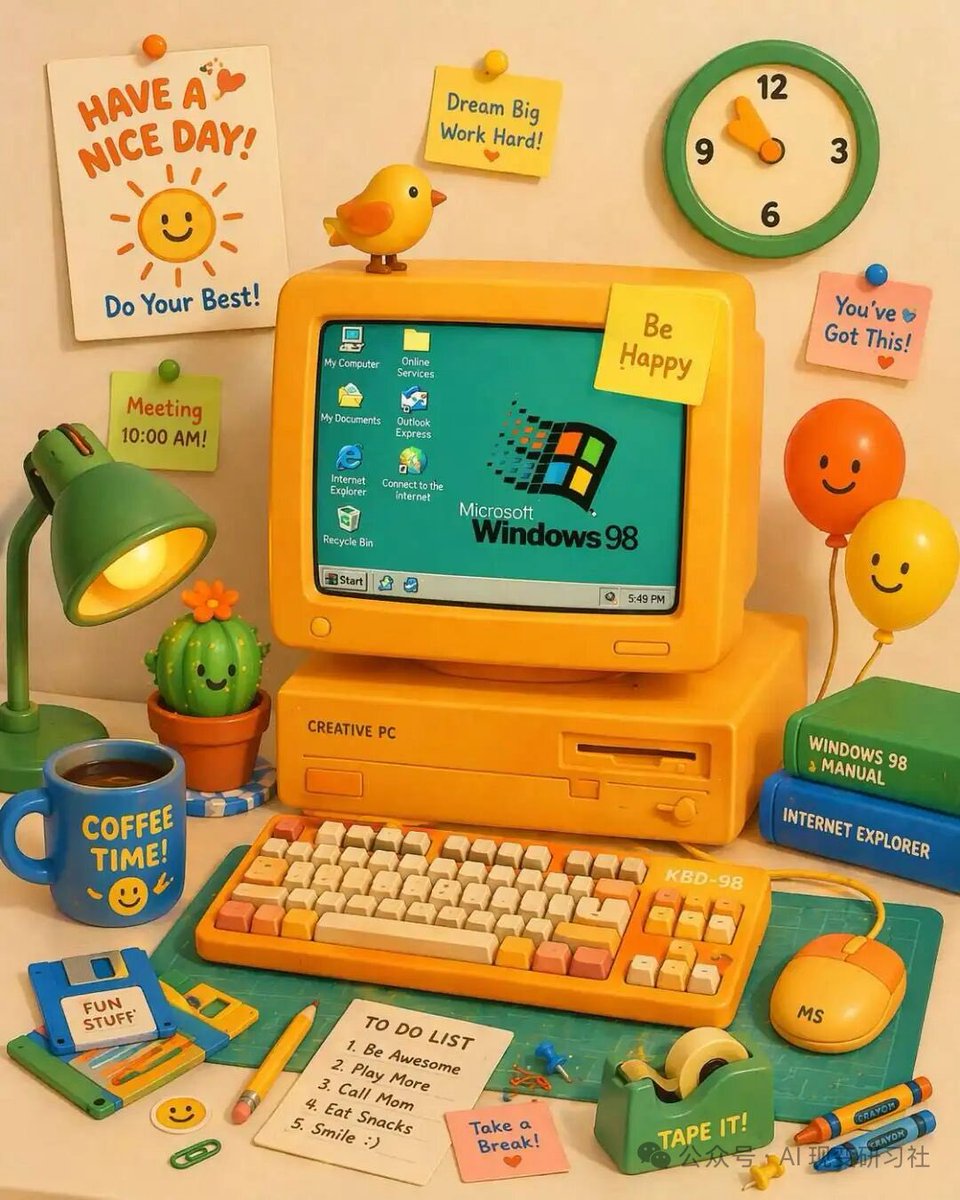
A vibrant, cute 3D claymation-style illustration of a retro yellow desktop computer setup on a desk. The central yellow CRT monitor displays a teal screen with the argOS logo text: Microsoft Windows 98 logo and 7 desktop icons labeled 'My Computer', 'Online Services', 'My Documents', 'Outlook Express', 'Internet Explorer', 'Connect to the Internet', and 'Recycle Bin', plus a bottom taskbar with a 'Start' button and a clock reading '5:49 PM'. The monitor has a yellow sticky note reading 'argmonitor sticky note: Be Happy' and a small yellow bird perched on top. The computer base is labeled 'CREATIVE PC'. In front is a yellow mechanical keyboard labeled 'KBD-98' with orange and cream keys, and a yellow mouse labeled 'MS'. To the left is a green desk lamp, a smiling potted cactus, a blue floppy disk labeled 'argfloppy disk label: FUN STUFF', and a blue mug reading 'argmug text: COFFEE TIME!' with a smiley face. To the right are 2 stacked books (green 'WINDOWS 98 MANUAL', blue 'INTERNET EXPLORER') and 2 smiling balloons (orange and yellow). The foreground features a green cutting mat, a yellow pencil, a green tape dispenser labeled 'TAPE IT!', 2 crayons, a pink sticky note reading 'Take a Break!', and a white notepad with a 5-item 'TO DO LIST': '1. Be Awesome', '2. Play More', '3. Call Mom', '4. Eat Snacks', '5. Smile :)'. The background wall has a green and cream clock, a white poster reading 'argposter text: HAVE A NICE DAY!' with a smiling sun and 'Do Your Best!', and 3 additional sticky notes: a yellow one reading 'Dream Big Work Hard!', a pink one reading 'You've Got This!', and a green one reading 'Meeting 10:00 AM!'.
Über diesen Prompt
Generates a vibrant, cute 3D claymation illustration of a retro desktop computer scene with customizable text labels for a personalized, nostalgic result. Use it as a Konzeptkunst starting point for GPT Image 2: keep the visual structure and style constraints intact, then swap in your own subject, brand, or scene.
Common directions include gptimage2api prompts, gptimage2api, and en. Treat these tags as creative cues; the prompt structure and preview image are the more useful guide.
Start by replacing OS logo text, monitor sticky note, floppy disk label, and mug text, then keep the camera, composition, and material cues in the same order. This makes the output easier to compare across variations.
So verwendest du diesen Prompt
- Copy the entire prompt template.
- Choose an AI model like Sora 2 or another compatible generator.
- Customize the variables in the curly braces (e.g., OS logo, sticky note text) with your own words.
- Paste the modified prompt into your chosen model's interface.
- Generate the image and enjoy your unique, charming desk scene.


