
First-Person RPG Screenshot with Custom HUD — Sora 2 Prompt
Craft an immersive first-person RPG game screenshot with a fully customizable fantasy landscape, dynamic lighting, and a complete HUD overlay.
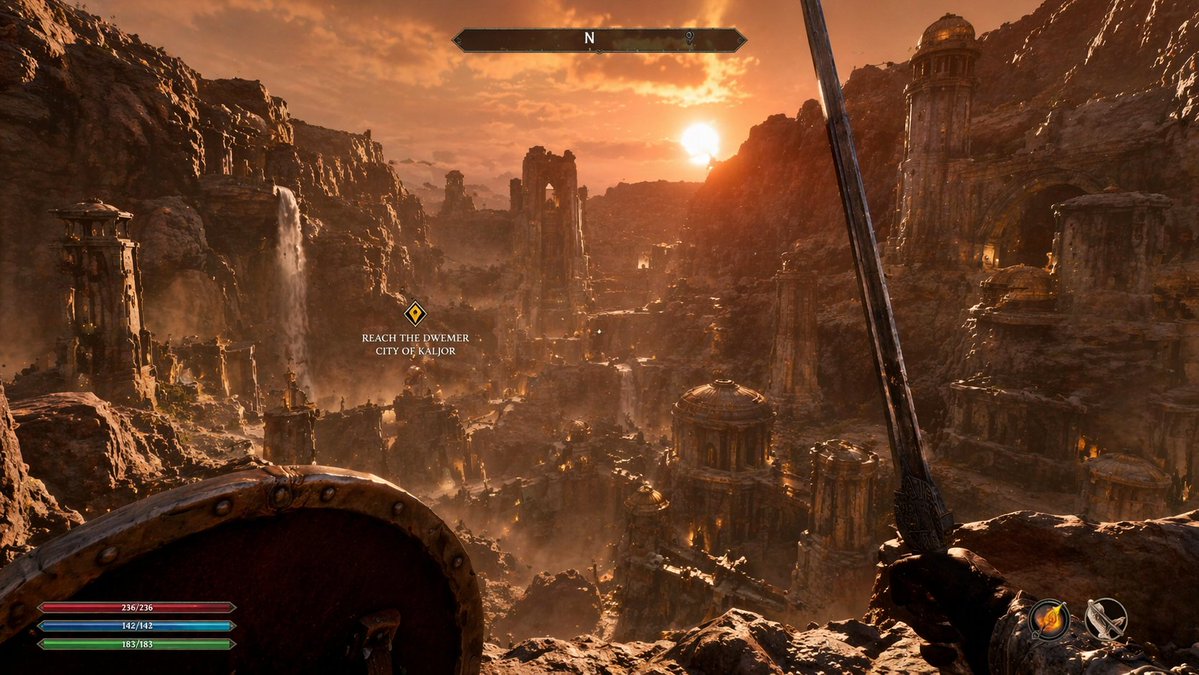
Über diesen Prompt
Craft an immersive first-person RPG game screenshot with a fully customizable fantasy landscape, dynamic lighting, and a complete HUD overlay. Use it as a Konzeptkunst starting point for GPT Image 2: keep the visual structure and style constraints intact, then swap in your own subject, brand, or scene.
This prompt is organized as structured JSON with fields such as type, environment, lighting, first person view, and hud elements. Keeping that hierarchy helps the model separate the subject, layout, interface elements, and detail constraints.
Start with small changes to subject, scene, camera, and color, then generate a few variations to compare composition and detail without turning the page copy into keyword stuffing.
So verwendest du diesen Prompt
- Copy the prompt from sora2hub.com.
- Paste it into Sora 2 or your chosen AI generation tool.
- Adjust the variables like scene description, lighting, equipment, and quest text to fit your concept.
- Generate the image and review the HUD placement.
- Fine-tune by tweaking HUD element positions or adding new ones as needed.


