
GPT Image 2AI-Prompt
Smoke Memory Portrait — Surreal Cinematic Sora 2 Prompt
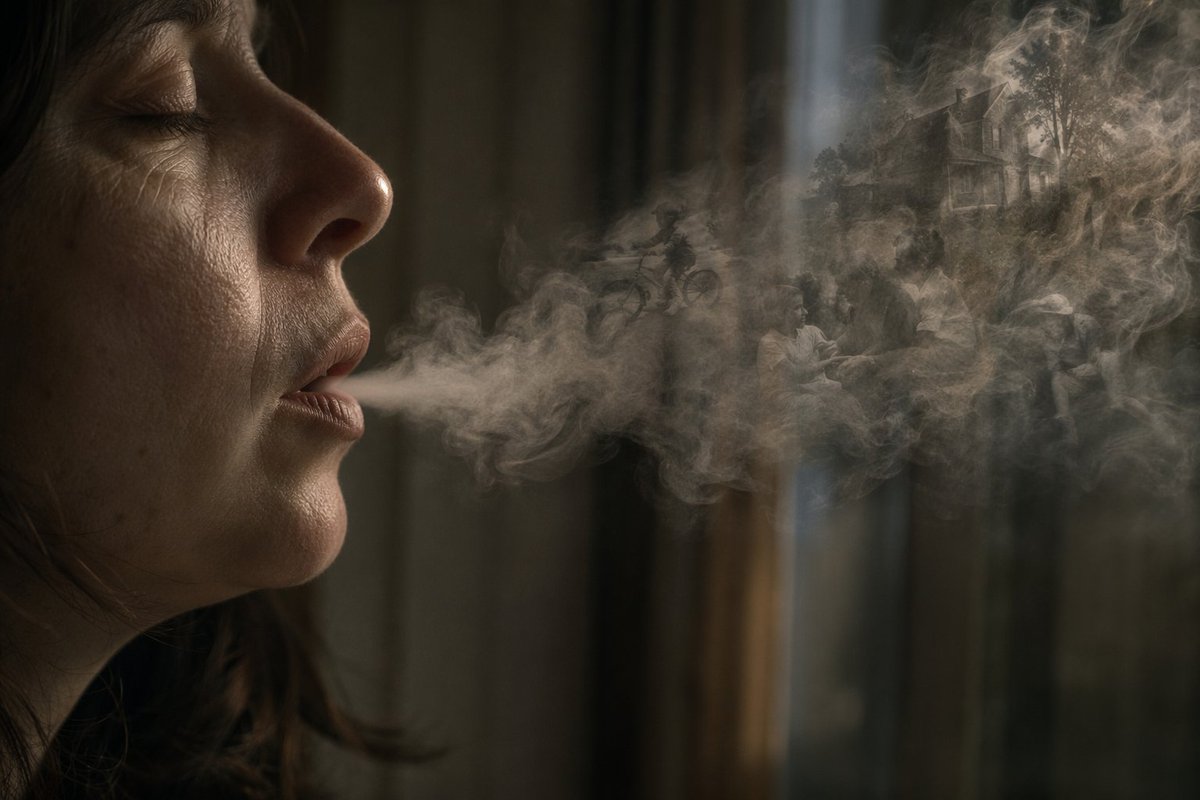
Generate a dark, cinematic portrait of a person exhaling a smoke plume containing a ghostly miniature memory scene, perfect for conceptual art.
PROMPT · EN
Create a dark, cinematic surreal photo-illustration of a person in left profile, mostly hidden in shadow, exhaling a long horizontal plume of smoke across the frame. The upper-left face area is obscured by a large flat opaque rectangle in argcensor block color: dark warm brown, covering the eyes and upper face like an intentional privacy mask. The subject has arghair color: dark brown loose hair strands visible near the neck and jaw, with only the lower cheek, neck, and hair edge softly lit. The smoke is the main focus: dense, translucent, swirling gray-beige vapor stretching from the mouth toward the right side, with delicate turbulent curls and layered mist. Inside the smoke, embed a faint dreamlike miniature memory scene: silhouettes of people sitting together, a child or rider on a bicycle, trees, and a distant suburban house, all ghostly and semi-transparent as if formed from smoke. The background is an out-of-focus dim interior with vertical curtain or window shapes in muted olive, charcoal, and brown tones, with a narrow cool beam of light falling from above near the center-right. Use moody low-key lighting, shallow depth of field, soft grain, realistic smoke simulation, muted sepia color grading, and a contemplative atmosphere suggesting memories leaving the body as breath. Landscape composition, 3:2 aspect ratio, no readable text.
Über diesen Prompt
Generate a dark, cinematic portrait of a person exhaling a smoke plume containing a ghostly miniature memory scene, perfect for conceptual art. Use it as a Konzeptkunst starting point for GPT Image 2: keep the visual structure and style constraints intact, then swap in your own subject, brand, or scene.
Start by replacing censor block color and hair color, then keep the camera, composition, and material cues in the same order. This makes the output easier to compare across variations.
So verwendest du diesen Prompt
- Copy the prompt and paste it into your AI image generator.
- Select your preferred model (e.g., Sora 2, DALL-E 3, or Stable Diffusion).
- Customize the
censor block colorandhair colorvariables to match your vision. - Adjust the aspect ratio or lighting details if needed.
- Generate the image and refine by re-running with minor tweaks.


