
GPT Image 2AI-Prompt
iOS App UI Design Prompt: Binance-Style with Custom Function
Generate a professional, high-fidelity iOS app UI prototype inspired by Binance’s design, tailored to include your specific feature or function.
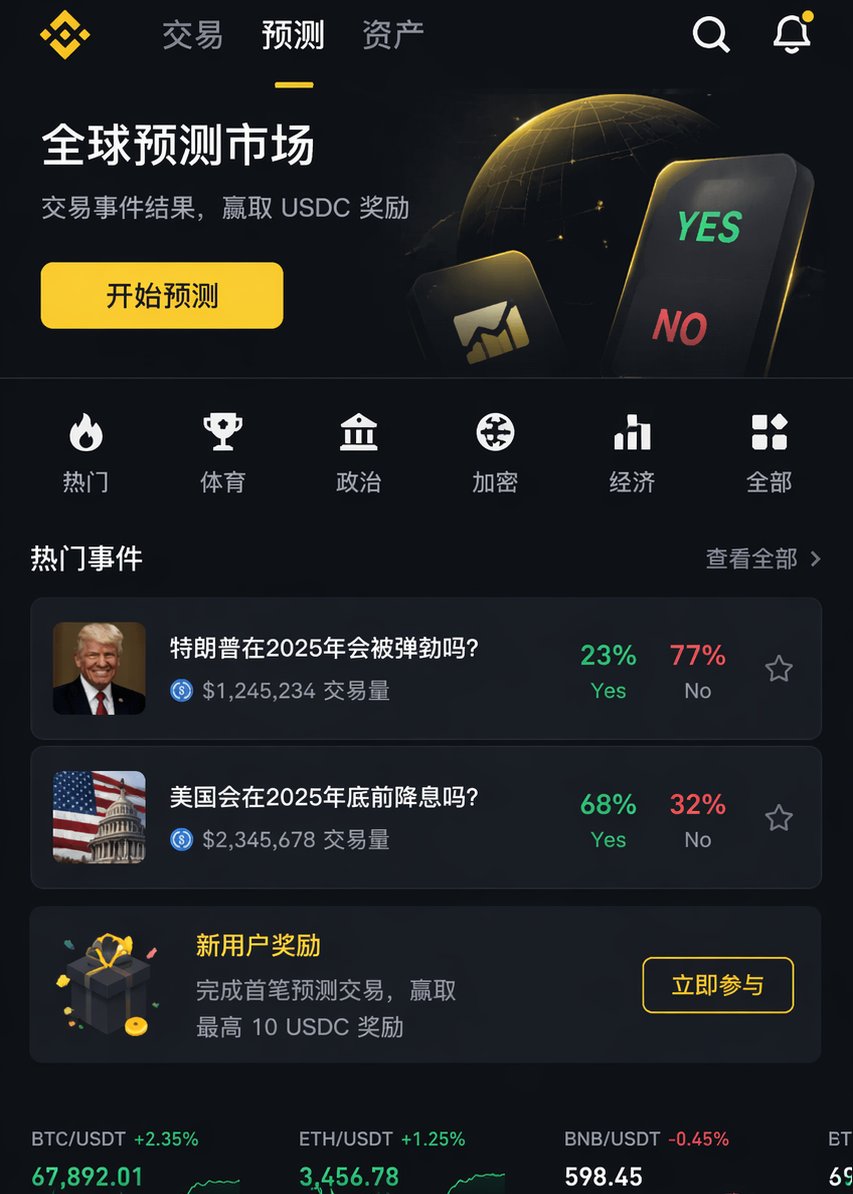
PROMPT · EN
渲染一张专业的 iOS APP 页面图像,风格类似于 argreference platform: Binance,但内容需包含 argfunction: XX 功能。要求具备专业级设计水准。
Über diesen Prompt
Generate a professional, high-fidelity iOS app UI prototype inspired by Binance’s design, tailored to include your specific feature or function. Use it as a Konzeptkunst starting point for GPT Image 2: keep the visual structure and style constraints intact, then swap in your own subject, brand, or scene.
Start by replacing reference platform and function, then keep the camera, composition, and material cues in the same order. This makes the output easier to compare across variations.
So verwendest du diesen Prompt
- Copy the prompt above.
- Open your AI image generation tool (e.g., Sora 2, Midjourney, Stable Diffusion).
- Replace
{reference platform}with a platform whose design you admire (default: Binance) and{function}with the specific feature you want to showcase (e.g., "crypto wallet"). - Run the generation to receive your professional iOS app UI mockup.
- Adjust the arguments or add details (like color scheme, layout) for refined results.


