
GPT Image 2Prompt de IA
AI Builder Doodle Sketch Generator — Sora 2 Prompt
Create expressive, rough doodle-style AI Builder sketches with bold strokes, playful exaggeration, and a clean white-space background for instant creative impact.
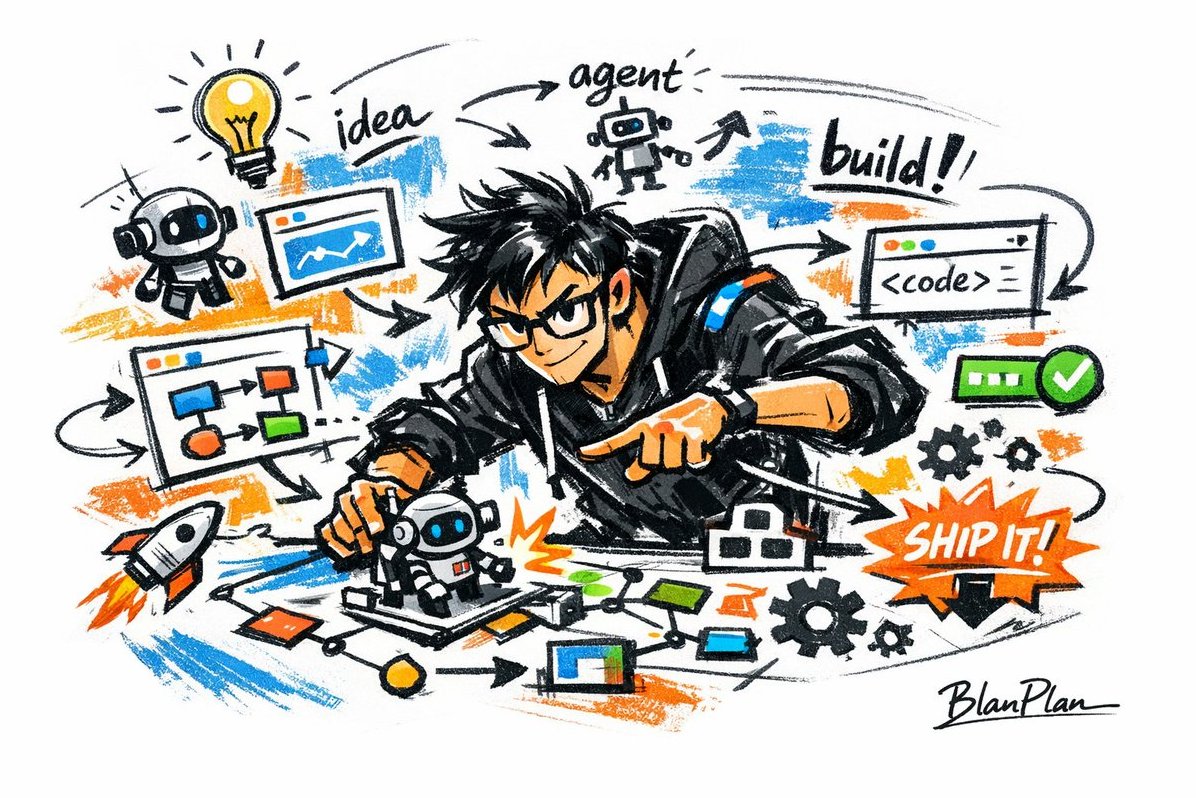
PROMPT · EN
以涂鸦速写风格表现 [argsubject: a powerful AI builder],呈现出快速草图、自由变形、即兴手绘和草稿般的整体视觉效果。线条随意、夸张、粗细多变,略显杂乱但富有节奏感和表现力,强调概括性、夸张感、趣味性和自发性,而非严谨的写实或精细的细节。色彩采用粗犷的干笔块面表现,保留不均匀的涂抹、笔触、飞白和重叠感。色彩会自动适应 [theme/subject],但整体表现仍保持涂鸦、速写和概括的风格。无透明水彩晕染,无细腻的水彩过渡,无纸张纹理,无柔和雾化,无梦幻感。背景以留白为主,保持简洁、轻松、未完成感和设计感。可添加少量辅助符号、箭头、标记、圆圈、重复线条、手写文字或其他涂鸦元素,以增强速写本或随笔般的视觉语言,但不应过于拥挤或破坏留白的主体和氛围。图像内容无需预先设定;[argsubject: a powerful AI builder] 将自动推导并生成最合适的主体图像、动作、相关元素、符号或简化场景。整体保持统一的涂鸦速写风格和夸张的概括性表达,避免复杂的写实背景和过度细化。自然地将独特的签名 "argsignature: BlanPlan" 作为图像的一部分,低调而清晰地放置在左下角、右下角或标题附近。风格应与整体布局统一,如同艺术家的签名或设计铭文;签名字体应精致、克制且高级,不宜过大,不破坏主体构图,且不显得突兀或廉价。
Sobre este prompt
Create expressive, rough doodle-style AI Builder sketches with bold strokes, playful exaggeration, and a clean white-space background for instant creative impact. Use it as a Arte Conceptual starting point for GPT Image 2: keep the visual structure and style constraints intact, then swap in your own subject, brand, or scene.
Start by replacing subject and signature, then keep the camera, composition, and material cues in the same order. This makes the output easier to compare across variations.
Cómo usar este prompt
- Copy the full prompt text from the prompt page.
- Choose a compatible image model such as Sora 2, DALL·E, or Midjourney.
- Replace the
subjectvariable with your desired character or concept (e.g. "a futuristic robot designer"). - Optionally change the
signaturevariable to your own artist name or brand. - Generate the image and adjust prompt wording if you want a different level of detail or energy.


