
Cosplay Backstage Portrait — AI Prompt
Create a photorealistic, candid portrait of a costumed character with intricate details and a cluttered, atmospheric setting.
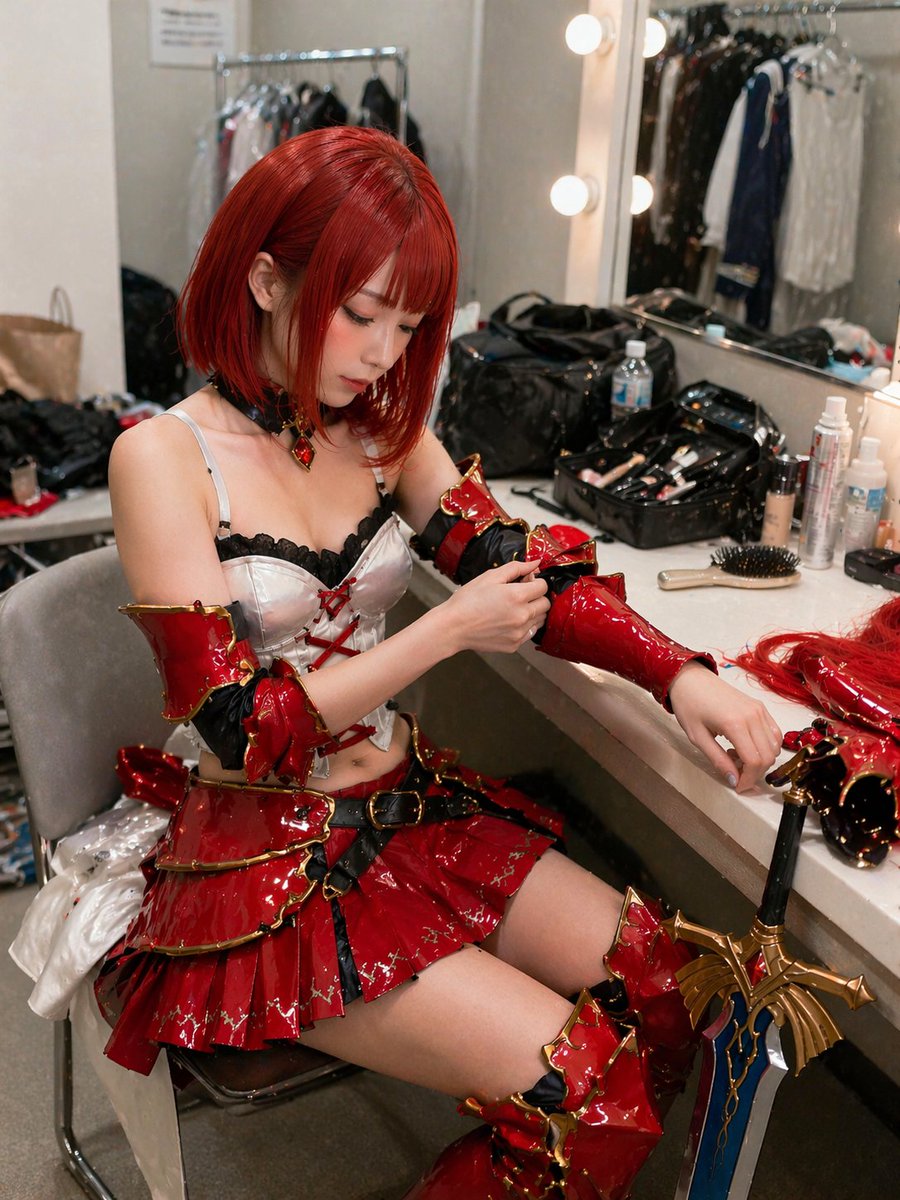
A highly detailed, realistic photograph of a young East Asian woman sitting in a cluttered backstage dressing room, getting ready for a cosplay event. She has arghair color: vibrant short red hair styled in a bob with bangs and is wearing an elaborate fantasy warrior costume featuring a argcostume color: glossy red and gold tiered mini skirt, a white corset top with black lace and red lacing, matching glossy arm guards, and thigh-high boots. She is looking down with a focused expression, using her right hand to adjust the arm guard on her left arm. The vanity counter in front of her is messy, covered with makeup brushes, bottles, a hairbrush, and extra hairpieces. A large, ornate argprop: fantasy sword with a blue blade and gold hilt leans against the edge of the counter. The background shows a brightly lit vanity mirror with round bulbs reflecting a clothing rack, capturing a candid, slightly over-sharpened, and highly textured photographic style.
Sobre este prompt
Create a photorealistic, candid portrait of a costumed character with intricate details and a cluttered, atmospheric setting. Use it as a Arte Conceptual starting point for GPT Image 2: keep the visual structure and style constraints intact, then swap in your own subject, brand, or scene.
Common directions include gptimage2api prompts, gptimage2api, and en. Treat these tags as creative cues; the prompt structure and preview image are the more useful guide.
Start by replacing hair color, costume color, and prop, then keep the camera, composition, and material cues in the same order. This makes the output easier to compare across variations.
Cómo usar este prompt
- Copy the entire prompt text from the 'Prompt Body' section.
- Paste it into your preferred AI image generator (like Midjourney, DALL-E, or Stable Diffusion).
- Customize the variables in curly braces
{}to change the hair color, costume colors, or prop. - Adjust any additional parameters like aspect ratio or style strength as needed.
- Generate the image and refine your prompt for different variations.


