
GPT Image 2Prompt de IA
Censored Track Athlete Portrait — Sora 2 Prompt
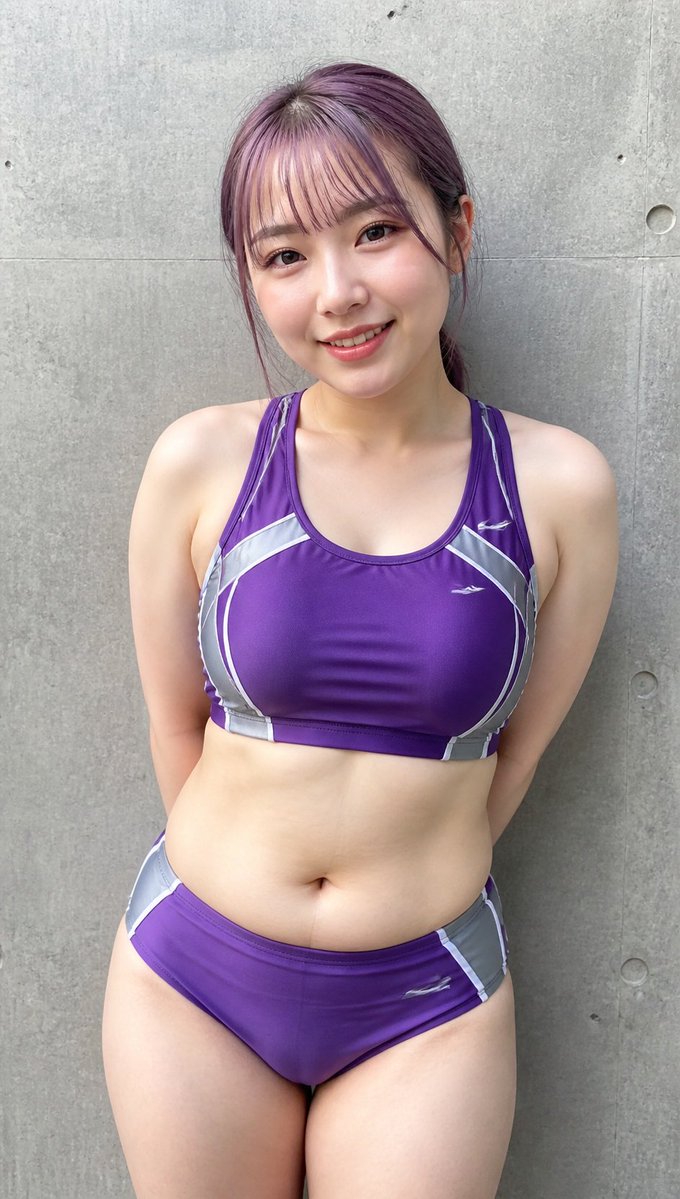
Generate a photorealistic vertical portrait of an adult female track athlete in a purple racing uniform against a concrete wall for sports-body-type comparison visuals.
PROMPT · EN
Create a realistic vertical smartphone-style portrait photo of an adult female track athlete standing front-facing against a plain gray concrete wall with visible panel seams, small circular form-tie holes, and subtle weathered texture. She has a soft, curvy athletic build and fair skin, with her arms held behind her back and shoulders relaxed, cropped from the top of the head to mid-thigh. Her hair is arghair color: muted purple, tied back loosely with a few strands around the ears. Her face is intentionally covered by a centered opaque rectangular censor block in a skin-toned mauve color, hiding all facial features. She wears a glossy arguniform color: purple two-piece track-and-field racing uniform: a racerback sports crop top and matching briefs, both with metallic silver-gray side panels, thin white curved piping, and small white swoosh-like athletic logos on the chest and hip. The pose is neutral and documentary-like, evenly lit by soft outdoor daylight, with realistic skin texture, fabric wrinkles, slight shadows under the arms and torso, and natural perspective. Use a clean candid sports portrait aesthetic, high-resolution photorealism, shallow but not blurry depth of field, no text, no extra people, no props.
Sobre este prompt
Generate a photorealistic vertical portrait of an adult female track athlete in a purple racing uniform against a concrete wall for sports-body-type comparison visuals. Use it as a Arte Conceptual starting point for GPT Image 2: keep the visual structure and style constraints intact, then swap in your own subject, brand, or scene.
Start by replacing hair color and uniform color, then keep the camera, composition, and material cues in the same order. This makes the output easier to compare across variations.
Cómo usar este prompt
- Copy the full prompt text from the page.
- Paste it into your preferred AI image generator (like Sora, Midjourney, or Stable Diffusion).
- Customize the variables in curly braces (e.g., change hair or uniform color) to match your vision.
- Set your desired output aspect ratio to vertical/portrait orientation.
- Generate the image and refine as needed with additional tweaks.


