
GPT Image 2Prompt de IA
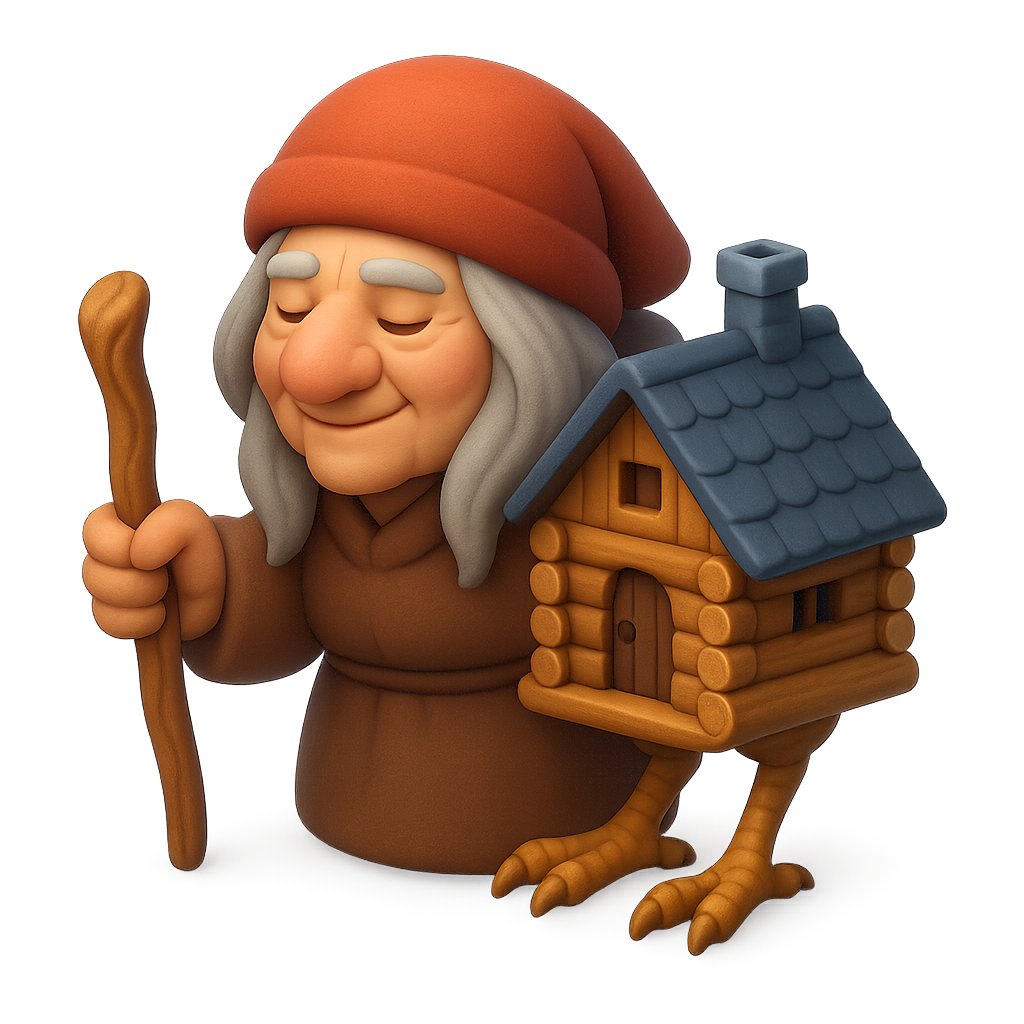
Clay Baba Yaga Chicken-Leg Hut — 3D Stylized Prompt
Create a whimsical 3D clay-rendered Baba Yaga folklore character with a walking staff and chicken-legged log cabin hut on a clean white background for toy-like fantasy illustration.
PROMPT · EN
Create a cute stylized 3D clay-rendered character on a clean white background: argcharacter name: Baba Yaga as a squat elderly folklore witch wearing a large soft arghat color: burnt orange-red hood or cap, long gray hair hanging down on both sides, and a simple brown robe with rounded toy-like folds. Her face is deliberately hidden by one flat opaque square censor block in a warm brown skin tone, centered over the head and covering all facial features. She holds exactly one crooked wooden walking staff in her left hand. Beside and partly attached to her right side is exactly one miniature log cabin hut, made from rounded golden-brown logs, with exactly one arched wooden door, exactly one small square upper window, exactly one dark blue-gray shingled roof, and exactly one squat chimney. The hut stands on exactly two birdlike chicken legs with three front claws visible on each foot, sculpted in the same warm wood-clay style. Use soft studio lighting, smooth rounded forms, tactile polymer-clay texture, subtle ambient shadows, high detail, centered composition, isometric front three-quarter view, whimsical fairy-tale toy aesthetic, no text, no border.
Sobre este prompt
Create a whimsical 3D clay-rendered Baba Yaga folklore character with a walking staff and chicken-legged log cabin hut on a clean white background for toy-like fantasy illustration. Use it as a Arte Conceptual starting point for GPT Image 2: keep the visual structure and style constraints intact, then swap in your own subject, brand, or scene.
Start by replacing character name and hat color, then keep the camera, composition, and material cues in the same order. This makes the output easier to compare across variations.
Cómo usar este prompt
- Copy the full prompt text and paste it into your Sora 2 or compatible AI image generator.
- Choose your preferred rendering model or settings optimized for 3D clay-style or stylized illustration output.
- Customize the character name, hat color, or other bracketed variables to personalize the design.
- Generate the image and review the output — regenerate or adjust lighting/composition keywords if needed.


