
Xianxia Portrait Transformation — Sora 2 Prompt
Transform any portrait into an ethereal, traditional Chinese fantasy scene with elaborate robes, magical moonlight, and glowing props.
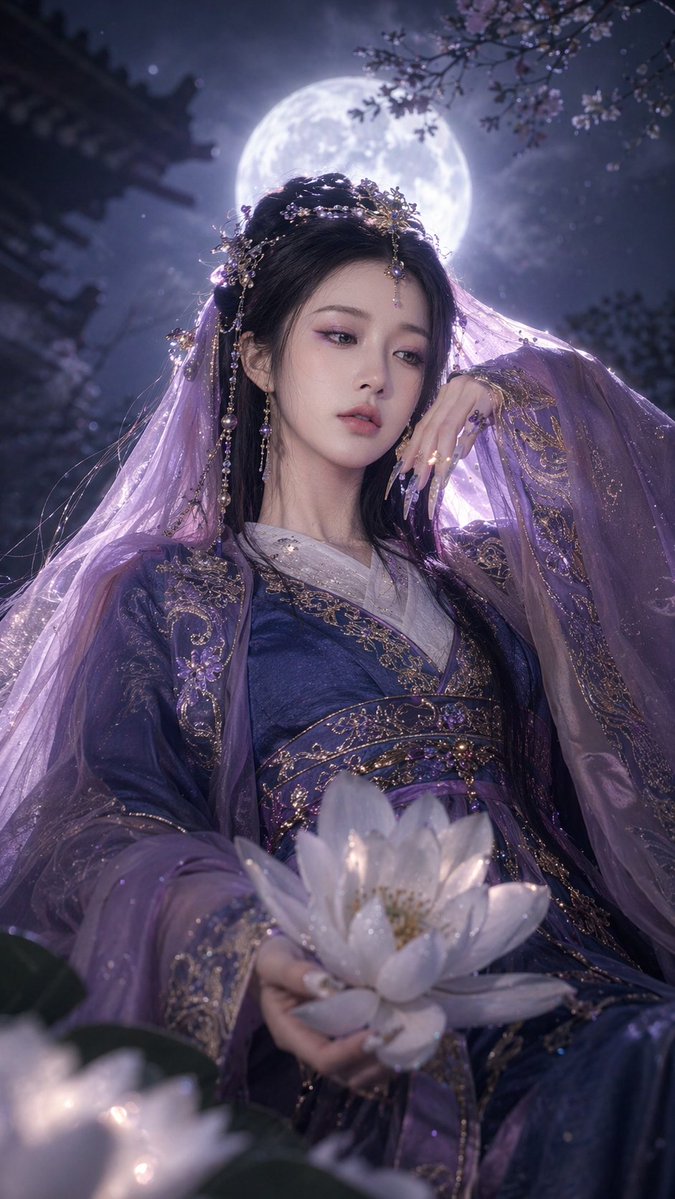
Using REFERENCE_0 as the character base, transform the subject into a argtheme: fantasy Xianxia setting. Dress her in argclothing: elaborate purple and gold traditional Chinese robes with a sheer purple veil. Add ornate gold and pearl hair accessories and long pointed nail guards. Change her pose so she is looking slightly away, with one hand raised delicately near her face and the other holding a argprop: large, glowing white lotus flower. Set the scene at night with a argbackground: large full moon, a dark silhouette of a traditional temple roof, and cherry blossom branches. Apply an arglighting and atmosphere: ethereal, magical purple-tinted moonlight effect.
Sobre este prompt
Transform any portrait into an ethereal, traditional Chinese fantasy scene with elaborate robes, magical moonlight, and glowing props. Use it as a Arte Conceptual starting point for GPT Image 2: keep the visual structure and style constraints intact, then swap in your own subject, brand, or scene.
Common directions include gptimage2api prompts, gptimage2api, and en. Treat these tags as creative cues; the prompt structure and preview image are the more useful guide.
Start by replacing theme, clothing, prop, and background, then keep the camera, composition, and material cues in the same order. This makes the output easier to compare across variations.
Cómo usar este prompt
- Copy the prompt code above and open your preferred AI image generator.
- Select Sora 2 or a compatible model for best stylization.
- Customize the
{theme},{clothing},{prop}, and other variables to match your vision. - Upload your reference portrait as
REFERENCE_0. - Generate the image and refine your prompt if needed.


