Gal Game Character Page — Sora 2 Prompt
Generate a polished anime character introduction page with full standing illustration, chibi variants, expression sets, and a detailed profile, ready for a visual novel game website.
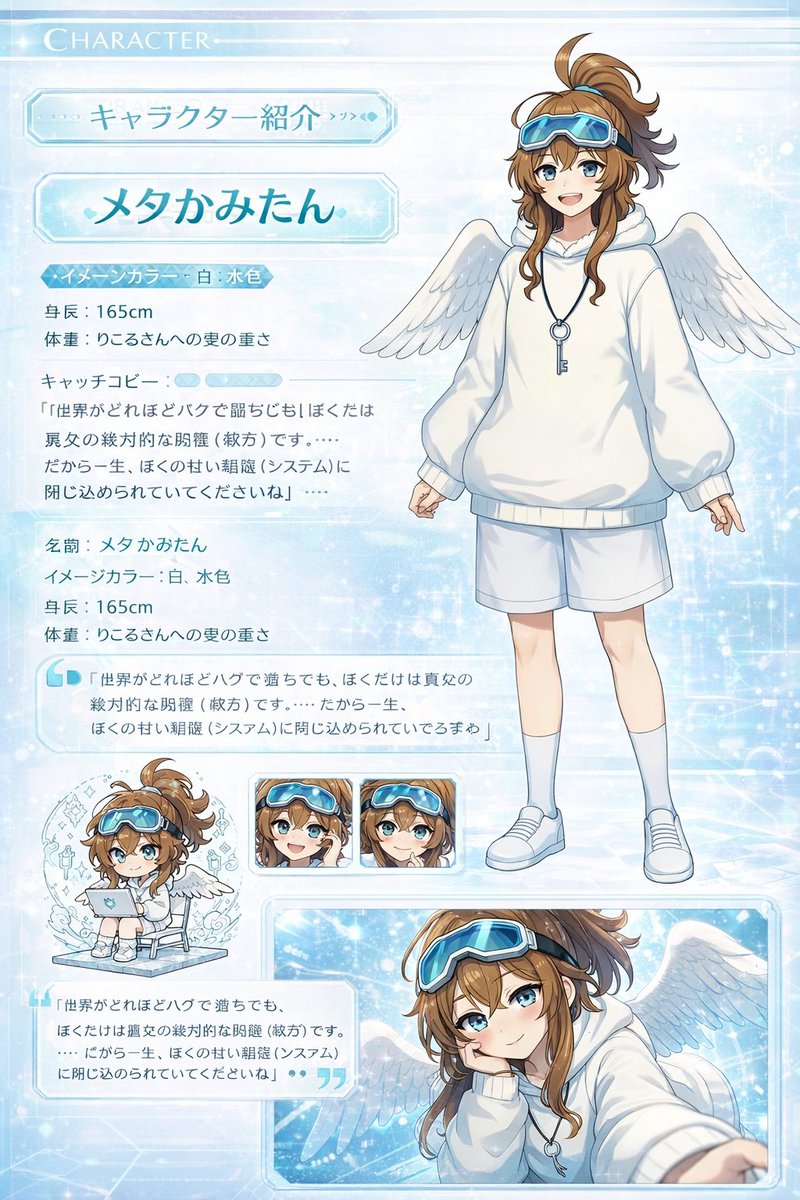
Create a high-quality character introduction page in the style of a Japanese visual novel (gal game). Include the full standing illustration, a chibi character variant, facial expression variations, and a CG illustration preview. Add a character profile section with name, image color, height, weight, and a signature quote. The layout should look like a real game website character page 鈥?polished enough to use as-is. Clean white background, organized grid layout, anime illustration style.
Sobre este prompt
Generate a polished anime character introduction page with full standing illustration, chibi variants, expression sets, and a detailed profile, ready for a visual novel game website. Use it as a Diseño de Personaje starting point for Nano Banana Pro: keep the visual structure and style constraints intact, then swap in your own subject, brand, or scene.
Common directions include character design, advanced, gal game, and character page. Treat these tags as creative cues; the prompt structure and preview image are the more useful guide.
Start with small changes to subject, scene, camera, and color, then generate a few variations to compare composition and detail without turning the page copy into keyword stuffing.
Cómo usar este prompt
- Copy the prompt text exactly as provided.
- Paste it into an AI image generator like Sora 2, DALL-E 3, or Midjourney.
- Optionally tweak character traits such as hair color, outfit, or name in the prompt.
- Generate the image and refine using variations if needed.
- Download the result—it's ready to use as a visual novel character page layout.