
GPT Image 2Prompt de IA
Chinese Cityscape Ribbon Poster — Sora 2 Prompt
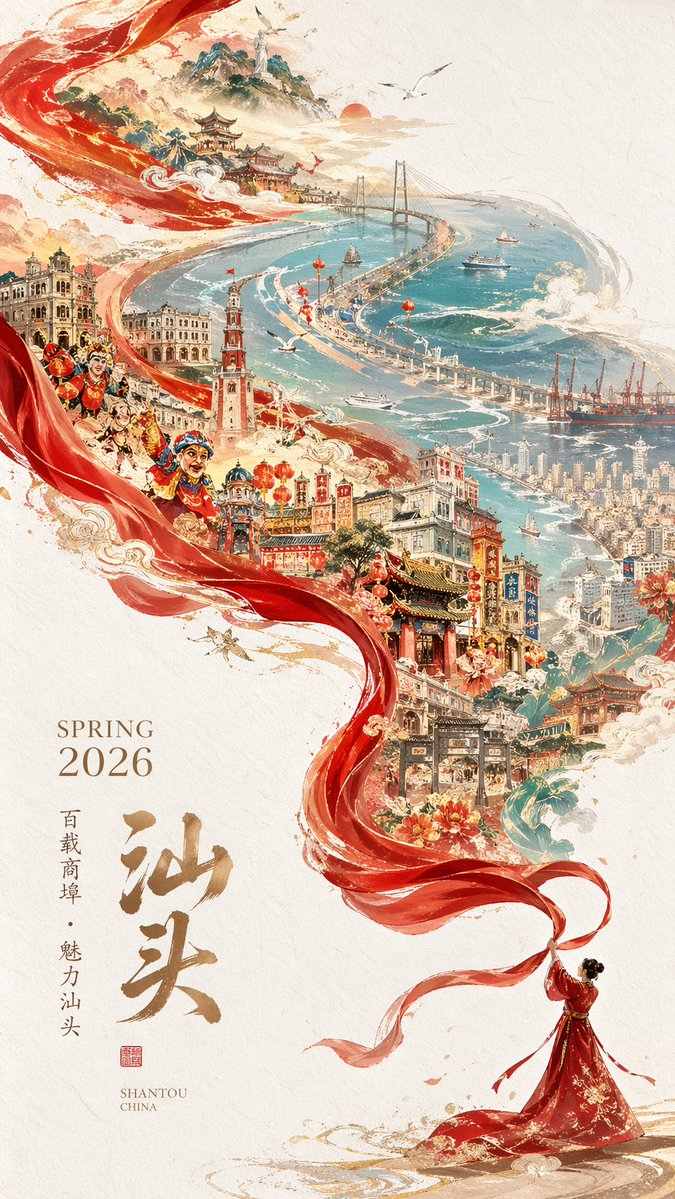
Generate a stunning vertical poster featuring a flowing red silk ribbon weaving through a blend of traditional and modern Chinese cityscapes with customizable text.
PROMPT · EN
一张精美的竖版海报插画,背景为质感奶油色纸张,画面主体是一条巨大的半透明红色丝绸丝带,从右下角向左上角呈对角线螺旋上升。右下角有一位身着飘逸红色传统服饰的女性,手持丝带末端。丝带环绕着一座细节丰富、从历史过渡到现代的宏大城市景观。中下部展示了装饰着红灯笼的中国传统寺庙、宝塔和骑楼建筑,点缀着盛开的牡丹和金色祥云。丝带流动的左侧融入了三位动态十足、画着脸谱的传统英歌舞者。上部展现了青色海岸湾区,点缀着现代摩天大楼、一座长跨度悬索桥、三艘航行中的船只、远山以及在金色太阳旁飞翔的海鸥。左下角配有优雅的排版:"argseason and year: SPRING 2026"(衬线字体),醒目的金色中文书法“argmain city name: 汕头”,较小的竖排文字“argsubtitle: 百载商埠 · 魅力汕头”,以及带有红色小印章的 "argenglish location: SHANTOU CHINA"。艺术风格融合了中国传统水墨画与现代数字奇幻艺术,采用了深红、青色和金色的鲜艳配色。
Sobre este prompt
Generate a stunning vertical poster featuring a flowing red silk ribbon weaving through a blend of traditional and modern Chinese cityscapes with customizable text. Use it as a Arte Conceptual starting point for GPT Image 2: keep the visual structure and style constraints intact, then swap in your own subject, brand, or scene.
Start by replacing season and year, main city name, subtitle, and english location, then keep the camera, composition, and material cues in the same order. This makes the output easier to compare across variations.
Cómo usar este prompt
- Copy the full prompt text and paste it into your preferred AI image generator (e.g. Sora 2, Midjourney, or DALL·E).
- Customize the variables inside the
{argument}tags, such as season, city name, subtitle, and English location, to match your specific needs. - Choose your desired output aspect ratio, ideally a vertical 9:16 or 4:5 ratio, to match the poster layout.
- Adjust any stylistic keywords in the prompt if you want to shift the color palette or level of detail.
- Generate the image and iterate by refining the variables or style modifiers until you achieve the perfect result.


