
GPT Image 2Prompt de IA
Minecraft Style Portrait — Sora 2 Prompt
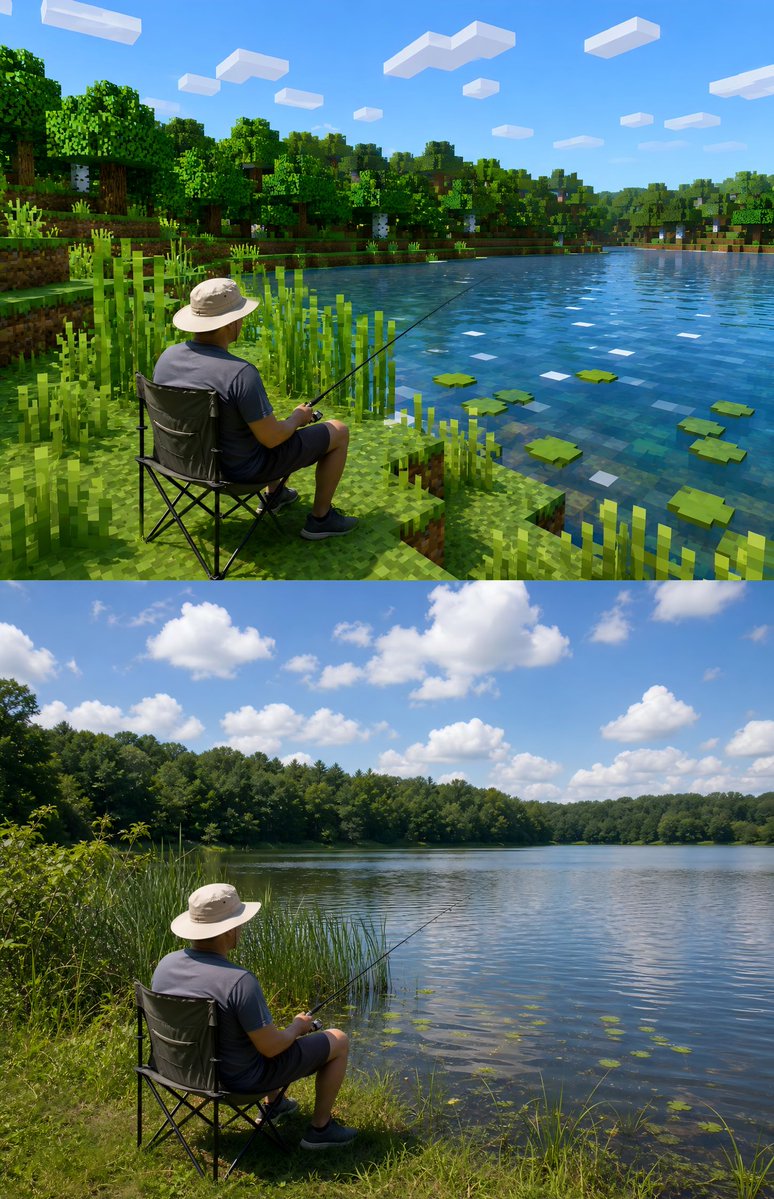
Transforms your real outdoor photo into a Minecraft-inspired style while preserving your face, pose, and authentic details.
1 / 4
PROMPT · EN
请基于用户上传的真实户外照片进行风格化改造。 保留照片中的主体不变,主体可以是人物或动物。尽量保留主体的外貌识别度、姿态、服装、毛发、真实摄影感,不要换脸,也不要把主体彻底像素化。
Sobre este prompt
Transforms your real outdoor photo into a Minecraft-inspired style while preserving your face, pose, and authentic details. Use it as a Arte Conceptual starting point for GPT Image 2: keep the visual structure and style constraints intact, then swap in your own subject, brand, or scene.
Start with small changes to subject, scene, camera, and color, then generate a few variations to compare composition and detail without turning the page copy into keyword stuffing.
Cómo usar este prompt
- Copy the prompt text below.
- Open your preferred AI image generator (e.g., Sora 2, Midjourney, DALL-E).
- Upload your real outdoor photo as the input image.
- Paste the prompt and adjust the style intensity if needed.
- Generate and download your stylized portrait.


