
GPT Image 2Prompt de IA
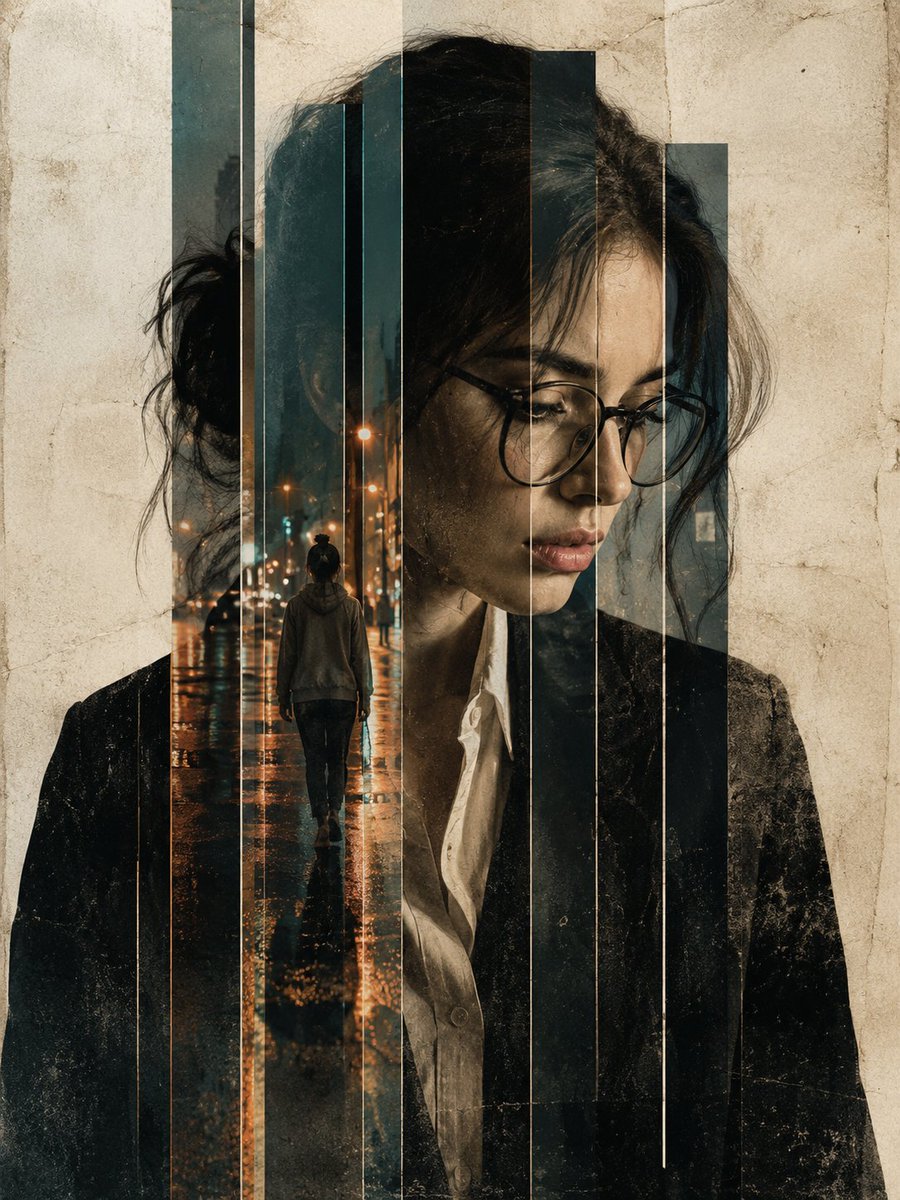
Moody Double Exposure Portrait — Rainy City Blend
Creates a high-contrast, cinematic double-exposure portrait where a contemplative subject is artfully merged with a rainy night street scene.
PROMPT · EN
一张高对比度的双重曝光编辑人像,画面中的 argsubject: 美丽的女性 正低头沉思。图像被创意性地分割成不同高度的垂直切片,背景为带有纹理的灰白色羊皮纸。叠加效果:在女性面部的垂直切片内,可见第二个场景:同一位身穿卫衣的女性独自走在 argsecondary scene: 雨夜街道 上。 街景中,路灯散发出温暖的橙色光斑,倒映在湿润的路面上,与人像冷色调形成鲜明对比。风格元素:光影:明暗对照法,深邃的阴影与女性白色衬衫及深色夹克上的明亮高光交相辉映。 纹理:细腻的颗粒感和陈旧的纸质纹理覆盖整个画面,赋予其艺术感和原始质感。色彩搭配:人像采用去饱和的单色调,点缀着雨中城市带来的琥珀色、金色和绿松石色。氛围:忧郁、内省,带有现代黑色电影风格;胡须和皮肤纹理细节刻画入微。 技术规格:使用 85mm 镜头拍摄,f/1.8 光圈,电影级布光,眼镜处焦点清晰,8K 分辨率,图形海报风格。纵横比 argaspect ratio: 9:16。
Sobre este prompt
Creates a high-contrast, cinematic double-exposure portrait where a contemplative subject is artfully merged with a rainy night street scene. Use it as a Arte Conceptual starting point for GPT Image 2: keep the visual structure and style constraints intact, then swap in your own subject, brand, or scene.
Start by replacing subject, secondary scene, and aspect ratio, then keep the camera, composition, and material cues in the same order. This makes the output easier to compare across variations.
Cómo usar este prompt
- Copy the entire prompt text.
- Paste it into an AI image generator like Sora or a compatible model.
- Adjust the variables
{subject},{secondary scene}, and{aspect ratio}to fit your vision. - Generate the image and refine if needed by tweaking lighting or color descriptors.


