
GPT Image 2Prompt de IA
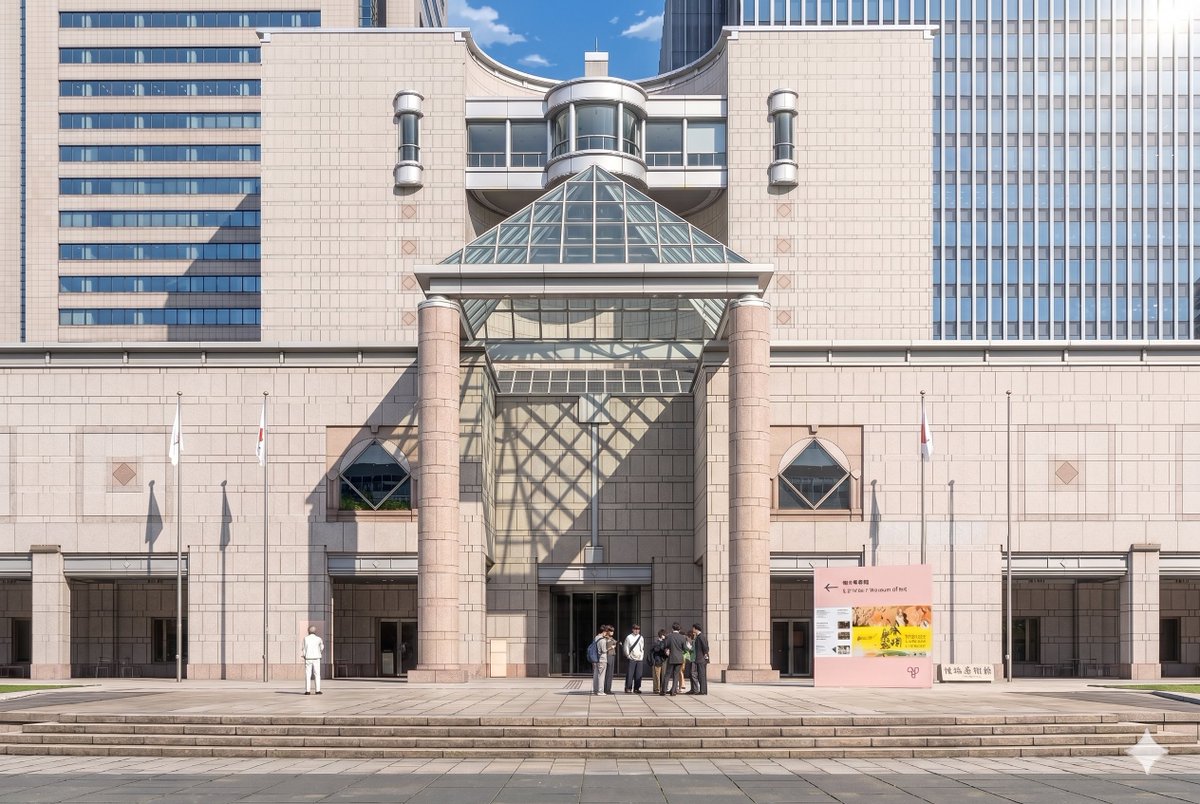
Ghibli-Style Museum — Anime Background Prompt
Transform a museum photo into a detailed, cinematic anime background with soft cel-shading, dramatic sunlight, and stylized crowds.
PROMPT · EN
使用提供的参考照片,将博物馆外立面及正面构图重绘为精致的剧场版动漫背景插画。保持建筑结构、标识、3 根旗杆、宽阔台阶及整体布局的一致性,但将图像从写实摄影转换为高细节的手绘动漫电影风格,要求线条清晰、采用柔和的赛璐璐阴影、淡雅的石材色调以及清澈的氛围光影。在右上角添加戏剧性的阳光,使玻璃金字塔在中央墙面及入口左侧投下大面积的几何网格阴影。将人物简化并风格化为动漫背景角色,保留 2 组可见人群:左侧 1 个单独的人物,以及入口中右侧 7 人组成的小型群体。在保持晴朗蓝天白昼氛围的同时,使画面呈现出优雅、精致且具有电影感的视觉效果。
Sobre este prompt
Transform a museum photo into a detailed, cinematic anime background with soft cel-shading, dramatic sunlight, and stylized crowds. Use it as a Arte Conceptual starting point for GPT Image 2: keep the visual structure and style constraints intact, then swap in your own subject, brand, or scene.
Start with small changes to subject, scene, camera, and color, then generate a few variations to compare composition and detail without turning the page copy into keyword stuffing.
Cómo usar este prompt
- Copy the entire prompt text provided.
- Choose a capable AI model like Sora 2 or a compatible image generator.
- Paste the prompt and upload your reference photo of the museum.
- You can tweak details like crowd size or sunlight angle in the prompt text.
- Generate and refine until you achieve the desired cinematic anime look.


