
Transform Flat Art into Glossy Anime — Sora 2 Prompt
Turn flat-colored character references into dynamic, high-gloss anime illustrations with dramatic lighting, deep shadows, bright highlights, and realistic metallic textures on a pure black background.
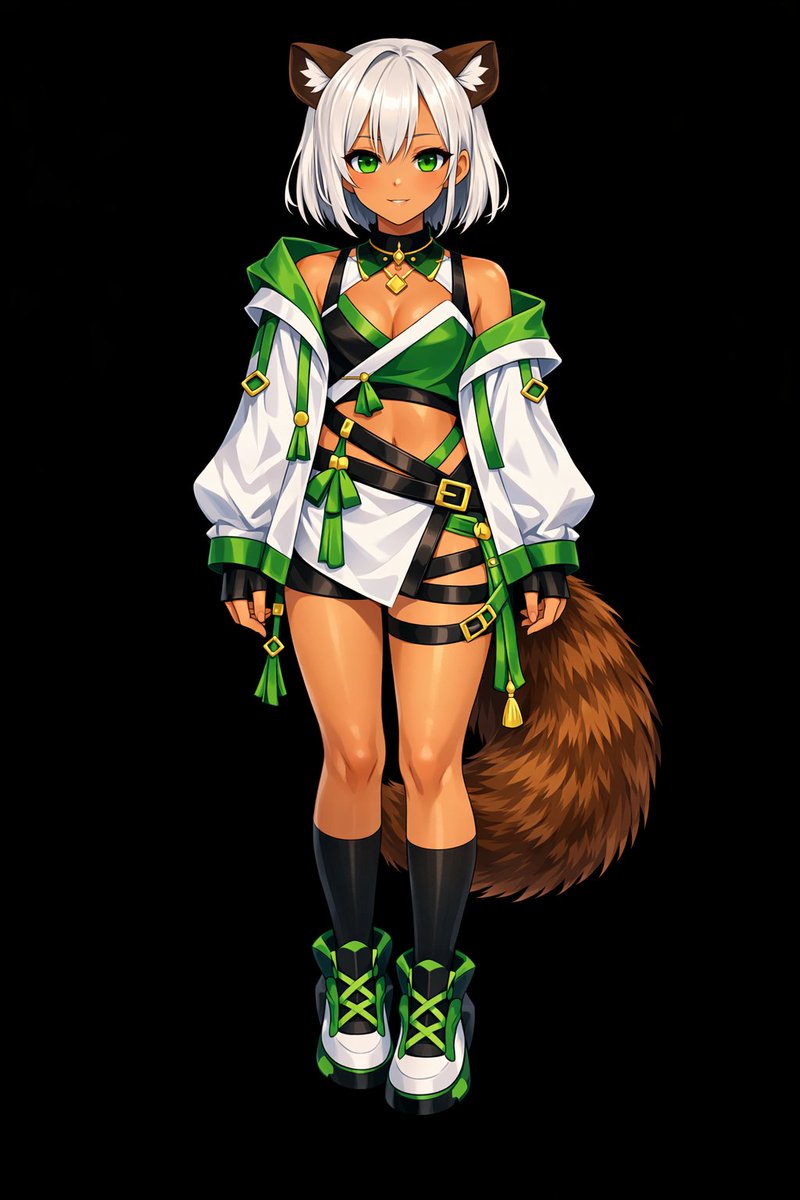
以 REFERENCE_0 为基础,将扁平配色转换为 argrendering style: 高细节、光泽感动漫插画风格。应用深层阴影、戏剧性光影以及明亮的高光,特别是在角色的皮肤、头发和尾巴上。增强衣物褶皱感,并赋予金属装饰真实的质感。将背景更改为 argbackground color: 纯黑色。
Sobre este prompt
Turn flat-colored character references into dynamic, high-gloss anime illustrations with dramatic lighting, deep shadows, bright highlights, and realistic metallic textures on a pure black background. Use it as a Arte Conceptual starting point for GPT Image 2: keep the visual structure and style constraints intact, then swap in your own subject, brand, or scene.
Start by replacing rendering style and background color, then keep the camera, composition, and material cues in the same order. This makes the output easier to compare across variations.
Cómo usar este prompt
- Copy this prompt from the page.
- Paste it into an AI image generator that supports reference images (like Sora 2).
- Upload your flat-color character reference.
- Adjust optional arguments (e.g., rendering style or background color) if desired.
- Generate your high-detail, glossy anime artwork.


