
GPT Image 2Prompt de IA
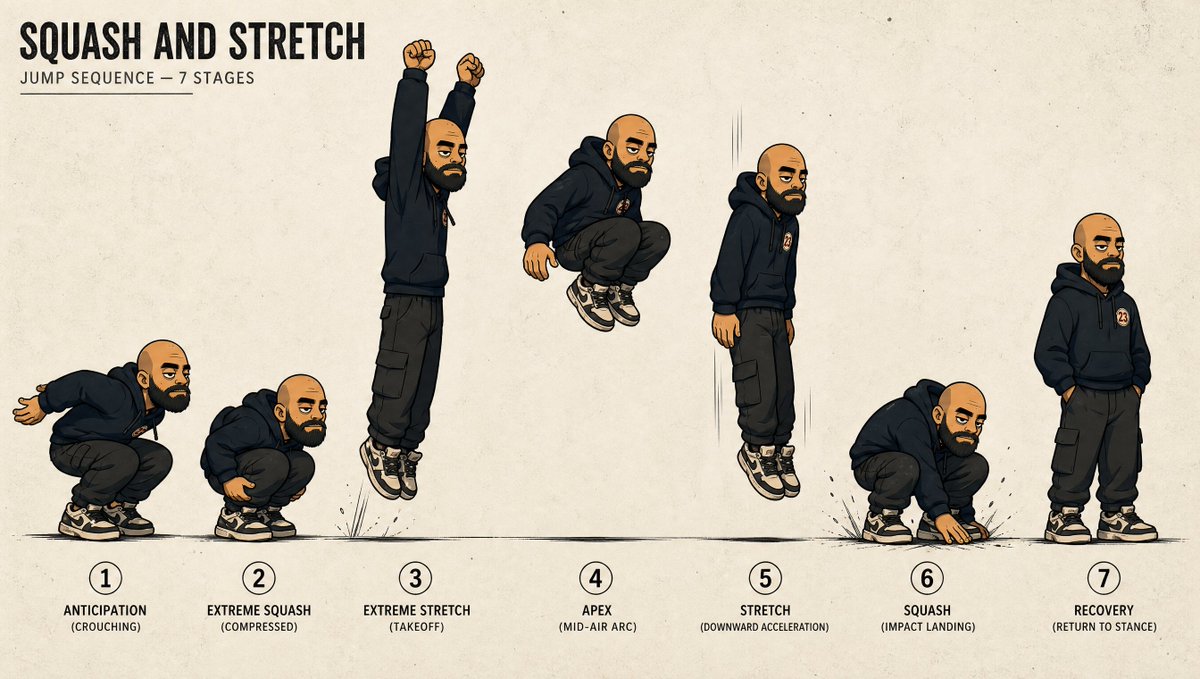
Squash & Stretch Jump Sequence — 7-Stage Animation Sheet
Generate a professional 2D animation reference sheet showing a 7-stage jump cycle with squash and stretch, preserving character design on a textured layout.
PROMPT · EN
以 REFERENCE_0 为角色基础,制作一张清晰的动画动作表,将角色转化为全身跳跃序列研究,同时保留相同的服装、徽章、光头、鞋子、风格化水墨插画外观以及面部遮挡/模糊处理。将视图从裁剪后的肖像扩展为带有地面线、细微运动线、小型冲击标记和教学排版的米色纸张纹理宽幅布局。在左上角添加标题文本 argtitle text: SQUASH AND STRETCH 和副标题 argsubtitle text: JUMP SEQUENCE — 7 STAGES。展示从左至右排列的 7 个编号姿势:1 “ANTICIPATION (CROUCHING)”(预备动作:蹲伏),角色蹲伏且双臂后摆;2 “EXTREME SQUASH (COMPRESSED)”(极限挤压:压缩),角色更深地紧凑蹲伏;3 “EXTREME STRETCH (TAKEOFF)”(极限拉伸:起跳),角色向上拉伸,双臂抬起,双脚离地;4 “APEX (MID-AIR ARC)”(顶点:空中弧线),角色在半空中收缩;5 “STRETCH (DOWNWARD ACCELERATION)”(拉伸:向下加速),角色在下降时垂直拉伸;6 “SQUASH (IMPACT LANDING)”(挤压:着陆冲击),角色着陆时压缩,单手触地;7 “RECOVERY (RETURN TO STANCE)”(恢复:回到站姿),角色双手插兜,放松站立。在每个编号阶段下方使用粗体黑色大写标签,除刻意的挤压与拉伸变形外,保持各姿势中角色比例的一致性,并使该表呈现出专业 2D 动画参考图表的效果。
Sobre este prompt
Generate a professional 2D animation reference sheet showing a 7-stage jump cycle with squash and stretch, preserving character design on a textured layout. Use it as a Arte Conceptual starting point for GPT Image 2: keep the visual structure and style constraints intact, then swap in your own subject, brand, or scene.
Start by replacing title text and subtitle text, then keep the camera, composition, and material cues in the same order. This makes the output easier to compare across variations.
Cómo usar este prompt
- Copy the entire prompt body. 2. Choose an AI model that supports detailed visual generation, like Sora 2. 3. Replace the bracketed
title textandsubtitle textwith your own labels if desired. 4. Generate the image to receive your full character animation sheet.


