
GPT Image 2Prompt de IA
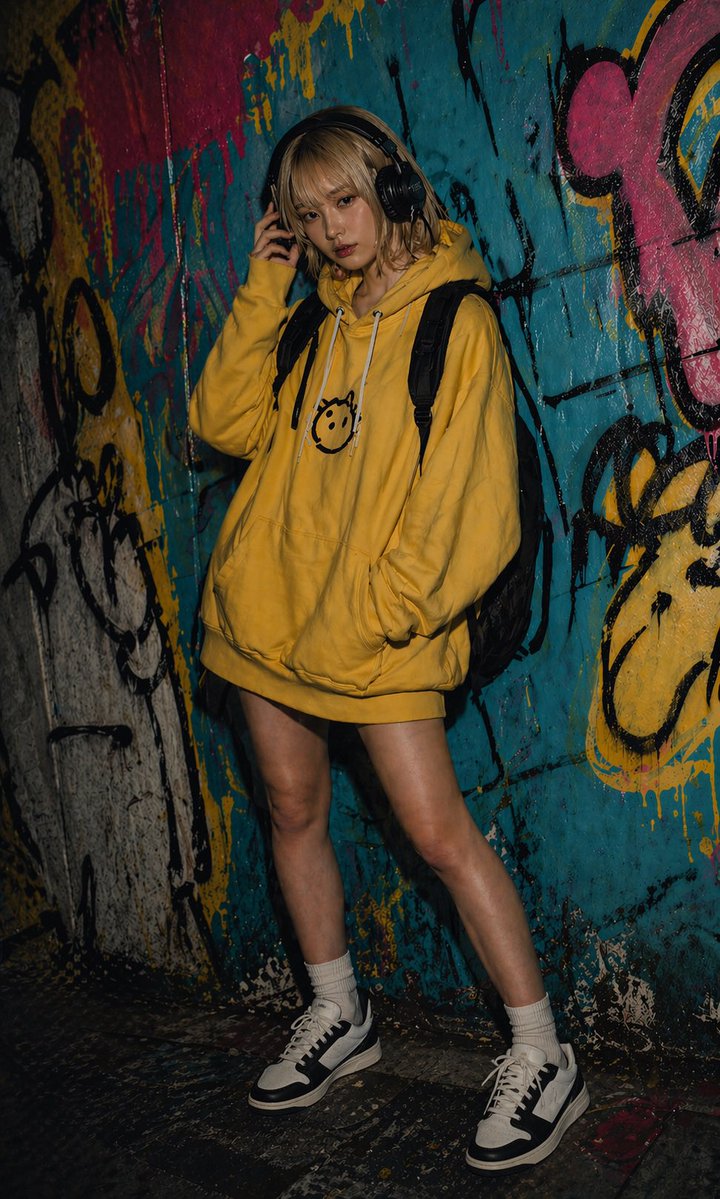
Graffiti Alley Fashion Portrait — Sora 2 Prompt
Generate a moody, realistic full-body streetwear portrait with dramatic lighting and a colorful graffiti backdrop, ideal for fashion and nightlife AI art.
PROMPT · EN
一张充满情绪感的全身时尚人像,主角是一位 argsubject: 年轻女性,站在一条布满浓密彩色涂鸦的狭窄城市小巷或隧道中,在夜间拍摄,采用戏剧性的低调照明和闪光灯摄影的写实风格。她随意地靠在墙上,一只手触碰着一副大型黑色头戴式耳机,另一只手插在超大号 arghoodie color: 芥末黄 连帽衫的前兜里。连帽衫长度足以当作连帽裙穿着,胸前印有一个简单的黑色笑脸图案,配有白色抽绳。她背着一个黑色双肩包,露出 2 条肩带,穿着白色中筒袜和厚底黑白低帮运动鞋。她双腿裸露,姿势放松,一膝微屈,一只脚向前迈出。她的头发齐肩,略显凌乱,发色为 arghair color: 深金色。采用竖构图,从头到脚拍摄,主体位于画面略偏左的位置。背景是一面粗犷的喷漆墙,以蓝绿色、黄色、粉色和黑色喷漆为主,伴有滴漆、涂鸦签名和抽象的卡通涂鸦形状,营造出原始的街头艺术氛围。地面昏暗、磨损且带有反光的油漆溅痕。使用高对比度、深邃阴影、逼真的皮肤和织物纹理,呈现编辑级街头摄影风格、地下城市氛围,服装和身体细节清晰对焦,面部细节柔和,营造出电影般的暗夜生活氛围。
Sobre este prompt
Generate a moody, realistic full-body streetwear portrait with dramatic lighting and a colorful graffiti backdrop, ideal for fashion and nightlife AI art. Use it as a Arte Conceptual starting point for GPT Image 2: keep the visual structure and style constraints intact, then swap in your own subject, brand, or scene.
Start by replacing subject, hoodie color, and hair color, then keep the camera, composition, and material cues in the same order. This makes the output easier to compare across variations.
Cómo usar este prompt
- Copy the prompt text from this page.
- Paste it into your AI image generator (like Sora 2, Midjourney, or Stable Diffusion).
- Customize the variables within curly braces, such as subject, hoodie color, and hair color.
- Generate the image and tweak light settings or composition if needed for your desired mood.


