
GPT Image 2Prompt de IA
Dystopian Noir Winter Scene — Sora AI Prompt
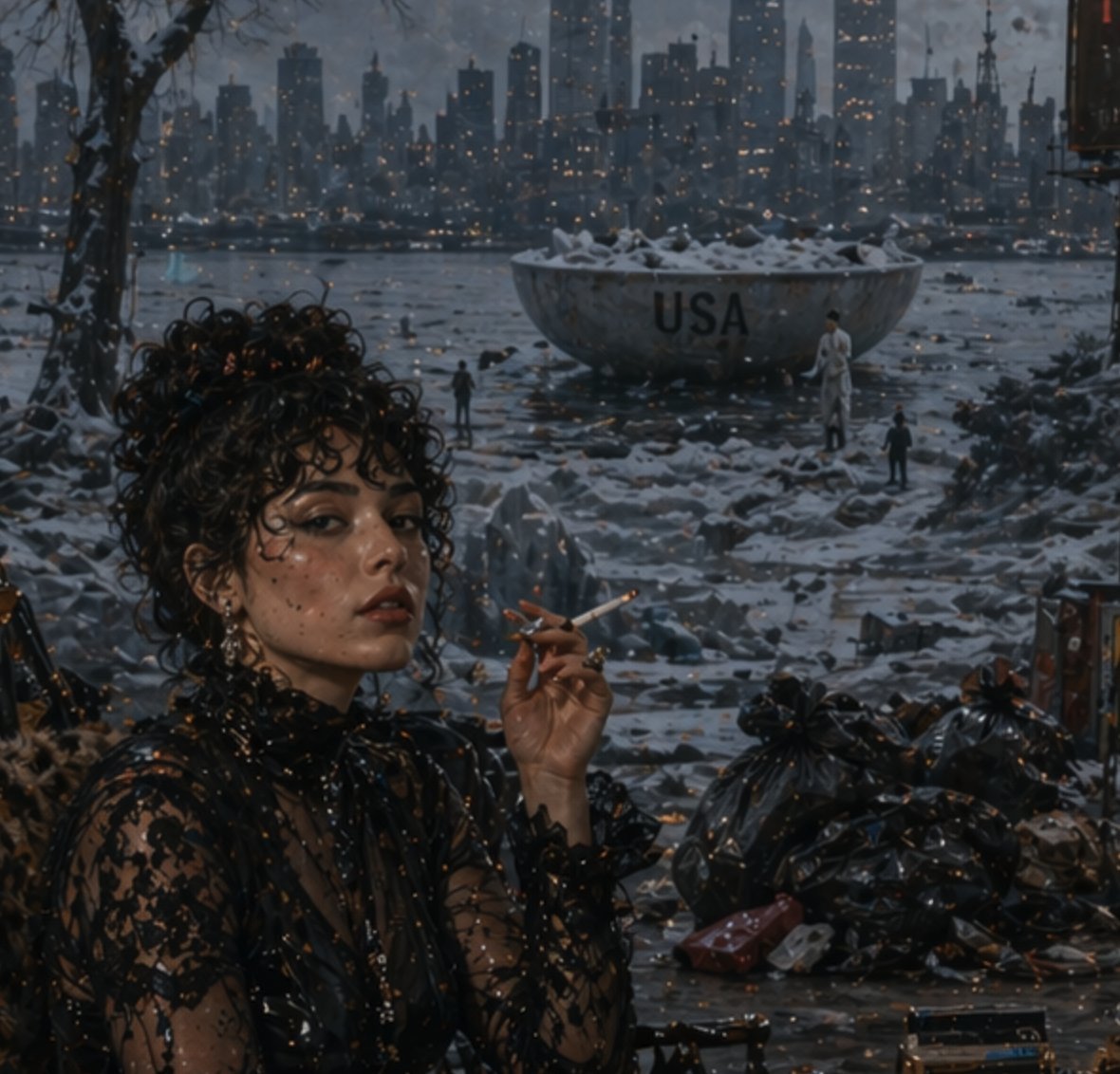
Generate a gritty dystopian noir winter image featuring a fashionable woman, glittering lights, and intentional AI artifacts for a unique flawed aesthetic.
PROMPT · EN
这是一幅充满电影感的反乌托邦冬季黄昏场景,视角从受遮蔽的河岸前景望向黑暗的现代城市天际线,远处闪烁着数百盏温暖的微小窗灯。左侧前景中,一位留着深色卷发的时尚女性以四分之三侧面示人,她的脸部被一个柔和的矩形模糊效果刻意遮挡,唇边拿着一支点燃的香烟。她身着一件黑色蕾丝高领透视连衣裙,饰有精致的花卉刺绣,佩戴着垂坠耳环,展现出迷人的黑色电影美学。她周围的地面湿冷且结冰,散落着垃圾,右侧前景堆放着光亮的黑色垃圾袋,冰冻的岸边散布着残骸。冰冷水域的中景处坐落着一个巨大的风化金属碗或盆,里面积满了雪,上面显著标有文字 argheadline text: USA。三个微小的人影站在旁边以作比例参考。光秃的树枝构成了左上方的框架。整体色调为冷蓝灰色,点缀着琥珀色的城市灯光,整张图像呈现出一种粗粝的、绘画般的写实感,并带有明显的 AI 图像伪影特征:整个场景(尤其是在暗部)散布着可见的微小发光斑点和噪点网格,仿佛出自一个有缺陷的生成式模型。
Sobre este prompt
Generate a gritty dystopian noir winter image featuring a fashionable woman, glittering lights, and intentional AI artifacts for a unique flawed aesthetic. Use it as a Arte Conceptual starting point for GPT Image 2: keep the visual structure and style constraints intact, then swap in your own subject, brand, or scene.
Start by replacing headline text, then keep the camera, composition, and material cues in the same order. This makes the output easier to compare across variations.
Cómo usar este prompt
- Copy the complete prompt from above.
- Paste it into an AI image generator like Sora, DALL‑E, or Stable Diffusion.
- Adjust the
{argument name="headline text" default="USA"}variable if you want custom text on the metal basin. - Generate the image and try different seeds or settings to emphasize the glitchy noise artifacts.
- For best cinematic and gritty results, use a model trained on noir and dystopian styles.


