
Song Dynasty Social Media Feed — Su Shi's Huangzhou Post
Create a humorous, high-detail image merging a modern social media UI with a Song Dynasty scene, perfect for historical meme or creative design inspiration.
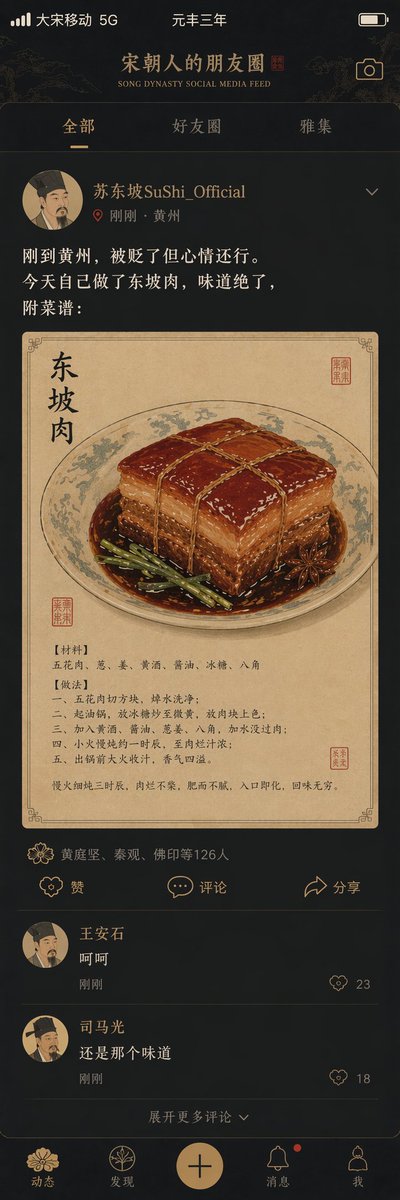
"argtitle: Song Dynasty Social Media Feed", a humorous fusion of ancient and modern interface design style. The image simulates a mobile social media interface, but the content is entirely Song Dynasty scenes. The profile picture is a portrait of a Song Dynasty scholar. Username: "argusername: Su Shi SuShi_Official". Posted content: "Just arrived in Huangzhou; exiled but in a decent mood. Made Dongpo Pork myself today, the taste is amazing. Recipe attached:". The attached picture is a close-up of Dongpo Pork in a traditional fine-brush painting style. Like list: "Huang Tingjian, Qin Guan, Foyin and 126 others". Comment section: "Wang Anshi: Hehe", "Sima Guang: Still that same flavor". Interface elements like the like icon are replaced with Song Dynasty patterns. Status bar shows "Great Song Mobile 5G" and "Third Year of Yuanfeng". The color scheme is a mobile dark mode paired with elegant Song Dynasty tones. A masterpiece of historical and social media collision.
Sobre este prompt
Create a humorous, high-detail image merging a modern social media UI with a Song Dynasty scene, perfect for historical meme or creative design inspiration. Use it as a Arte Conceptual starting point for GPT Image 2: keep the visual structure and style constraints intact, then swap in your own subject, brand, or scene.
Common directions include gptimage2api prompts, gptimage2api, and zh. Treat these tags as creative cues; the prompt structure and preview image are the more useful guide.
Start by replacing title and username, then keep the camera, composition, and material cues in the same order. This makes the output easier to compare across variations.
Cómo usar este prompt
- Copy the entire prompt text.
- Select an AI image model like Sora 2 or a similar text-to-image generator.
- Customize the variables in curly braces (e.g.,
{username}) to change the subject or details. - Generate the image and review the output for the specific historical and UI elements.
- Use the resulting image for social media content, presentations, or creative projects.


