
GPT Image 2Prompt de IA
Netflix VR Billboard Concepts — Dark Creative UI Prompt
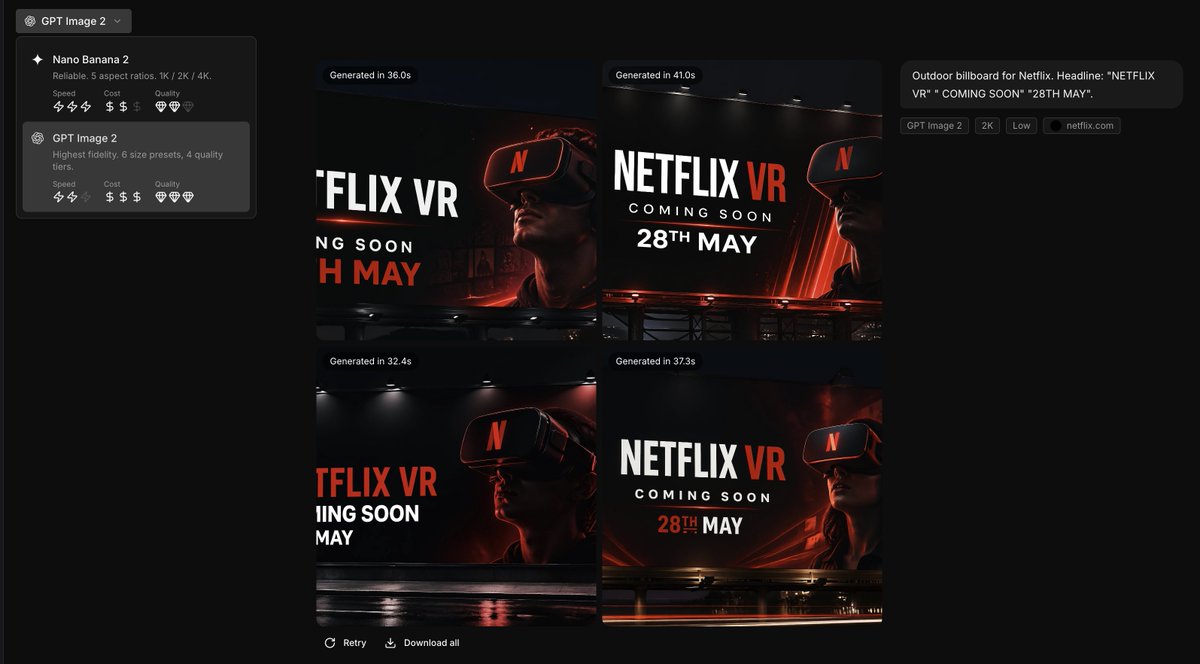
Transform brand guidelines into a sleek dark creative tool UI showcasing 4 cinematic VR billboard concepts with dramatic lighting, perfect for marketing demos.
PROMPT · EN
以提供的参考图作为品牌风格指南,生成一个深色调的创意生成应用界面,以 2x2 网格形式展示 argbrand name: Netflix 的 4 个广告牌概念。应用参考图中的精确品牌调色板和整体视觉识别系统:深黑色背景、红色点缀、白色排版、炭灰色叠加层以及简洁现代的无衬线字体风格。将参考图从静态的品牌设置页面转变为图像生成结果屏幕,左侧边栏包含 2 个模型卡片的模型选择器,主画布显示 4 个生成的概念缩略图。每个缩略图应为电影质感的夜间户外广告牌模型,具有戏剧性的光影、光泽反射以及佩戴 VR 头显的人物。使用醒目的广告牌文案,内容为 argheadline text: NETFLIX VR、argsubheadline text: COMING SOON 以及 argdate text: 28TH MAY。在右侧添加小型 UI 标签和说明以概括提示词,并在 4 张图像上方添加生成时间徽章。确保最终效果呈现出用于品牌广告构思的高级创意工具截图质感。
Sobre este prompt
Transform brand guidelines into a sleek dark creative tool UI showcasing 4 cinematic VR billboard concepts with dramatic lighting, perfect for marketing demos. Use it as a Arte Conceptual starting point for GPT Image 2: keep the visual structure and style constraints intact, then swap in your own subject, brand, or scene.
Start by replacing brand name, headline text, subheadline text, and date text, then keep the camera, composition, and material cues in the same order. This makes the output easier to compare across variations.
Cómo usar este prompt
- Copy the full prompt text.
- Replace variables (brand name, headline, subheadline, date) to match your brand.
- Choose an image generation model that excels in UI and cinematic styles (e.g., DALL·E 3, Midjourney).
- Paste the modified prompt and generate. Adjust details if needed.
- Use the output as a concept presentation for marketing or product demos.


