
Urban Energy Drink Ad Poster — Photorealistic Streetwear Model
Creates a photorealistic, customizable advertisement poster of a streetwear model in a dynamic urban setting with bold Japanese and English typography.
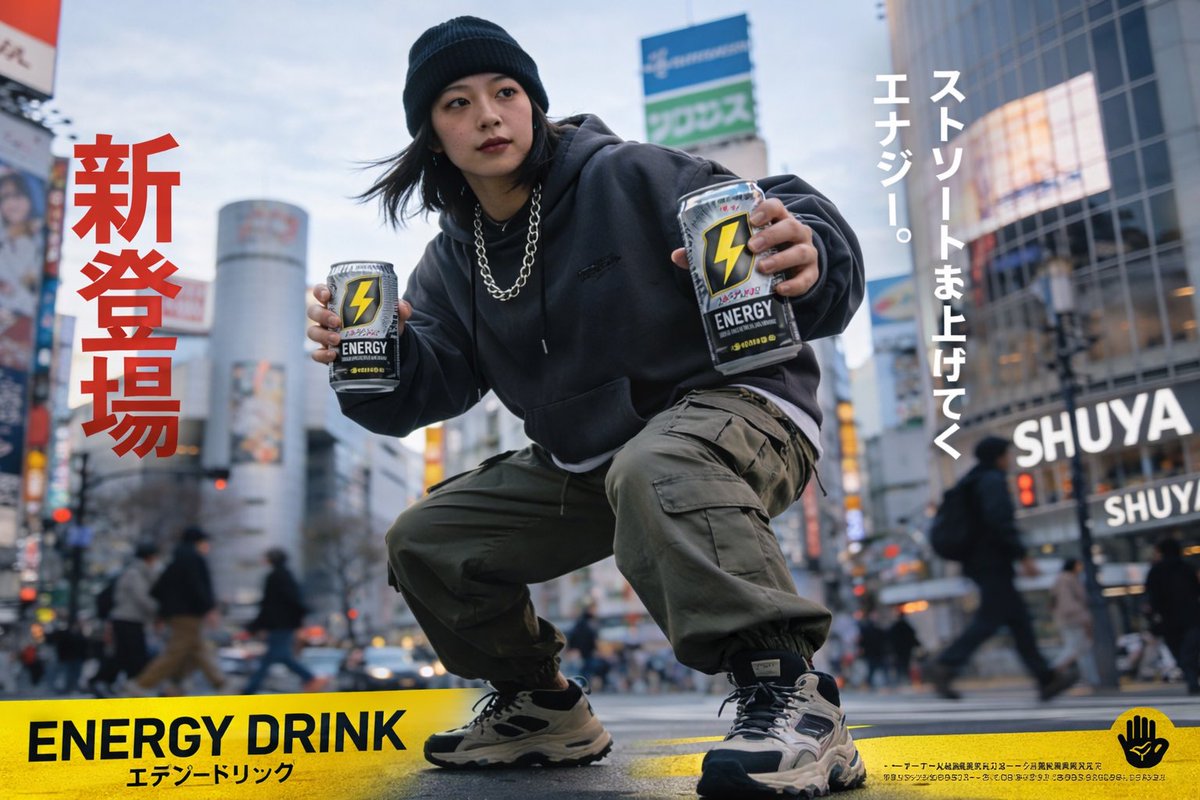
A photorealistic urban advertisement poster featuring a young Japanese woman in streetwear doing a deep squat in the middle of a busy crosswalk. She wears a black beanie, a dark grey oversized hoodie, a chunky silver chain necklace, olive green cargo pants, and chunky beige and black sneakers. She is holding out exactly two identical energy drink cans towards the camera; the cans are silver and black with a prominent yellow lightning bolt logo and the word argcan logo text: ENERGY. The background is a blurred, bustling argcity background: Tokyo street scene resembling Shibuya crossing with pedestrians and neon signs. The image features bold typography: large red vertical Japanese text on the left reading argleft red text: 新登場, white vertical Japanese text on the right reading argright white text: ストリートま上げてく エナジー。, and a solid yellow horizontal banner across the bottom edge containing bold black text argbottom banner text: ENERGY DRINK alongside smaller Japanese text and a small black hand logo on the far right. Dynamic wide-angle perspective with a shallow depth of field.
Sobre este prompt
Creates a photorealistic, customizable advertisement poster of a streetwear model in a dynamic urban setting with bold Japanese and English typography. Use it as a Arte Conceptual starting point for GPT Image 2: keep the visual structure and style constraints intact, then swap in your own subject, brand, or scene.
Common directions include gptimage2api prompts, gptimage2api, and en. Treat these tags as creative cues; the prompt structure and preview image are the more useful guide.
Start by replacing can logo text, city background, left red text, and right white text, then keep the camera, composition, and material cues in the same order. This makes the output easier to compare across variations.
Cómo usar este prompt
- Copy the entire prompt text.
- Choose a photorealistic image generation model like Sora 2 or Midjourney.
- Customize the variables within the curly brackets {} to change the can logo, city background, and all text elements.
- Generate the image. Adjust the prompt and regenerate to refine details like composition or model pose.


