
GPT Image 2Prompt de IA
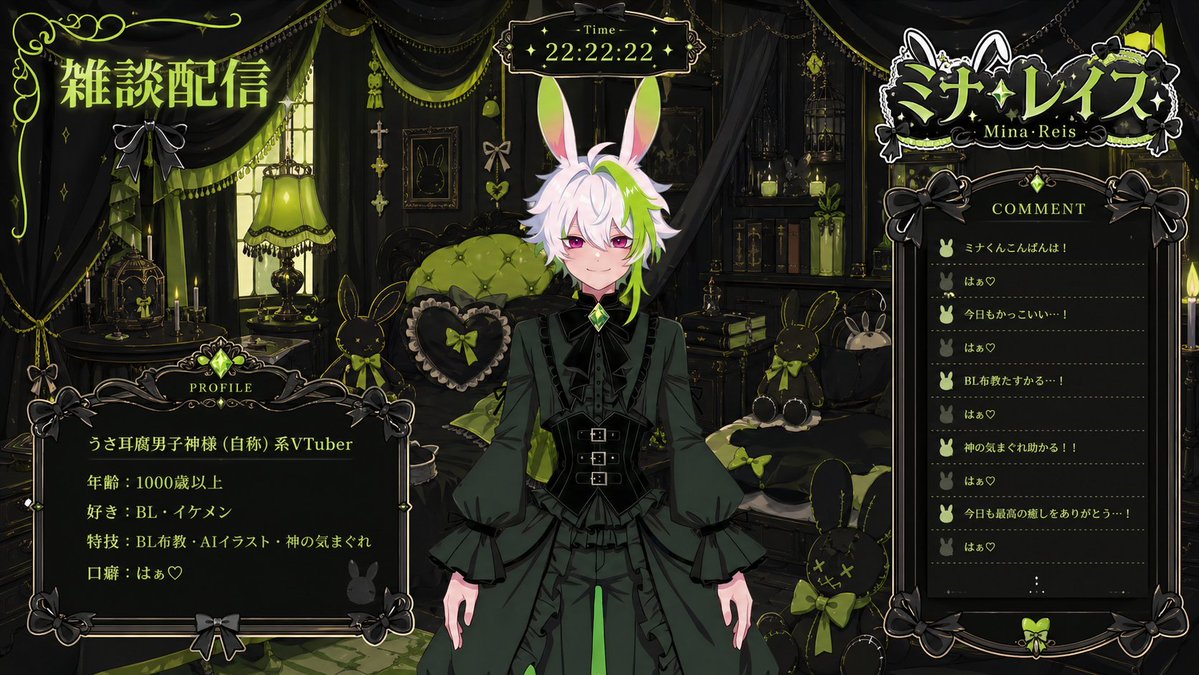
Custom VTuber Stream Overlay Prompt — Logo, Chat & Profile Layout
Design a complete VTuber live-stream screen with integrated chat, profile stats, and themed logo using customizable color and motif variables.
1 / 4
PROMPT · EN
请使用图像中的角色创建一个虚拟 VTuber。姓名:'argname: name',主题:'argmotif: motif',基于 'argfavorite color: favorite color' 和“喜爱氛围”的 VTuber 直播屏幕。一个基于 'argfavorite color: favorite color' 和“喜爱氛围”的房间背景。将角色放置在中心,右侧放置评论区,右上角放置基于角色主题的 VTuber Logo,左上角放置“Chat Stream”文字,左下角放置角色个人资料(类型、年龄、喜好、技能、口头禅)。顶部中心放置时间。图像尺寸:16:9。
Sobre este prompt
Design a complete VTuber live-stream screen with integrated chat, profile stats, and themed logo using customizable color and motif variables. Use it as a Arte Conceptual starting point for GPT Image 2: keep the visual structure and style constraints intact, then swap in your own subject, brand, or scene.
Start by replacing name, motif, and favorite color, then keep the camera, composition, and material cues in the same order. This makes the output easier to compare across variations.
Cómo usar este prompt
- Copy the entire prompt text.
- Choose an AI image generator that supports layered, detailed layouts (e.g., Sora 2 or similar).
- Replace the default variables (
name,motif,favorite color) with your VTuber's specific details. - Adjust the "loved atmosphere" description to match your desired vibe (e.g., cozy, cyberpunk).
- Generate the image; it will be in a 16:9 ratio, optimized for streaming software.


