GPT Image 2Prompt IA
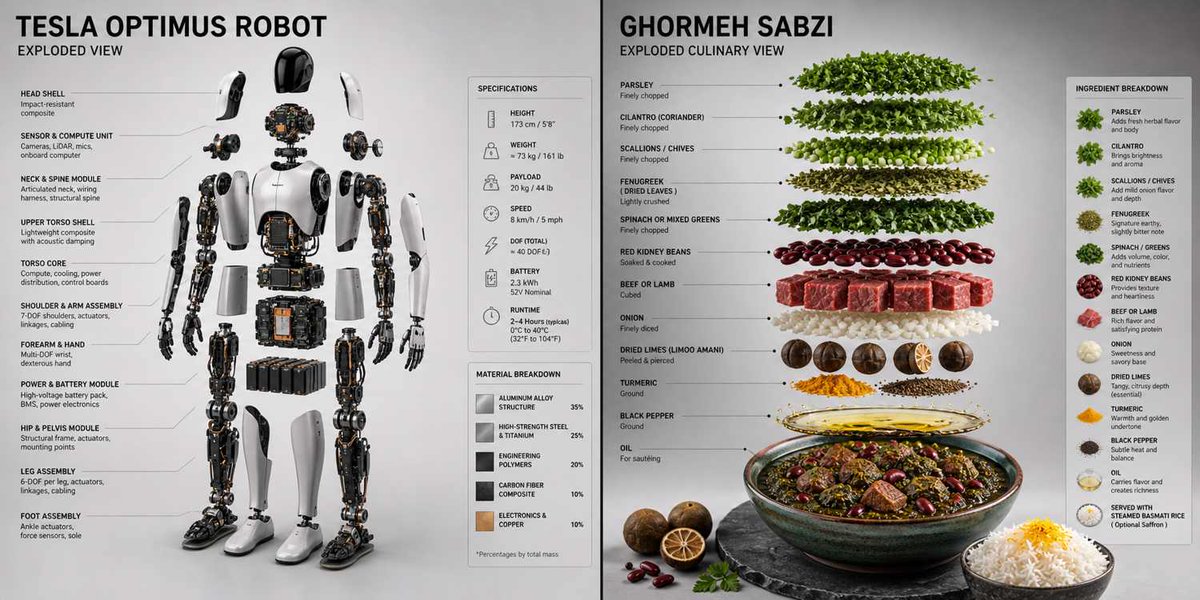
3D Exploded Product View — Technical Spec Breakdown Prompt
Generate a studio-lit, spec-accurate exploded 3D product rendering with detailed material callouts and a clean, minimalist backdrop.
PROMPT · EN
Render_Target = ( 3D_Accurate_Exploded_View_Of_argproduct: [product] * 1.3 ) + ( Minimal__Extremely_Accurate_Spec_Callout_And_Material_Breakdown_Panel * 1.4 ) + ( Soft_Gradient_Studio_Backdrop * 1.0 ) + ( Directional_Rim_Light_With_Soft_Fill * 1.0 ) - ( Floating_Neon_Rings_Or_Glowing_Orbs / 3.0 ) - ( Generic_Innovation_Sparks_Or_Circuit_Overlays / 2.5 ) - ( Cluttered_Desk_Props_Or_Watermarks / 2.0 )
À propos de ce prompt
Generate a studio-lit, spec-accurate exploded 3D product rendering with detailed material callouts and a clean, minimalist backdrop. Use it as a Art Conceptuel starting point for GPT Image 2: keep the visual structure and style constraints intact, then swap in your own subject, brand, or scene.
Start by replacing product, then keep the camera, composition, and material cues in the same order. This makes the output easier to compare across variations.
Comment utiliser ce prompt
- Copy the full prompt text below. 2. Replace the
[product]placeholder with your specific item (e.g., "smartwatch", "gaming mouse"). 3. Paste the prompt into your preferred AI video or image generation model like Sora 2. 4. Adjust the weight multipliers (the* 1.3or/ 2.0values) to fine-tune emphasis on lighting or remove unwanted elements. 5. Generate the image to receive a precise, exploded-view render with professional studio lighting.