
GPT Image 2Prompt IA
GTA 6 Cinematic Screenshot — AI Prompt
Generate a hyper-realistic screenshot in the style of GTA 6, featuring customizable characters and immersive in-game details.
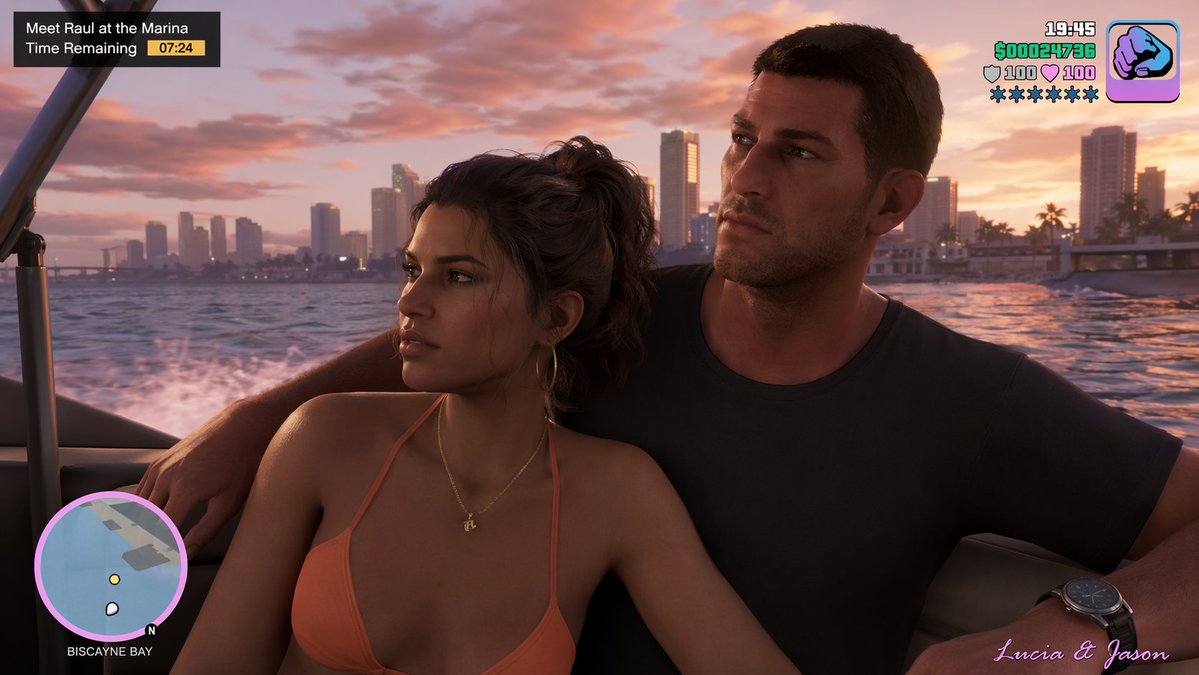
PROMPT · EN
a screenshot from gta 6 with argcharacters: lucia and jason
À propos de ce prompt
Generate a hyper-realistic screenshot in the style of GTA 6, featuring customizable characters and immersive in-game details. Use it as a Art Conceptuel starting point for GPT Image 2: keep the visual structure and style constraints intact, then swap in your own subject, brand, or scene.
Common directions include gptimage2api prompts, gptimage2api, and en. Treat these tags as creative cues; the prompt structure and preview image are the more useful guide.
Start by replacing characters, then keep the camera, composition, and material cues in the same order. This makes the output easier to compare across variations.
Comment utiliser ce prompt
- Copy the prompt text below.
- Choose an AI image model like GPT-Image-2 or Sora 2.
- Replace the character names in the
{characters}variable with your own (e.g., 'Lucia and Jason'). - Generate the image to see your custom GTA-style cinematic screenshot.


