
GPT Image 2Prompt IA
Graffiti Sketch Style Prompt — Hand-Drawn Doodle Art Generator
Create expressive, hand-drawn graffiti sketches with bold outlines, dry-brush color, and a casual, spontaneous artistic feel.
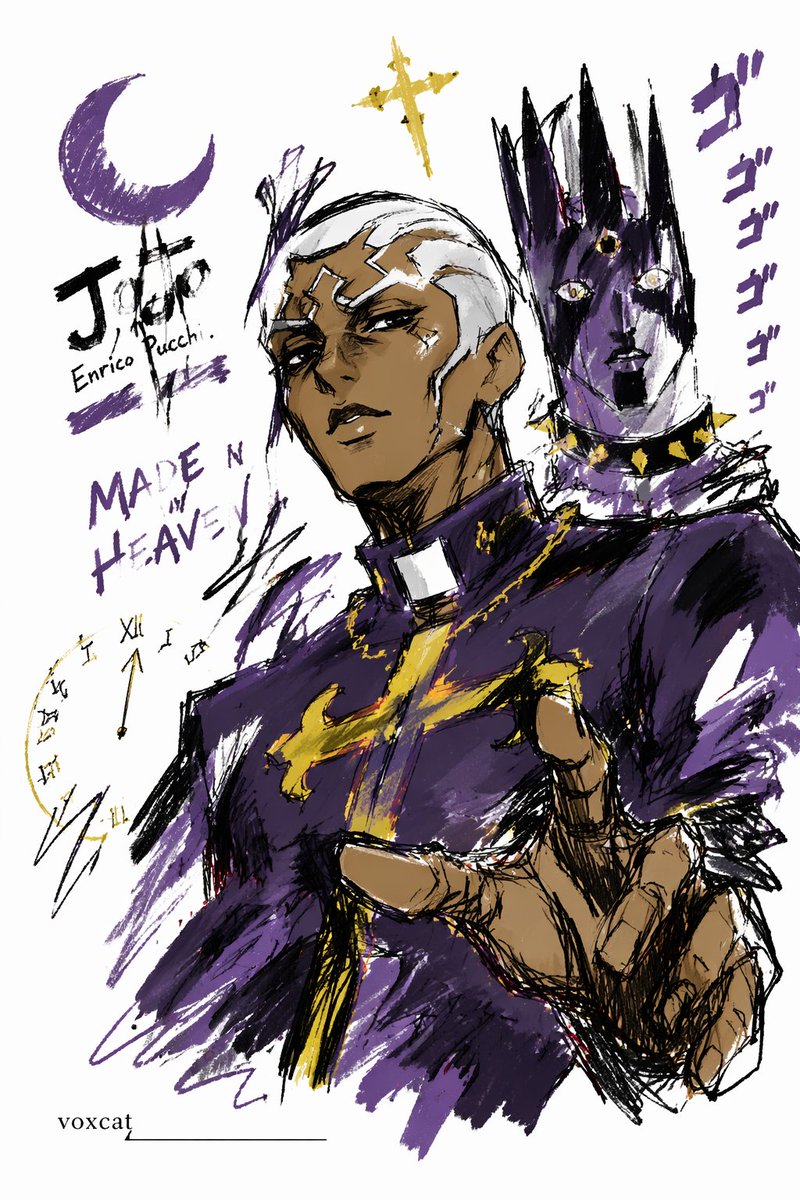
PROMPT · EN
Express argsubject: theme/subject in a graffiti sketch style, presenting an overall visual effect of quick outlines, free deformation, improvised hand-drawing, and draft-like sketches. The lines are casual, exaggerated, varying in thickness, and slightly messy but rhythmic and expressive, emphasizing generalization, exaggeration, fun, and spontaneity rather than rigorous realism or fine detail. The colors are expressed in rough blocks with a distinct dry-brush feel, retaining uneven smears, brush marks, fly-white, and layering. Colors automatically adapt to the argsubject: theme/subject, but the overall expression remains graffiti-like, sketch-like, and generalized. No transparent watercolor smudging effects, no delicate watercolor transitions, no paper textures, no soft atomization, and no dreamy textures. The background is mainly white space, maintaining a sense of simplicity, ease, unfinishedness, and design. Small amounts of auxiliary symbols, arrows, marks, circles, repeated lines, handwritten text, or other graffiti elements can be added to enhance the sketchbook or essay-like visual language, but they should not be too crowded or destroy the subject and the white space atmosphere. The content of the picture does not need to be written in advance; argsubject: theme/subject will automatically deduce and generate the most suitable main image, actions, related elements, symbols, or simplified scenes. The overall style remains a unified graffiti sketch style and an exaggerated, generalized expression, avoiding complex realistic backgrounds and excessive detail. A special signature 'voxcat' should be naturally added as part of the picture, in a low-key but clear position such as the bottom left, bottom right, or near the title. The style should be unified with the overall layout, like an artist's signature or a design mark; the signature font should be exquisite, restrained, and high-end, not too large, and should not destroy the main composition or appear abrupt or cheap.
À propos de ce prompt
Create expressive, hand-drawn graffiti sketches with bold outlines, dry-brush color, and a casual, spontaneous artistic feel. Use it as a Art Conceptuel starting point for GPT Image 2: keep the visual structure and style constraints intact, then swap in your own subject, brand, or scene.
Common directions include gptimage2api prompts, gptimage2api, and zh. Treat these tags as creative cues; the prompt structure and preview image are the more useful guide.
Start by replacing subject, then keep the camera, composition, and material cues in the same order. This makes the output easier to compare across variations.
Comment utiliser ce prompt
- Copy the prompt and replace the
{subject}variable with your desired theme or subject. - Paste it into your preferred AI image generator (e.g., Sora, Midjourney, DALL·E).
- Adjust the subject to explore different scenes—from cityscapes to portraits—in a unified sketch style.
- Generate the image. For best results, use a model with strong stylistic interpretation capabilities.
- Iterate by modifying the subject or adding subtle descriptors to refine the output.


