
8K Ink S-Curve Guangzhou Art — Sora 2 Prompt
Generates an 8K ultra-HD ink-art poster with a sweeping S-curve, translucent oriole, and Guangzhou's landmarks in cool Eastern aesthetic.
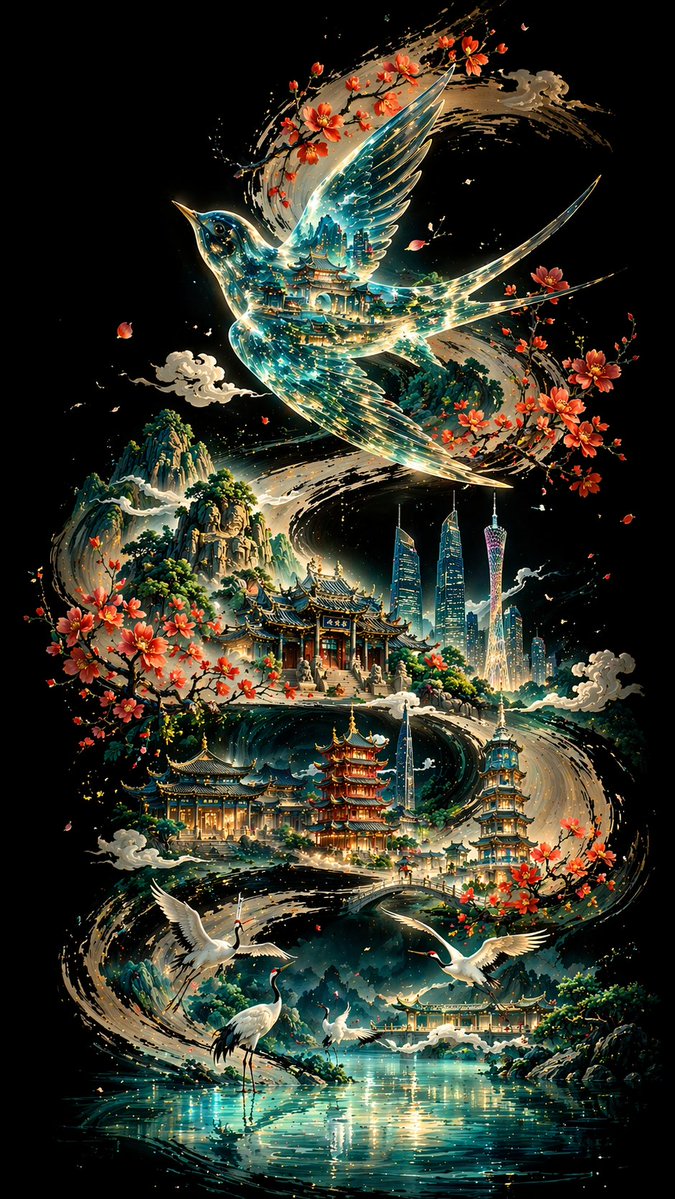
Pure deep black background, a bold and powerful ink calligraphy S-curve sweeping from one end of the canvas to the other, forming the visual backbone and narrative flow of the entire composition. Above the curve floats a translucent oriole bird with traditional architecture reflections and blue-green light streams inside its body. Along the curve, Guangzhou landmarks and classical buildings are arranged in staggered sequence, with white cranes and a lake in the foreground and layered mountain ranges in the distance. The overall piece uses non-linear perspective, cold tones as the dominant palette with warm accent touches, blending Eastern aesthetics with modern imagery, 8K ultra-HD rendering, 9:16 aspect ratio.
À propos de ce prompt
Generates an 8K ultra-HD ink-art poster with a sweeping S-curve, translucent oriole, and Guangzhou's landmarks in cool Eastern aesthetic. Use it as a Art Conceptuel starting point for GPT Image 2: keep the visual structure and style constraints intact, then swap in your own subject, brand, or scene.
Common directions include posters, expert, poster, and chinese aesthetics. Treat these tags as creative cues; the prompt structure and preview image are the more useful guide.
Start with small changes to subject, scene, camera, and color, then generate a few variations to compare composition and detail without turning the page copy into keyword stuffing.
Comment utiliser ce prompt
- Copy the full prompt text above.
- Open your AI image generator (e.g., Sora 2, DALL·E, Midjourney) and create a new image.
- Paste the prompt and set the aspect ratio to 9:16 and resolution to 8K if supported.
- Generate the image; tweak keywords like 'ink thickness' or 'cool tones' for variations.
- Download your vertical poster and enjoy!


