
GPT Image 2Prompt IA
Anime Instagram Story with Handwritten Notes — Sora 2 Prompt
Creates a photorealistic café scene with an anime character, annotated with handwritten notes in your chosen language for an authentic Instagram Story look.
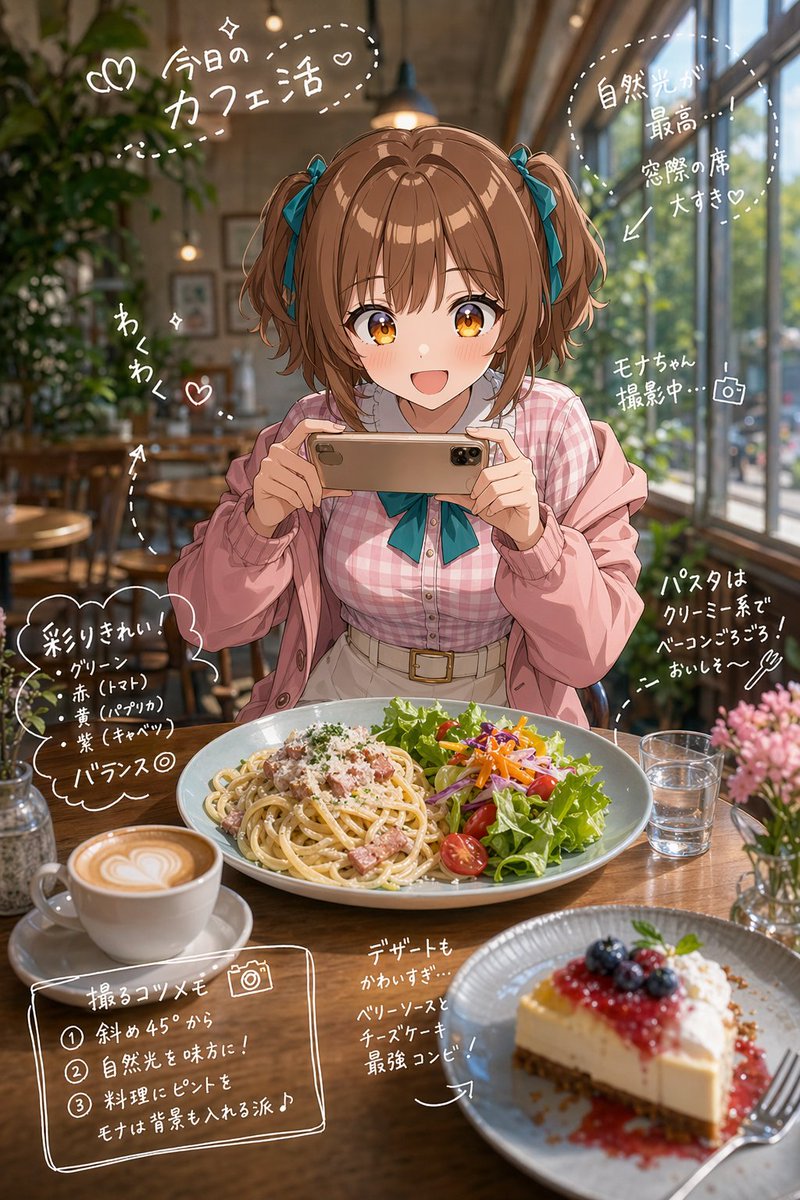
PROMPT · EN
想象一个 arglocation: 时尚的实景咖啡馆。
在桌上放置适合该场景的餐点,例如 argfood items: 可爱的甜点、午餐和咖啡。 主体为一个出现在实景空间中的动漫角色,参考角色设定图进行创作。
姿势随机。
实时卡通渲染质量。清晰的赛璐珞风格边缘线,动漫风格的高光与阴影形成对比,基于 3DCG 但具有手绘动漫质感。皮肤呈现哑光赛璐珞涂装效果,头发带有高光带,眼睛具有多层渐变效果。 分析背景元素和角色姿势,然后对这些分析出的元素添加手绘注释。
使用 argannotation language: 日语 手写字符(平假名和汉字)以及白色笔绘制的细手绘线条。
使用箭头和虚线来引导视觉焦点,指向特定元素。
最终图像应呈现 Instagram Story 风格,看起来就像直接在照片上书写的备忘录。
À propos de ce prompt
Creates a photorealistic café scene with an anime character, annotated with handwritten notes in your chosen language for an authentic Instagram Story look. Use it as a Art Conceptuel starting point for GPT Image 2: keep the visual structure and style constraints intact, then swap in your own subject, brand, or scene.
Start by replacing location, food items, and annotation language, then keep the camera, composition, and material cues in the same order. This makes the output easier to compare across variations.
Comment utiliser ce prompt
- Copy the prompt from sora2hub.com.
- Select your preferred AI video model (e.g., Sora 2, Runway, Pika).
- Customize the variables for
location,food items, andannotation languagein the brackets. - Generate the video or image.
- Review the output and tweak variables for a perfect result.


