
Luxury Fitness Editorial — Sora 2 Prompt
Generate a premium cinematic fitness campaign with clean studio lighting, athletic posing, and minimalist branded typography.
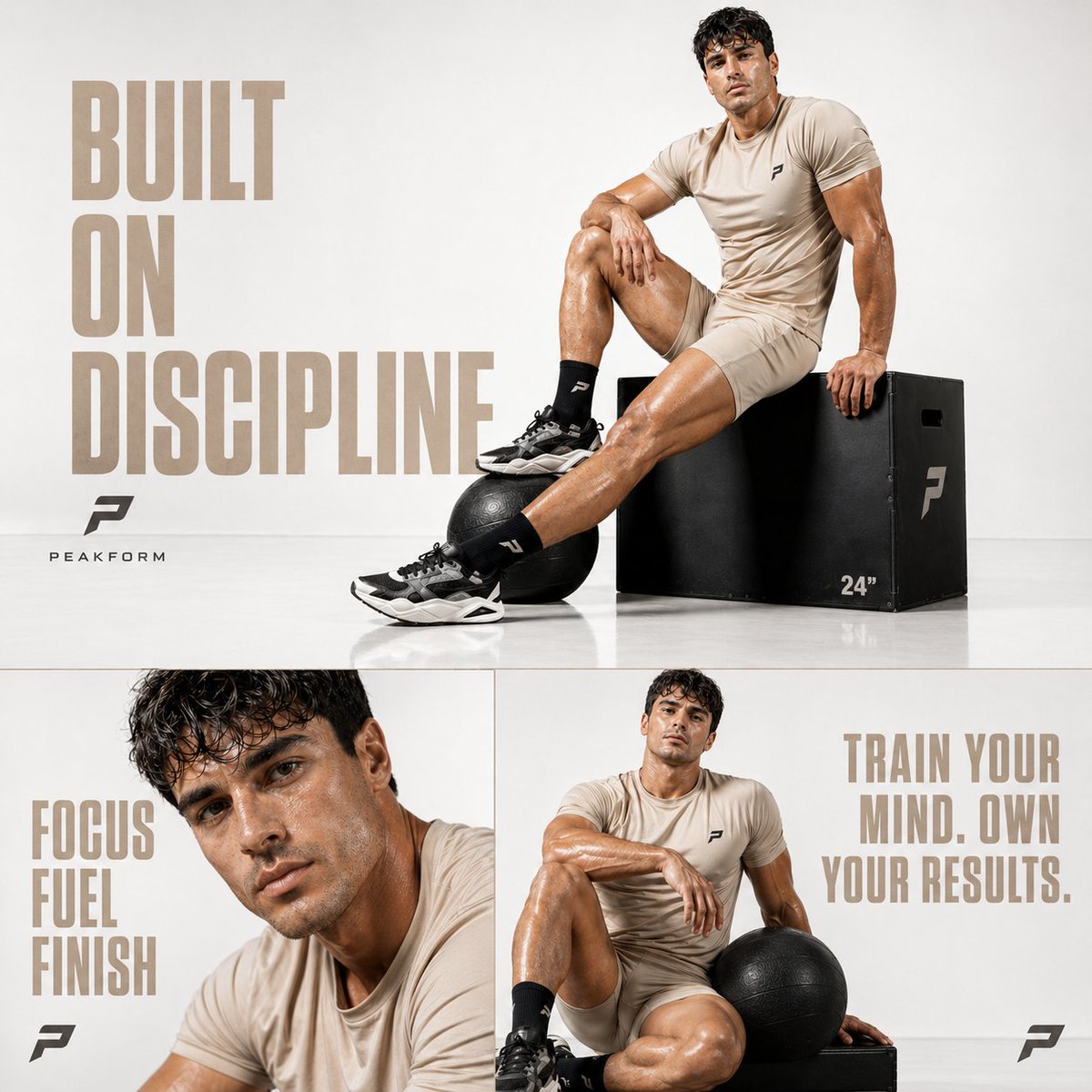
Cinematic luxury fitness editorial, ultra-clean white studio background with soft gradient falloff, minimal texture, high-key lighting with soft directional shadows, premium commercial photoshoot style
male athlete with a toned, aesthetic physique sitting confidently on a matte black plyometric box, one leg extended and one bent, relaxed yet powerful posture
wearing a minimal argoutfit color: beige sports set (fitted athletic t-shirt + tailored shorts), black crew socks and chunky modern trainers
argprop: black medicine ball placed beside his foot, subtle reflections on a glossy white floor surface
skin has glossy highlights (sweat sheen), sharp facial features, confident and focused expression, editorial fashion fitness vibe
composition: balanced negative space on left side for typography, subject placed slightly right
typography (left side):
“argtext: BUILT ON DISCIPLINE” — large bold modern sans-serif, muted beige color, high spacing, clean alignment
minimal logo below (simple geometric fitness brand mark)
bottom split layout:
– left panel: close-up portrait, dewy skin, intense gaze, text “FOCUS FUEL FINISH”
– right panel: seated relaxed pose holding medicine ball, text “TRAIN YOUR MIND. OWN YOUR RESULTS.”
ultra-clean composition, high contrast but bright tone, sharp details, premium sports campaign aesthetic, luxury brand advertising feel
style references: Nike / Gymshark / Alo Yoga campaign style
aspect ratio: 1:1
quality: 8K, ultra-detailed, sharp focus
À propos de ce prompt
Generate a premium cinematic fitness campaign with clean studio lighting, athletic posing, and minimalist branded typography. Use it as a Art Conceptuel starting point for GPT Image 2: keep the visual structure and style constraints intact, then swap in your own subject, brand, or scene.
Common directions include gptimage2api prompts, gptimage2api, and ja. Treat these tags as creative cues; the prompt structure and preview image are the more useful guide.
Start by replacing outfit color, prop, and text, then keep the camera, composition, and material cues in the same order. This makes the output easier to compare across variations.
Comment utiliser ce prompt
- Copy the entire prompt text above.
- Open your preferred AI video or image generator (e.g., Sora 2, Runway, Pika).
- Paste the prompt and customize the variables like outfit color, prop, and main text.
- Adjust aspect ratio or duration settings if available for your chosen platform.
- Generate and review the output, refining variables for your desired aesthetic.


