
GPT Image 2Prompt IA

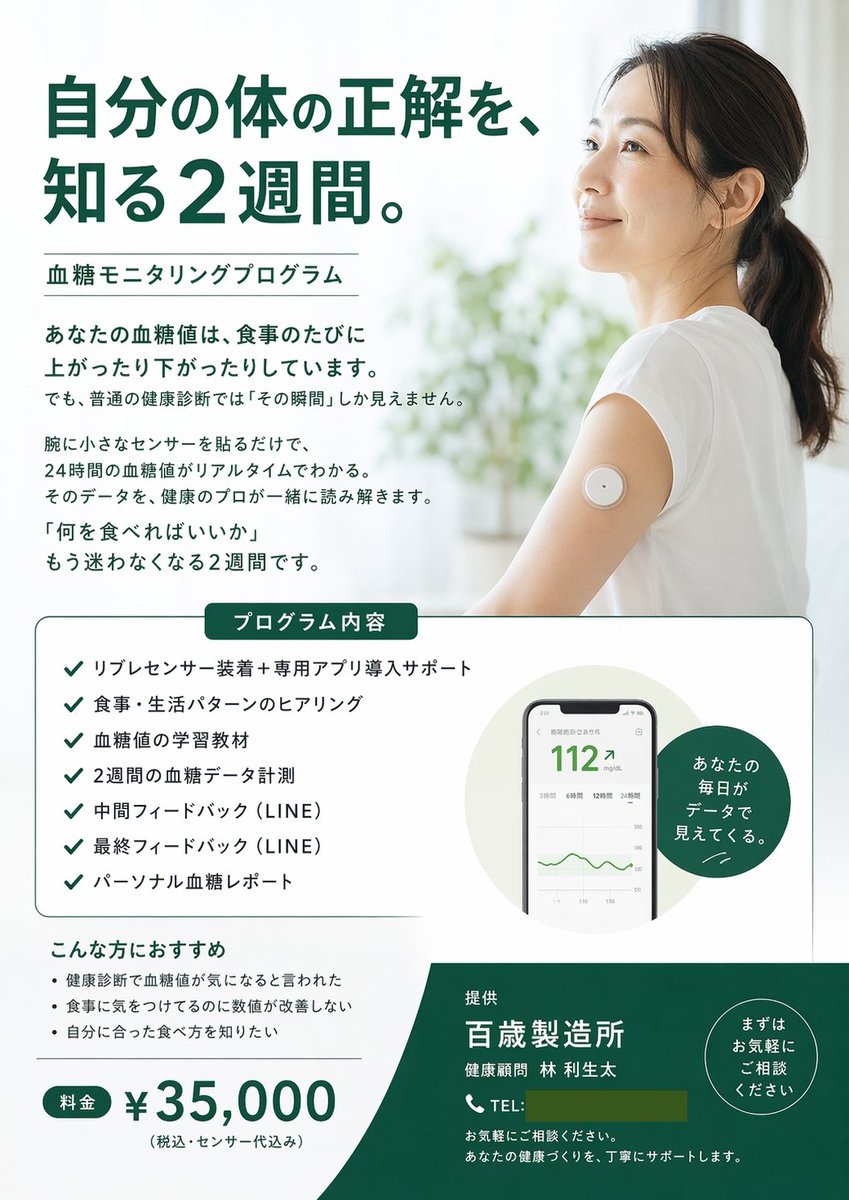
Health Program Flyer — CGM & Blood Sugar Monitoring Template

Generate a clean, professional promotional flyer for a 2-week blood sugar monitoring program with hero image, checklists, and pricing.
Health Program Flyer — CGM & Blood Sugar Monitoring Template
PROMPT · EN
type
promotional flyer
style
clean, medical, professional, airy
color_palette
item 1
white
item 2
dark green
item 3
black
layout
hero
headline
{argument name="main headline" default="自分の体の正解を、知る2週間。"}
subheadline
{argument name="program name" default="血糖モニタリングプログラム"}
image
{argument name="hero image subject" default="Smiling Asian woman in a white t-shirt, looking up and to the right, wearing a round white continuous glucose monitor sensor on her upper arm. Bright, airy background with blurred plants."}
intro_text_paragraphs
4
middle_section
box_title
プログラム内容
checklist_count
7
checklist_items
item 1
リブレセンサー装着+専用アプリ導入サポート
item 2
食事・生活パターンのヒアリング
item 3
血糖値の学習教材
item 4
2週間の血糖データ計測
item 5
中間フィードバック (LINE)
item 6
最終フィードバック (LINE)
item 7
パーソナル血糖レポート
visuals
item 1
smartphone UI mockup showing blood sugar reading '112' and a green line graph
item 2
dark green circular badge with text 'あなたの毎日がデータで見えてくる。'
bottom_section
recommendations_title
こんな方におすすめ
recommendations_count
3
recommendations_items
item 1
健康診断で血糖値が気になると言われた
item 2
食事に気をつけてるのに数値が改善しない
item 3
自分に合った食べ方を知りたい
pricing
label
料金
amount
{argument name="price" default="¥35,000"}
note
(税込・センサー代込み)
footer
background_color
dark green
provider
{argument name="company name" default="百歳製造所"}
representative
健康顧問 林 利生太
contact_info
TEL placeholder and support text
badge
circular badge with text 'まずはお気軽にご相談ください'

À propos de ce prompt

Generate a clean, professional promotional flyer for a 2-week blood sugar monitoring program with hero image, checklists, and pricing. Use it as a Art Conceptuel starting point for GPT Image 2: keep the visual structure and style constraints intact, then swap in your own subject, brand, or scene.

This prompt is organized as structured JSON with fields such as type, style, color palette, and layout. Keeping that hierarchy helps the model separate the subject, layout, interface elements, and detail constraints.

Start with small changes to subject, scene, camera, and color, then generate a few variations to compare composition and detail without turning the page copy into keyword stuffing.

Comment utiliser ce prompt

  1. Copy this entire prompt and paste it into your AI image generator (like Sora 2).
  2. Review the customizable arguments: main headline, program name, hero image subject, price, and company name.
  3. Replace the default values in the curly braces with your own text, or leave them as-is for the Japanese defaults.
  4. Generate the image and review the structured layout with hero, middle checklist section, and footer.
  5. Iterate by adjusting the style or color palette fields to match your brand.

FAQ

Plus de GPT Image 2

Tout voir

Créez plus vite avec les prompts Sora2Hub.

Utilisez des pages de prompts curées comme entrées recherchables, puis générez avec le bon contexte de modèle.

