
GPT Image 2Prompt IA
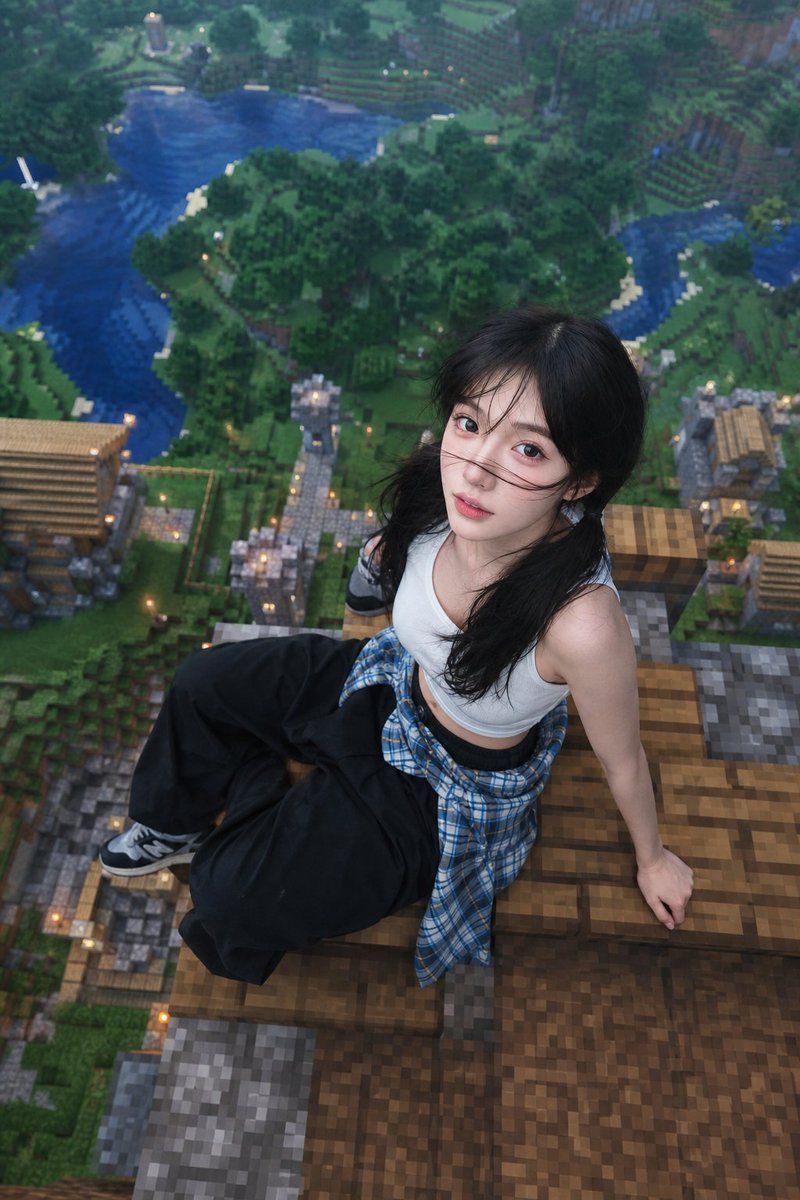
Minecraft Rooftop Portrait — Realistic Drone View
Creates a hyper-realistic portrait of a person sitting on a Minecraft rooftop, blending photorealistic subjects with the blocky game world for a stunning aerial view.
PROMPT · EN
使用提供的面部作为主要身份特征。保留精确的面部结构、比例、眼睛、鼻子、嘴唇和自然的皮肤纹理。请勿更改身份。 一张高度写实的照片,展示了一位 argsubject: 年轻女性 坐在 argstructure: Minecraft 风格房屋屋顶 上,采用高空航拍视角。环境是一个广阔的 Minecraft 世界,下方有方块状的森林、河流和村庄,以正宗的 Minecraft 风格(像素化纹理、立方体几何结构)渲染。 主体:
- 女性随意地坐在屋顶边缘
- 自然放松的姿势,身体微微后倾,一只手支撑身体
- 抬头看向镜头(俯视无人机角度)
- 表情微张,自然且俏皮 服装:
- 白色无袖上衣
- 腰间系着长袖法兰绒衬衫
- 黑色超大款长裤
- 休闲街头风格 风格与渲染:
- 面部和身体必须是写实的(真实的人类皮肤,自然光照)
- 环境完全采用 Minecraft 风格(方块、像素纹理)
- 写实主体与游戏世界无缝融合
- 柔和的日光,远处略带朦胧,电影级景深
- 高细节,主体清晰对焦,背景略微模糊(景深效果) 构图:
- 主体位于屋顶中心
- 屋顶清晰呈现 Minecraft 方块风格
- 极高的高度感(地面在很下方)
- 轻微的广角镜头效果 质量:
超写实,4k,高细节,电影级光效,写实皮肤纹理,无卡通脸,无畸变,无多余肢体
À propos de ce prompt
Creates a hyper-realistic portrait of a person sitting on a Minecraft rooftop, blending photorealistic subjects with the blocky game world for a stunning aerial view. Use it as a Art Conceptuel starting point for GPT Image 2: keep the visual structure and style constraints intact, then swap in your own subject, brand, or scene.
Start by replacing subject and structure, then keep the camera, composition, and material cues in the same order. This makes the output easier to compare across variations.
Comment utiliser ce prompt
- Copy the full prompt and paste it into your preferred AI video or image generator.
- Select a model known for photorealism and complex scene composition (e.g., Sora 2, Runway Gen-3).
- Customize the
{subject}and{structure}variables to change the person or the Minecraft location. - Generate the image and adjust the prompt's style or camera angle details if needed for better results.


