
Minecraft Bedrock Saved Locations UI — Sora 2 Prompt
Generate a pixel-perfect Minecraft Bedrock-style in-game screenshot featuring a custom saved locations menu with a held compass item, perfect for showcasing UI mockups or plugin concepts.
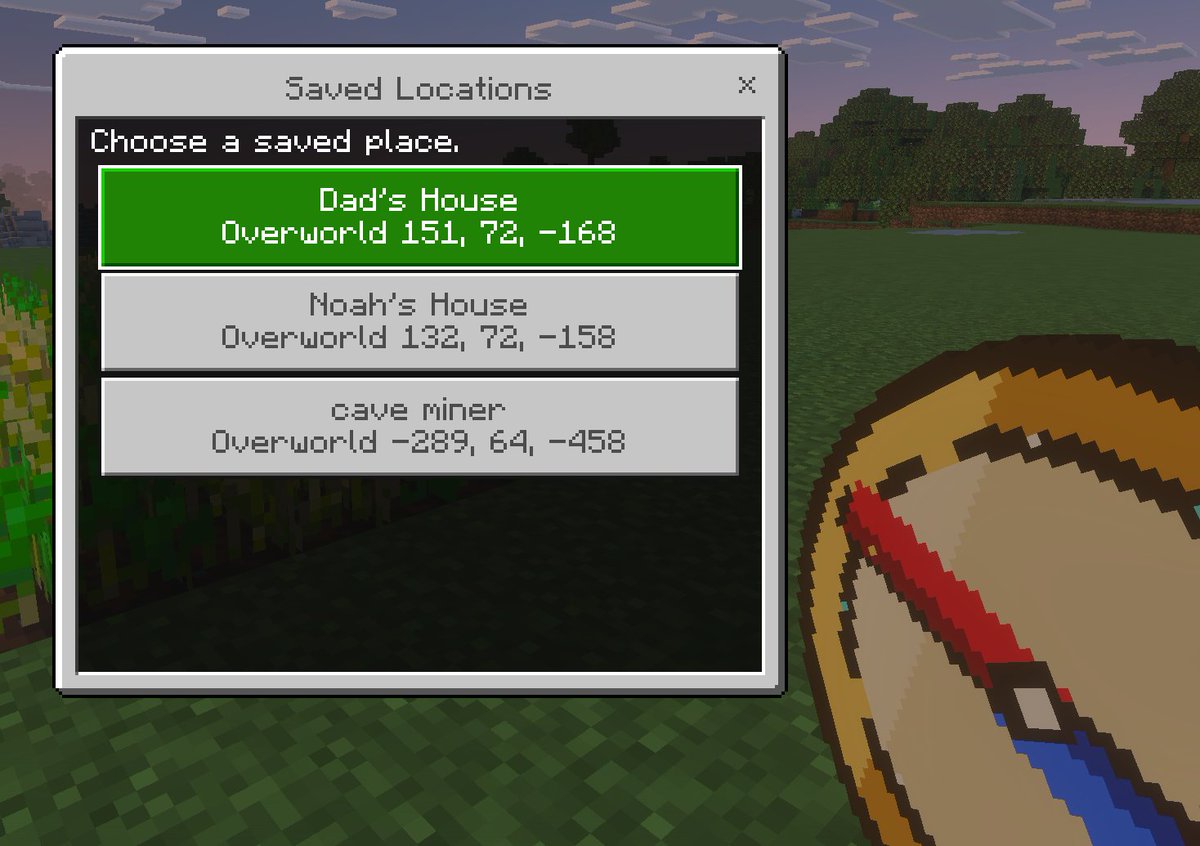
一张简洁的 Minecraft 基岩版风格游戏 UI 模型,呈现为黄昏时的第一人称游戏内截图。背景是方块状的草地和像素风树木,天空呈现柔和的紫蓝色,左侧边缘有一小片农作物。在右下角前景中,展示一个玩家手中持有的巨大像素风指南针物品,呈对角线向上倾斜,具有棕褐色表面、深棕色边缘、红色指针和蓝色尖端。在左侧中央,叠加一个矩形的 Minecraft 菜单窗口,带有浅灰色边框、细深色轮廓和黑色半透明内部面板。窗口顶部标题栏显示 argwindow title: Saved Locations,采用 Minecraft 风格的像素字体,右上角有一个小的 x 关闭按钮。在面板内部,在左上方添加说明文本 arginstruction text: Choose a saved place.。在其下方,显示 3 个堆叠的目的地按钮,每个按钮都宽大且居中。第一个按钮为高亮亮绿色,带有白色像素文字,包含 2 行内容:arglocation 1 name: Dad's House 和 "Overworld 151, 72, -168"。第二个按钮为浅灰色,带有深灰色文字,包含 2 行内容:"Noah's House" 和 "Overworld 132, 72, -158"。第三个按钮为浅灰色,带有深灰色文字,包含 2 行内容:arglocation 3 name: cave miner 和 "Overworld -289, 64, -458"。使用清晰的像素边缘、复古体素游戏美学、微妙的屏幕深度以及地道的 Minecraft 基岩版菜单外观。
À propos de ce prompt
Generate a pixel-perfect Minecraft Bedrock-style in-game screenshot featuring a custom saved locations menu with a held compass item, perfect for showcasing UI mockups or plugin concepts. Use it as a Art Conceptuel starting point for GPT Image 2: keep the visual structure and style constraints intact, then swap in your own subject, brand, or scene.
Start by replacing window title, instruction text, location 1 name, and location 3 name, then keep the camera, composition, and material cues in the same order. This makes the output easier to compare across variations.
Comment utiliser ce prompt
- Copy the full prompt text.
- Select a compatible AI model (e.g., Sora 2, DALL-E, Midjourney).
- Replace the placeholder text within
{argument name="..."}tags with your own custom location names, window title, or instructions. - Adjust any other descriptive details as desired.
- Generate the image.


