
Soft Autumn Personal Color Analysis Infographic — Sora 2 Prompt
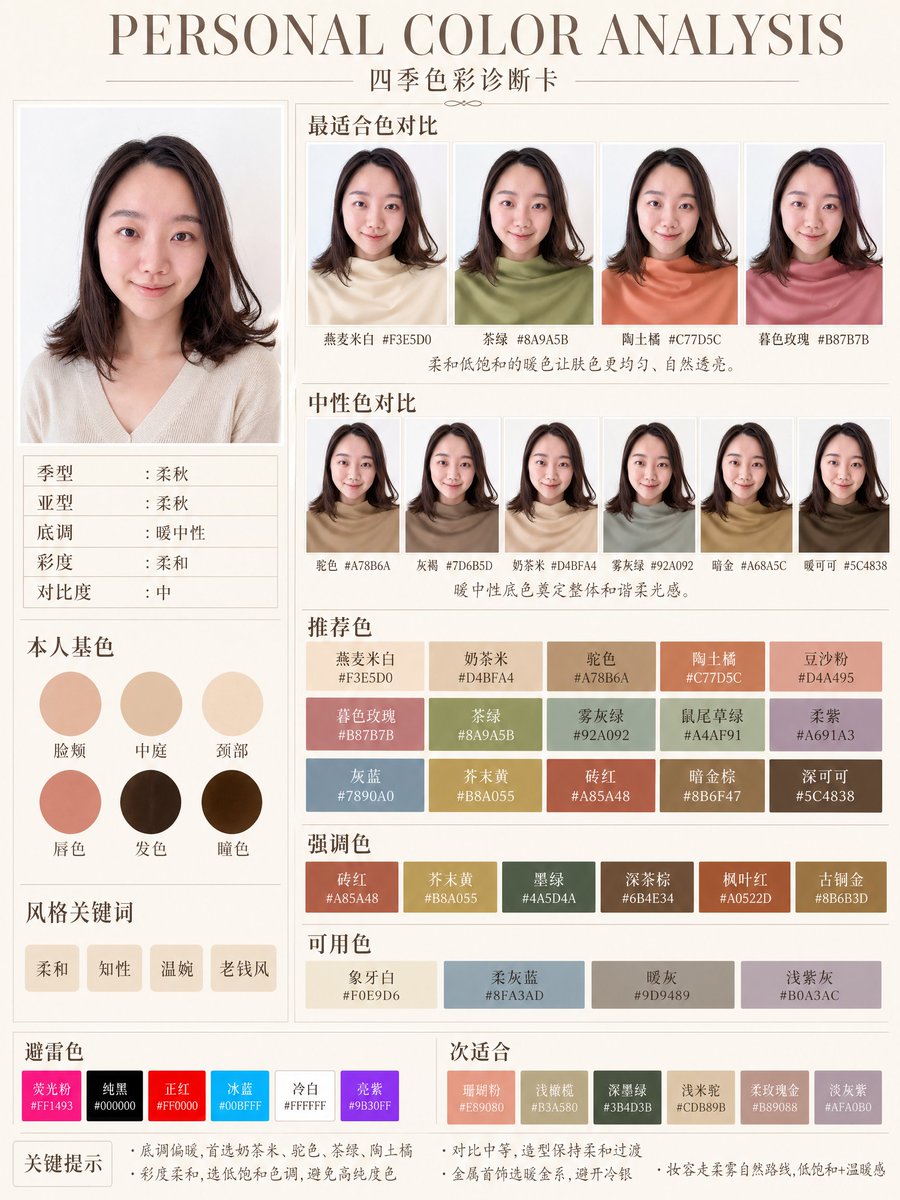
Generate a beautifully designed personal color analysis infographic card with blurred female portrait, soft autumn color palettes, and elegant Chinese typography layout.
À propos de ce prompt
Generate a beautifully designed personal color analysis infographic card with blurred female portrait, soft autumn color palettes, and elegant Chinese typography layout. Use it as a Art Conceptuel starting point for GPT Image 2: keep the visual structure and style constraints intact, then swap in your own subject, brand, or scene.
This prompt is organized as structured JSON with fields such as type, style, canvas, headline, subject, layout, and color palette. Keeping that hierarchy helps the model separate the subject, layout, interface elements, and detail constraints.
Start with small changes to subject, scene, camera, and color, then generate a few variations to compare composition and detail without turning the page copy into keyword stuffing.
Comment utiliser ce prompt
- Copy the full prompt JSON and paste it into your preferred AI image generator (e.g., Sora 2, Midjourney, or DALL-E).
- Choose the best model for clean editorial layouts — Sora 2 or Midjourney v6 work exceptionally well.
- Tweak the
labelsarrays to swap hex codes or section titles for your own seasonal color analysis (e.g., change "Soft Autumn" to "Cool Winter"). - Adjust the
headline,subject, orstylefields to alter the portrait appearance, typography, or overall mood. - Generate at 9:16 portrait ratio and review — iterate by refining color values or layout positions for a polished final result.


