
GPT Image 2Prompt IA
Isometric Technical Exploded Diagram — 3D Infographic Prompt
Create a professional engineering-style isometric infographic with hand-drawn annotations, color-coded callouts, and precise measurements for any object.
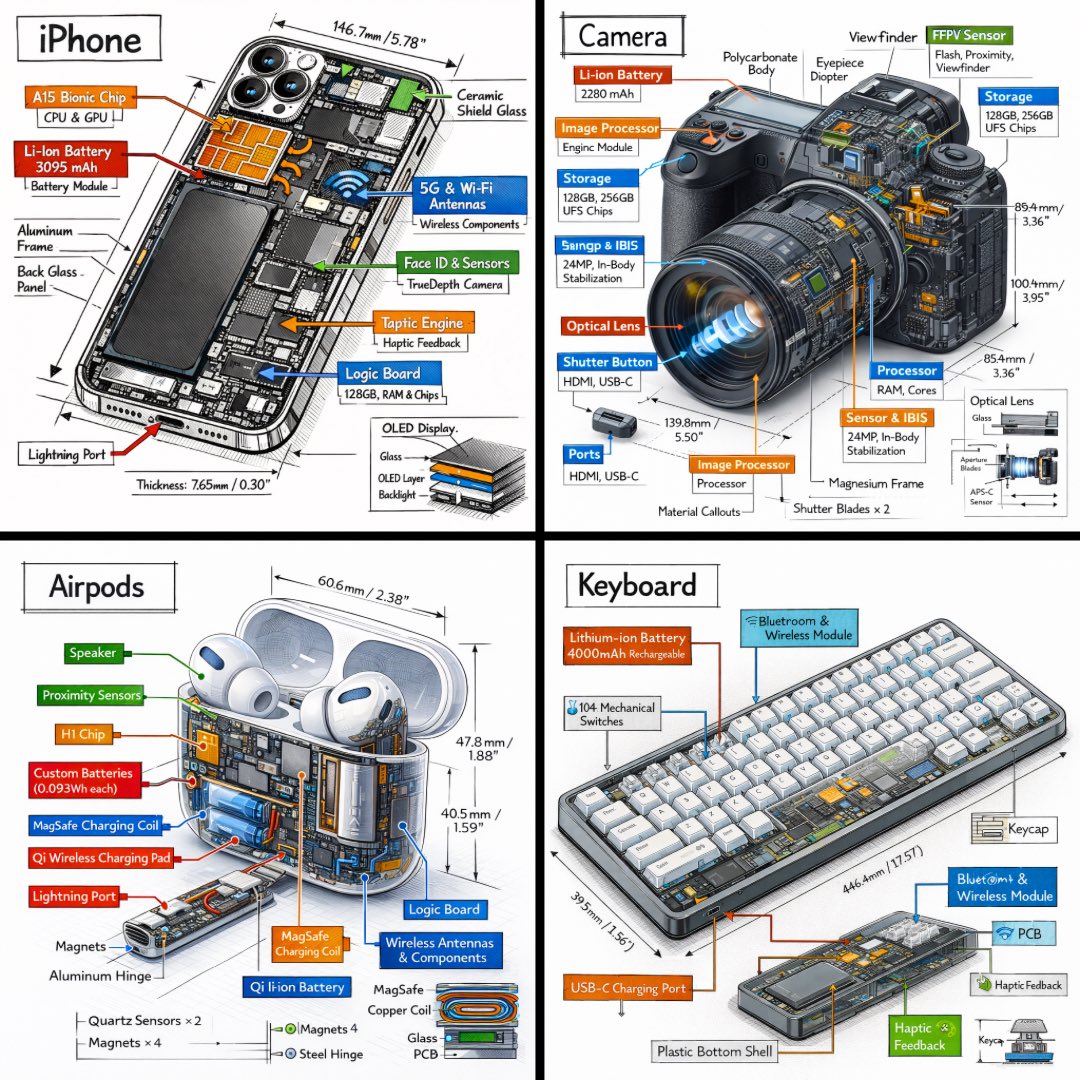
PROMPT · EN
生成一张 argobject: 物体 的技术信息图,采用 argviewpoint: 45 度等轴测 3D 视角 渲染,使物体略微倾斜以展现深度和三维结构。 将物体的照片级渲染图与纯白背景上的黑色手绘墨水技术注释相结合。包含:
- 标记每个关键组件的颜色编码标注框
- 展示内部零件的透明/剖面部分
- 精确的测量值、尺寸和比例标记
- 材料描述和数量统计
- 用于功能和流程的颜色编码方向箭头:红色代表电源/电池,蓝色代表数据/连接,橙色代表热量/处理器,绿色代表传感器/触觉反馈
- 必要时加入简单的示意图或横截面图 将“argobject: 物体”标题放置在左上角的手绘技术边框内。
风格:黑色建筑笔线条,草图感但精准;物体保持完全可见;呈现专业工程拆解或博物馆展品的氛围。布局整洁,负空间平衡。
视角:45 度等轴测倾斜,极具张力地展现深度、维度和内部架构,如同产品工程手册。
色彩使用:约 10-15% 的强调色密度,以黑色为主,白色背景。
输出:1080x1080,超清晰,针对社交媒体信息流优化。
À propos de ce prompt
Create a professional engineering-style isometric infographic with hand-drawn annotations, color-coded callouts, and precise measurements for any object. Use it as a Art Conceptuel starting point for GPT Image 2: keep the visual structure and style constraints intact, then swap in your own subject, brand, or scene.
Start by replacing object and viewpoint, then keep the camera, composition, and material cues in the same order. This makes the output easier to compare across variations.
Comment utiliser ce prompt
- Copy the prompt from sora2hub.com.
- Choose an AI model like Sora 2 or similar.
- Replace the
[object]variable with your target item (e.g., 'smartphone', 'drone', 'engine'). - Adjust the
[viewpoint]if needed (default is 45° isometric). - Generate and refine for high-resolution, publication-ready output.


