
GPT Image 2Prompt IA
Cheshire Cat Plush Toy — Studio Product Photo Prompt
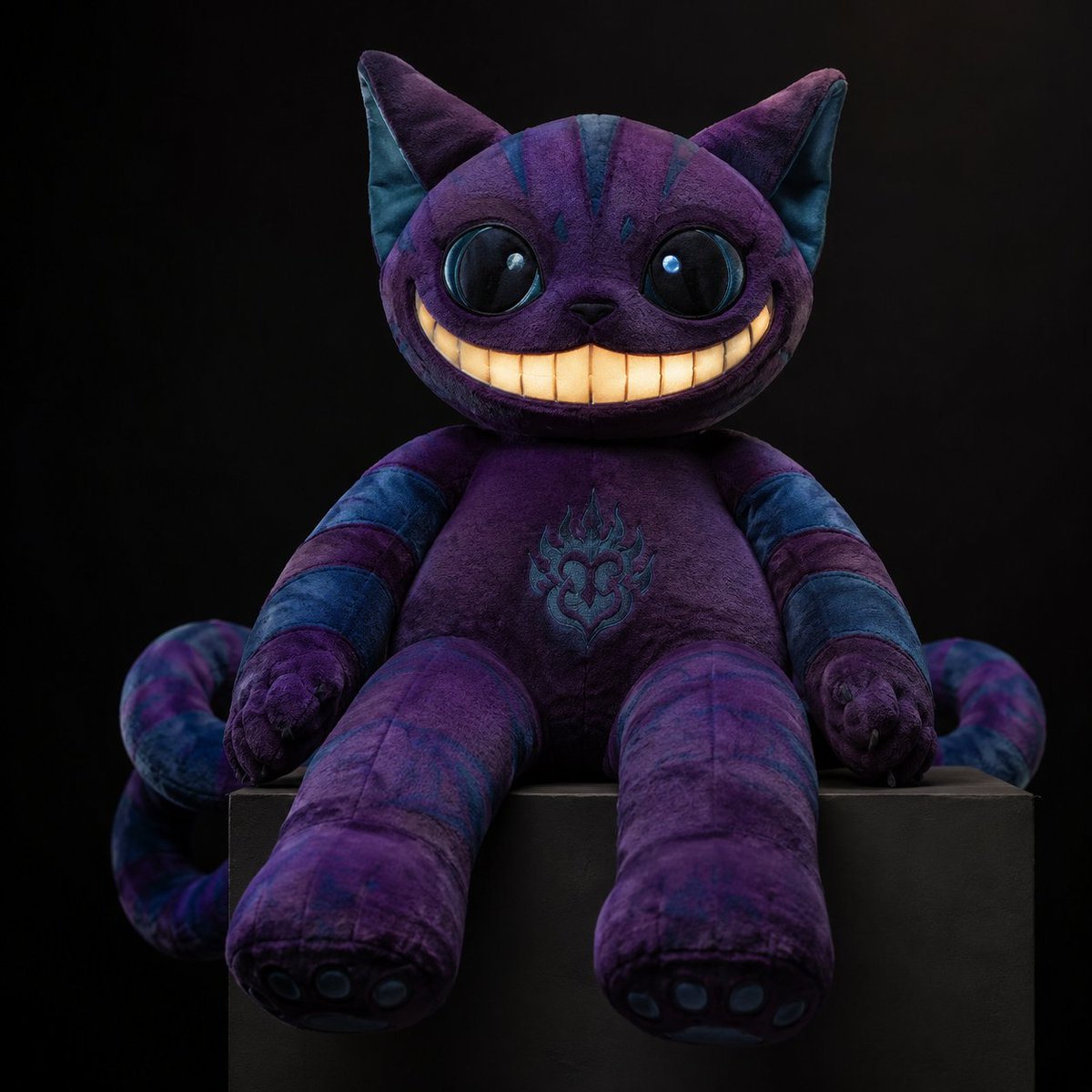
Create a high-end, dark fantasy studio product photo of a customizable plush toy with intricate details and a moody, professional aesthetic.
PROMPT · EN
创作一张高端摄影棚产品照,展示一款灵感源自 argcharacter: 柴郡猫 的毛绒玩具,主体居中,背景为深邃的黑色,放置在哑光黑色长方形底座上。该毛绒玩具采用柔软的丝绒面料,主色调为浓郁的 argmain color: 深紫色,耳朵、额头、手臂、腿部和卷曲的尾巴上带有深青蓝色的条纹装饰。它拥有圆润的猫头、带有青色内衬的高耸尖耳、超大且富有光泽的黑色纽扣状眼睛(带有明亮的高光)、小巧的黑色鼻子,以及夸张的宽大新月形露齿笑,嘴里长满了暖奶油黄色的长方形牙齿。身体矮胖可爱,配有长长的垂坠手臂和腿部、脚掌上的小肉垫、精致的缝合线,腹部绣有青色的火焰状装饰徽章。条纹尾巴在底座后方两侧向外卷曲。采用来自左前方的柔光箱照明,辅以柔和的轮廓高光,呈现逼真的毛绒纤维、可见的缝合线、真实的织物纹理、浅景深、对称构图、暗黑奇幻氛围,超高细节商业玩具摄影,正方形图像。
À propos de ce prompt
Create a high-end, dark fantasy studio product photo of a customizable plush toy with intricate details and a moody, professional aesthetic. Use it as a Art Conceptuel starting point for GPT Image 2: keep the visual structure and style constraints intact, then swap in your own subject, brand, or scene.
Start by replacing character and main color, then keep the camera, composition, and material cues in the same order. This makes the output easier to compare across variations.
Comment utiliser ce prompt
- Copy the Prompt: Copy the entire prompt text from the page.
- Select a Model: Use an AI image generator like Sora 2 that excels at photorealistic details.
- Edit Variables: Replace
{character}and{main color}with your desired character and color scheme. - Generate & Refine: Generate the image and tweak the prompt (e.g., lighting angle, pose) for variations.


