
GPT Image 2Prompt IA
Dark Thriller Cinematic Still — Sora 2 Prompt
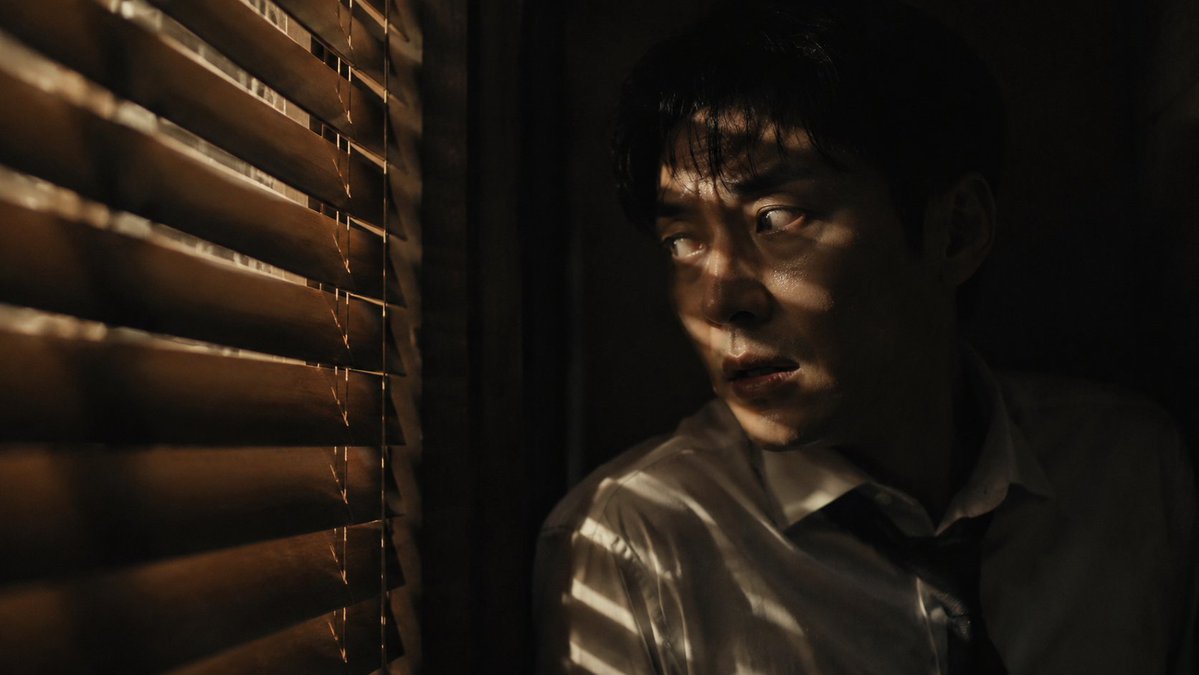
Generate a suspenseful, film-grain portrait of a man hiding in shadows, lit by slatted warm light for a psychological thriller aesthetic.
PROMPT · EN
创作一张暗黑风格的惊悚电影剧照,画面中一名 argsubject: 东亚男子 正躲在 arghiding spot: 木质百叶窗或遮光板 旁狭窄阴暗的空间里。他半隐于黑暗中,身穿一件 argclothing: 解开领带的白衬衫,面部表情紧张且警觉。细长的暖光透过百叶窗洒下,在脸部和身体上切割出光影,仅显露出他的双眼、颧骨以及部分焦虑的神情。他微张着嘴,仿佛正在屏息静气或聆听附近的危险。画面应营造出幽闭、悬疑且私密的氛围,周围环绕着深邃的黑色阴影。木质板条在画面中形成了强烈的水平阴影图案。采用低调照明、高对比度、暖金色高光与深沉黑暗的结合,呈现逼真的面部细节、电影胶片颗粒感、浅景深、变形宽银幕构图,营造紧张的心理惊悚氛围,无文字,无 Logo。
À propos de ce prompt
Generate a suspenseful, film-grain portrait of a man hiding in shadows, lit by slatted warm light for a psychological thriller aesthetic. Use it as a Art Conceptuel starting point for GPT Image 2: keep the visual structure and style constraints intact, then swap in your own subject, brand, or scene.
Start by replacing subject, hiding spot, and clothing, then keep the camera, composition, and material cues in the same order. This makes the output easier to compare across variations.
Comment utiliser ce prompt
- Copy the prompt text and its variables.
- Select a capable text-to-image model like Sora 2, Midjourney, or Stable Diffusion.
- Adjust the bracketed
{argument}variables (subject, hiding spot, clothing) to fit your vision. - Generate the image. For best results, use a seed for consistency or upscale for detail.


