
GPT Image 2Prompt IA
Watercolor Romantic Portrait with Censor Block — Sora 2 Prompt
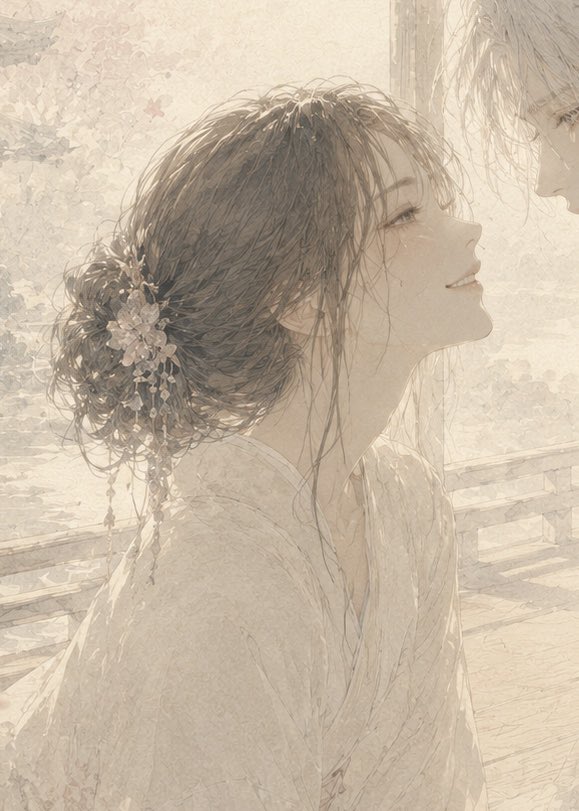
Create a dreamy, soft-focus watercolor illustration of an intimate couple with floral hair accessories, their faces elegantly obscured by a warm, matte censor block.
1 / 4
PROMPT · EN
创作一幅柔和、空灵的水彩风格浪漫插画,描绘两名年轻人站在阳光明媚的花园或阳台上,距离非常近,额头几乎相触,面部大部分被图像中上部的一个大型不透明米色方形遮挡块所遮盖。主体为左侧的一名年轻女性侧影,身着精致的浅色和服或轻薄的传统长袍,arghair color: 深棕色 的头发盘成松散凌乱的低发髻,装饰着小白花、珍珠般的垂饰和精致的发簪;几缕发丝垂落在她的颈部和脸颊旁。在右侧边缘,展示第二个人,其 argsecond character hair color: 浅金色 的凌乱头发温柔地靠过来,仅部分可见。氛围应传达出安静的爱意、隐藏的情感和脆弱的亲密关系,而非明显的戏剧性。使用柔和的奶油色、米色和棕褐色调,高调背光,半透明纸张纹理,铅笔般的线条,精致的花卉背景图案,以及他们身后隐约可见的木质栏杆或长椅。构图应为竖向肖像格式,近景裁剪,女性的头部和发髻占据左半部分,第二个人从右上角切入,遮挡方块作为 argcensor block color: 暖米色 的平铺哑光矩形覆盖在面部。保持画面梦幻、怀旧、低对比度且具有绘画感,不要出现可读文字或现代物品。
À propos de ce prompt
Create a dreamy, soft-focus watercolor illustration of an intimate couple with floral hair accessories, their faces elegantly obscured by a warm, matte censor block. Use it as a Art Conceptuel starting point for GPT Image 2: keep the visual structure and style constraints intact, then swap in your own subject, brand, or scene.
Start by replacing hair color, second character hair color, and censor block color, then keep the camera, composition, and material cues in the same order. This makes the output easier to compare across variations.
Comment utiliser ce prompt
- Copy the full prompt text from the page.
- Paste it into your preferred AI image generation model (like Sora 2 or a compatible text-to-image model).
- Optionally customize the bracketed variables (e.g.,
hair color,censor block color) to fit your vision. - Generate the image and refine the prompt if needed for a perfect result.


