
Prompt IA
IKEA Manual: How to Love Someone — AI Prompt
Create a vintage IKEA instruction manual metaphor for love, blending technical diagrams, bilingual text, and warm poignancy.
PROMPT · EN
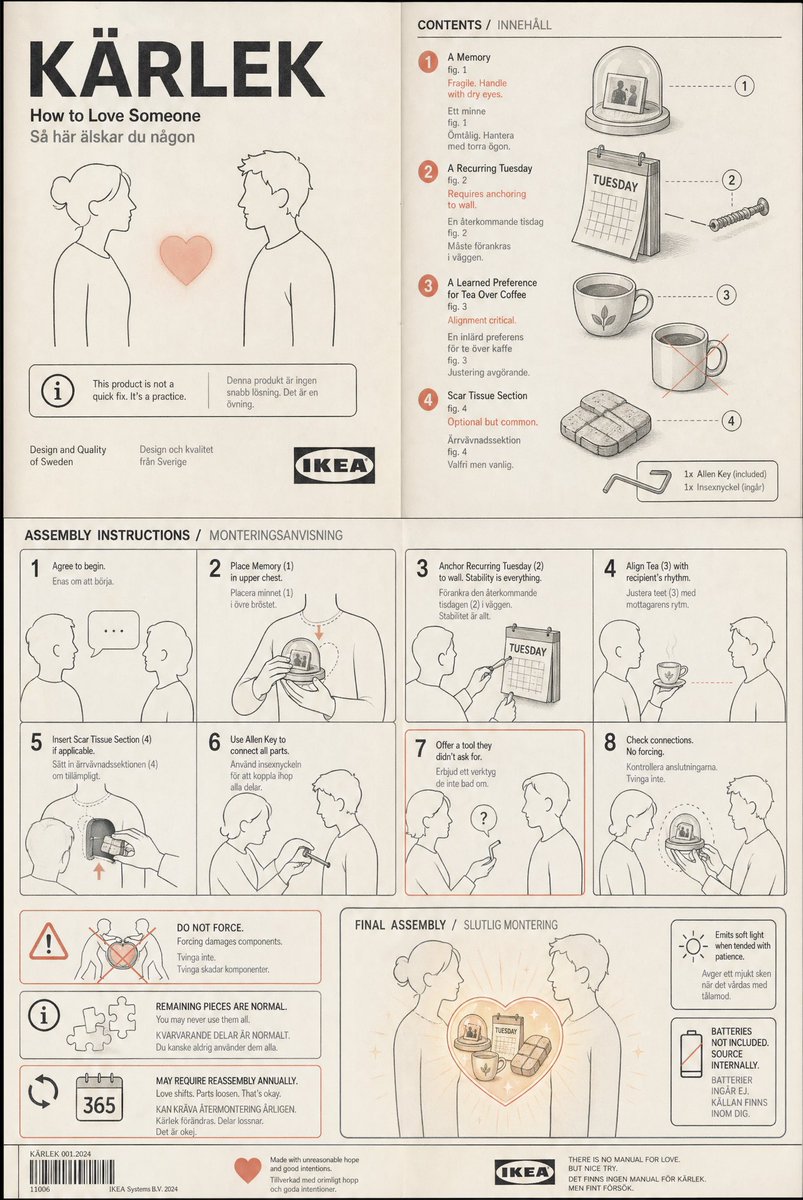
A vintage IKEA instruction manual spread — clean technical illustration, exploded-view diagram, numbered callouts in Helvetica, minimal Swedish product name ("KÄRLEK"). The product being assembled: "How to Love Someone." Components shown: a memory (fig. 1, fragile, handle with dry eyes), a recurring Tuesday (fig. 2, requires anchoring to wall), a learned preference for tea over coffee (fig. 3, alignment critical), a scar tissue section (fig. 4, optional but common). Assembly steps show two silhouettes connecting these parts with an Allen key — step 7 shows one figure offering a tool the other didn't ask for. Warning symbols: "do not force," "remaining pieces are normal," "may require reassembly annually." Final image: completed product emitting soft light, but the manual adds a small box — "batteries not included, source internally." Flat illustration, warm gray and muted coral palette, the absurd dignity of attempting the impossible, bilingual text (English/Swedish), deadpan poignancyÀ propos de ce prompt
Create a vintage IKEA instruction manual metaphor for love, blending technical diagrams, bilingual text, and warm poignancy. Use it as a Art Conceptuel starting point for an AI model: keep the visual structure and style constraints intact, then swap in your own subject, brand, or scene.
Common directions include chatgpt, 宜家风, 插画, and 复古. Treat these tags as creative cues; the prompt structure and preview image are the more useful guide.
Start with small changes to subject, scene, camera, and color, then generate a few variations to compare composition and detail without turning the page copy into keyword stuffing.
Comment utiliser ce prompt
- Copy the full prompt text from the page.
- Paste into an advanced AI image generator like Sora, DALL‑E 3, or Midjourney.
- Optionally tweak variables such as the color palette, language, or product name (e.g., ‘KÄRLEK’).
- Generate the image. If needed, regenerate or refine to capture the exploded-view diagram and muted coral tones.


