
GPT Image 2Prompt IA
Anime Character Relationship Map Poster Generator — Sora 2 Prompt
Create a stunning, professional character relationship poster for any anime series, blending infographics with authentic art style.
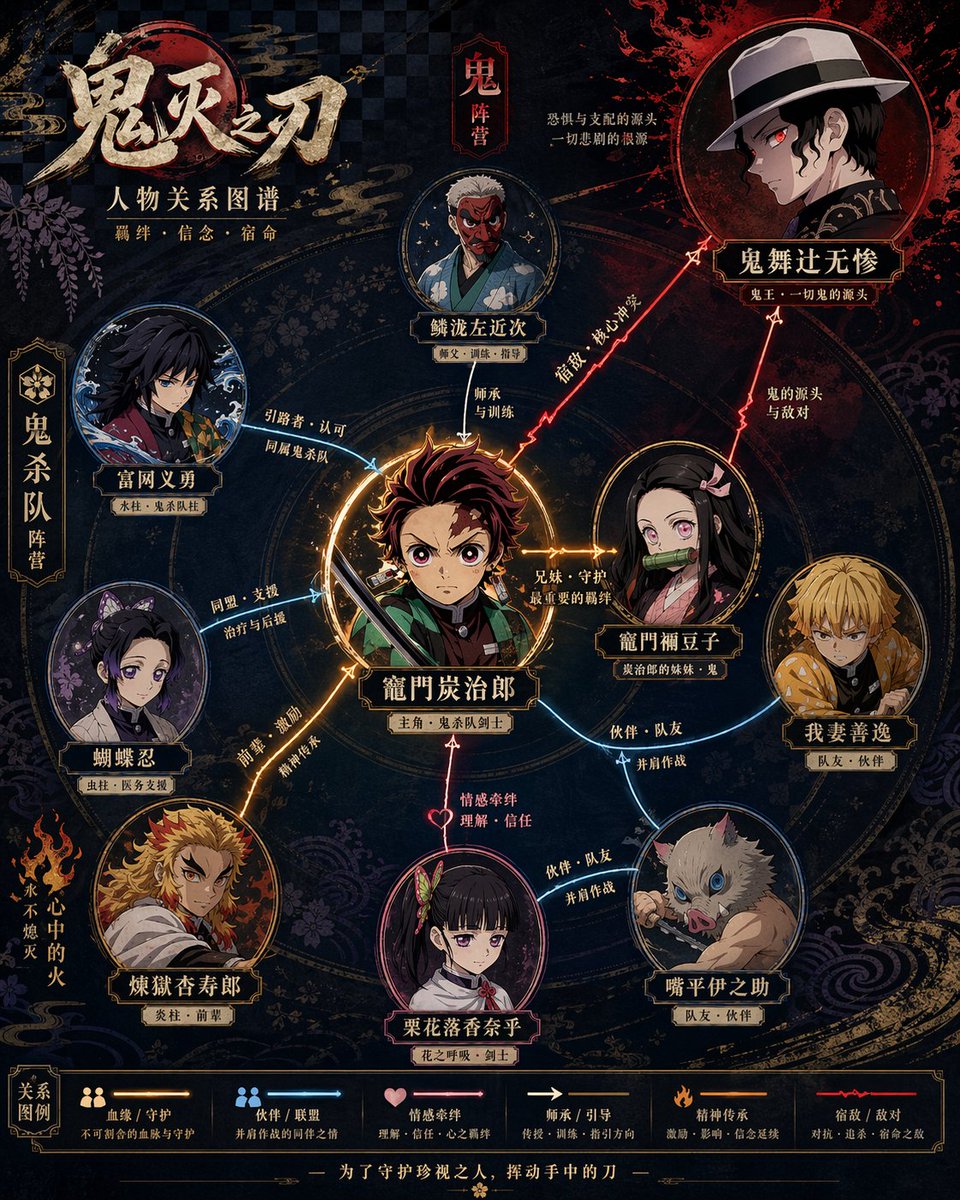
PROMPT · EN
请根据 argtheme: 鬼灭之刃 生成一张高设计感的角色关系图海报。这张图像不应只是简单的插画,而是一张结合了信息可视化、叙事结构、海报设计感以及风格还原度的角色关系图。 请自动完成以下内容:
- 识别与主题对应的作品及核心设定
- 提取最具代表性的 6–12 位关键角色,必要时不超过 15 位
- 识别并展示关键角色关系,包括血缘、爱情、友情、盟友、敌对、师徒等
- 根据作品特点自动选择构图方式,例如主角中心式、双核对立式、阵营式、家族树式或时间线演变式
- 自动提炼作品的风格 DNA,包括色彩、世界观符号、质感、氛围、排版及代表性元素
- 将这些风格元素转化为关系图的整体视觉设计,而非简单复制官方海报
- 使用不同的颜色、线条类型和箭头来区分不同关系,确保线条清晰、分层明确,避免杂乱
- 使核心角色最突出,次要角色次之,从属角色弱化,形成清晰的视觉层级
- 确保每个角色名称清晰易读,必要时标注身份或阵营标签 最终成品应满足:
- 能立即理解角色层级和关键关系
- 与原作的气质和设定高度契合
- 兼具信息图表的清晰度与海报的高级设计感
- 统一、精致、完整,适合社交媒体分享或海报展示
- 避免廉价的流程图感、杂乱的堆砌以及信息过载。
À propos de ce prompt
Create a stunning, professional character relationship poster for any anime series, blending infographics with authentic art style. Use it as a Art Conceptuel starting point for GPT Image 2: keep the visual structure and style constraints intact, then swap in your own subject, brand, or scene.
Start by replacing theme, then keep the camera, composition, and material cues in the same order. This makes the output easier to compare across variations.
Comment utiliser ce prompt
- Copy the Prompt: Copy the entire prompt body from this page.
- Choose Your AI Model: Paste it into a compatible AI image generator like Sora 2, Midjourney, or DALL-E.
- Set the Theme: In the prompt, find
{theme="Your Anime"}and replace the default with your desired anime title (e.g.,Naruto,Jujutsu Kaisen). - Generate: Run the prompt. The AI will automatically analyze the series, select key characters, and design the relationship map poster.
- Refine (Optional): If needed, you can tweak the prompt to adjust the number of characters or the visual style.


