
GPT Image 2Prompt IA
Multi-Angle Character Sheet from Any Image — Sora 2 Prompt
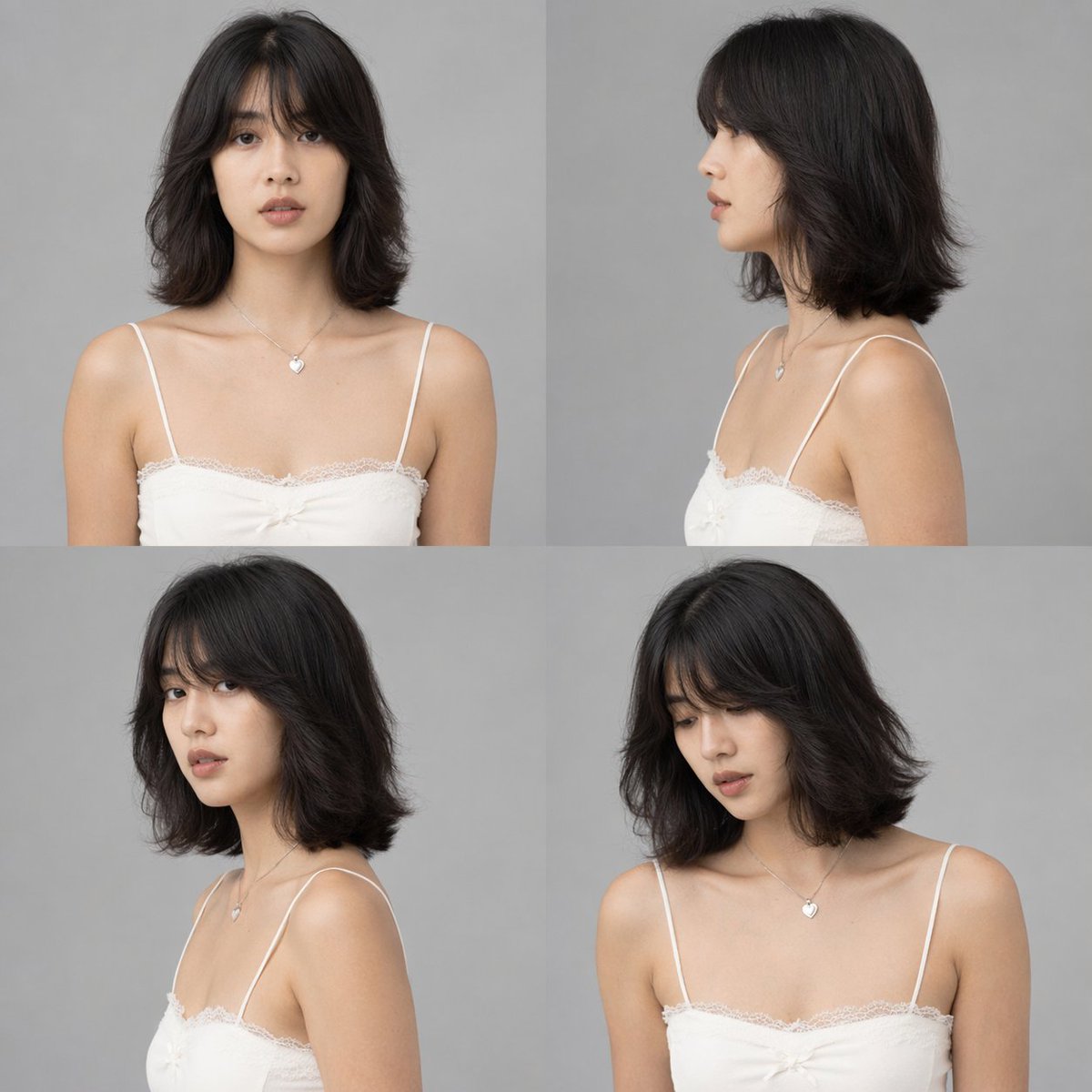
Transform any portrait into a full-color, multi-angle character reference sheet with clean studio lighting and a neutral gray background.
PROMPT · EN
使用提供的参考图像,生成一张 argnumber of panels: 4 格的工作室风格角色设定图。将黑白参考图转换为全彩色,应用自然的肤色和黑色头发。移除原始环境,并将主体置于 argbackground color: 纯灰色 背景下,配合 arglighting style: 干净、中性的工作室灯光。生成的网格必须展示完全相同的角色,穿着保留的白色蕾丝吊带衫和心形项链,呈现 argnumber of panels: 4 种不同的姿势:1) 正面视角,2) 右侧面视角,3) 左侧 3/4 视角(回头看),以及 4) 右侧 3/4 视角(微微低头)。
À propos de ce prompt
Transform any portrait into a full-color, multi-angle character reference sheet with clean studio lighting and a neutral gray background. Use it as a Art Conceptuel starting point for GPT Image 2: keep the visual structure and style constraints intact, then swap in your own subject, brand, or scene.
Start by replacing number of panels, background color, and lighting style, then keep the camera, composition, and material cues in the same order. This makes the output easier to compare across variations.
Comment utiliser ce prompt
- Copy and paste this prompt into your AI image generator (e.g., Sora 2, Midjourney, Stable Diffusion).
- Upload your reference portrait image as input.
- Adjust the
number of panels,background color, orlighting stylevariables if desired. - Generate the image to get a multi-angle character sheet with four different poses.
- Refine by editing the prompt or regenerating with tweaked settings.


